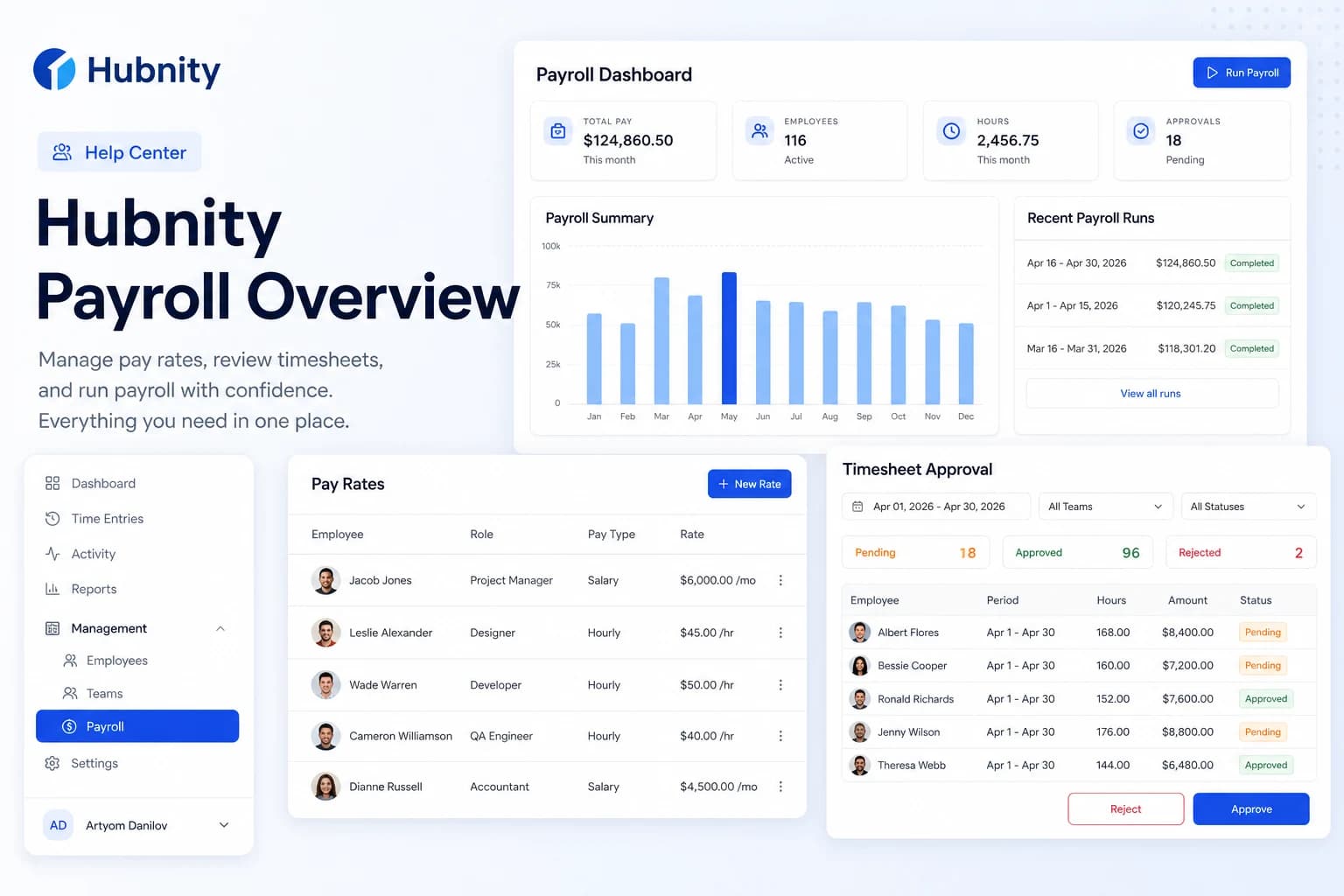
Create, review, approve, and export a payroll batch from approved timesheet hours.
Create a payroll batch
Only approved timesheet entries are included. Pending or rejected entries are excluded.
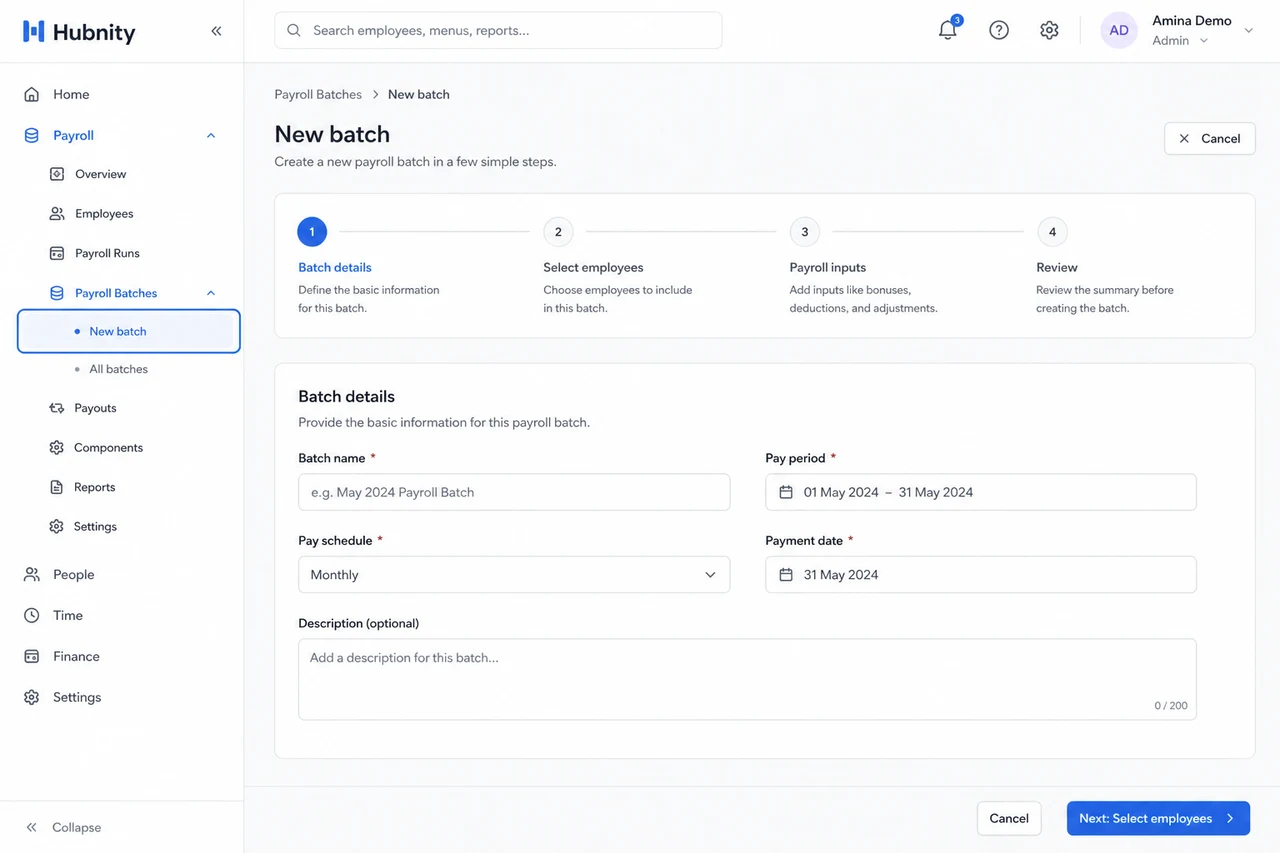
- 1
Go to Payroll → Batches → New batch
- 2
Select pay period (start and end dates)
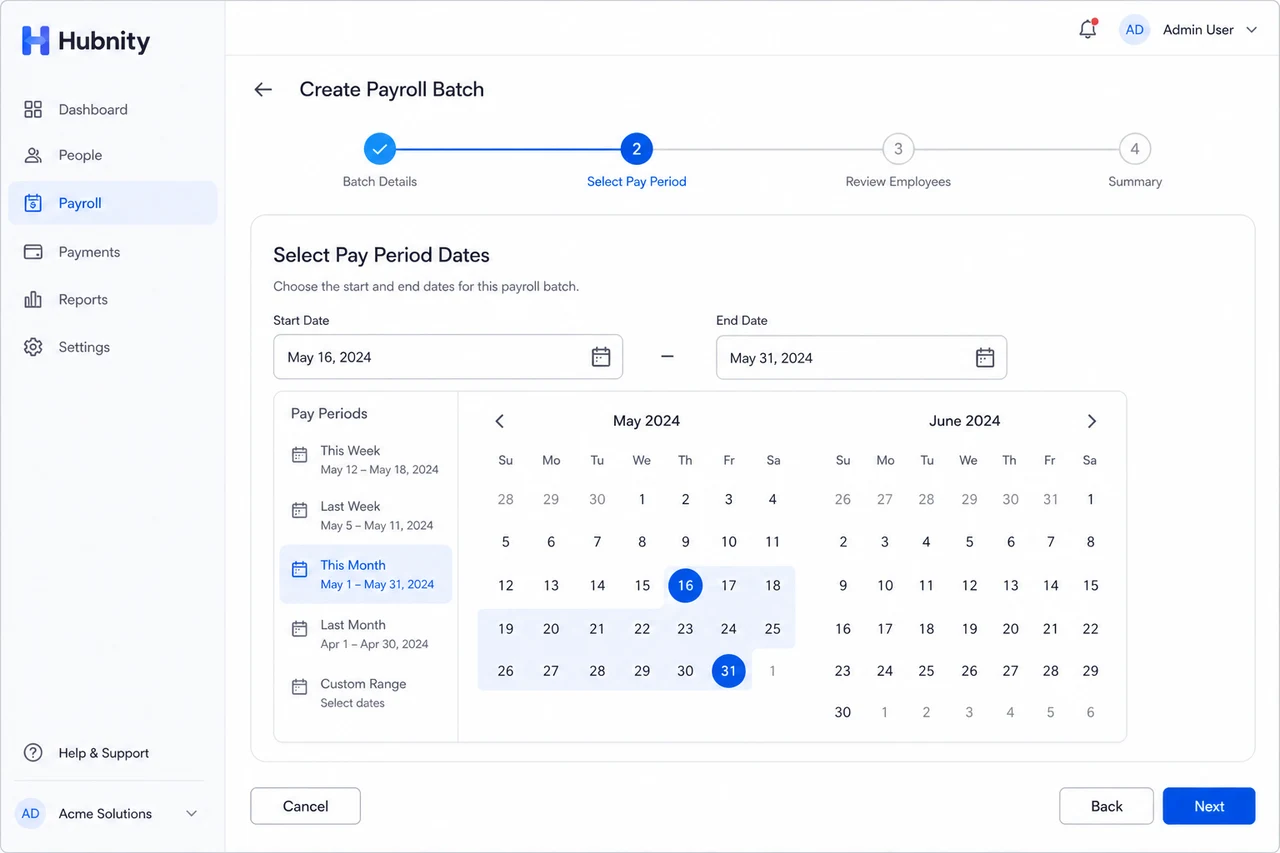
- 3
Choose members or teams to include
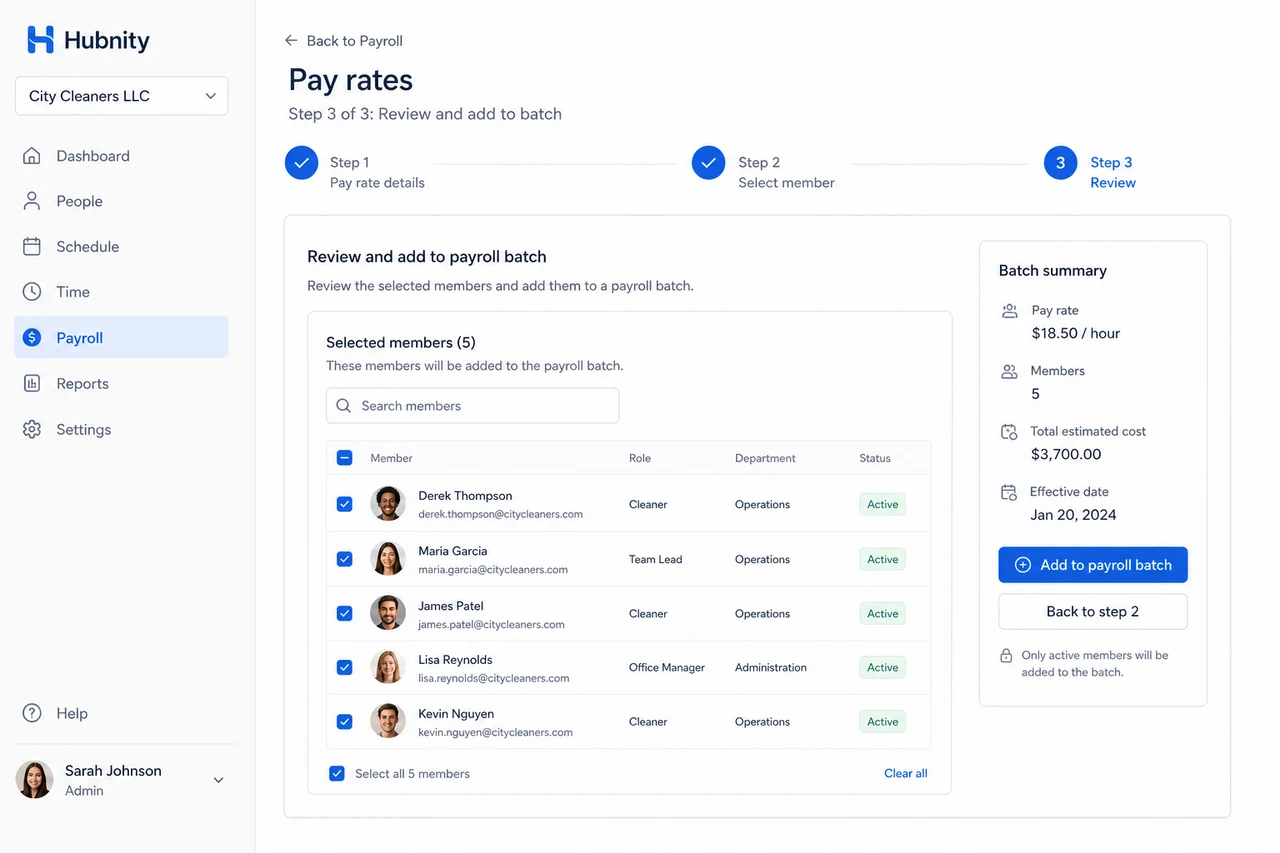
- 4
Click Calculate — Hubnity computes hours × rates
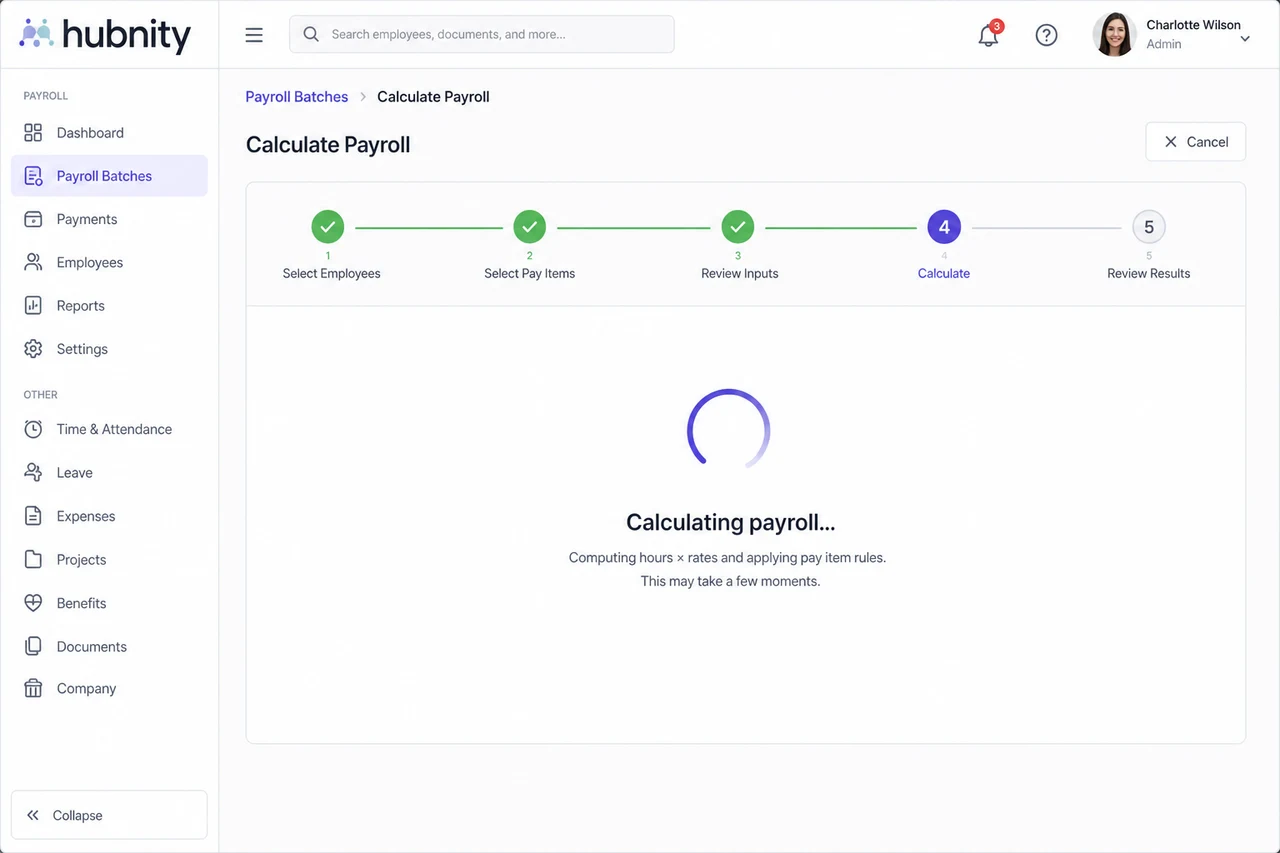
- 5
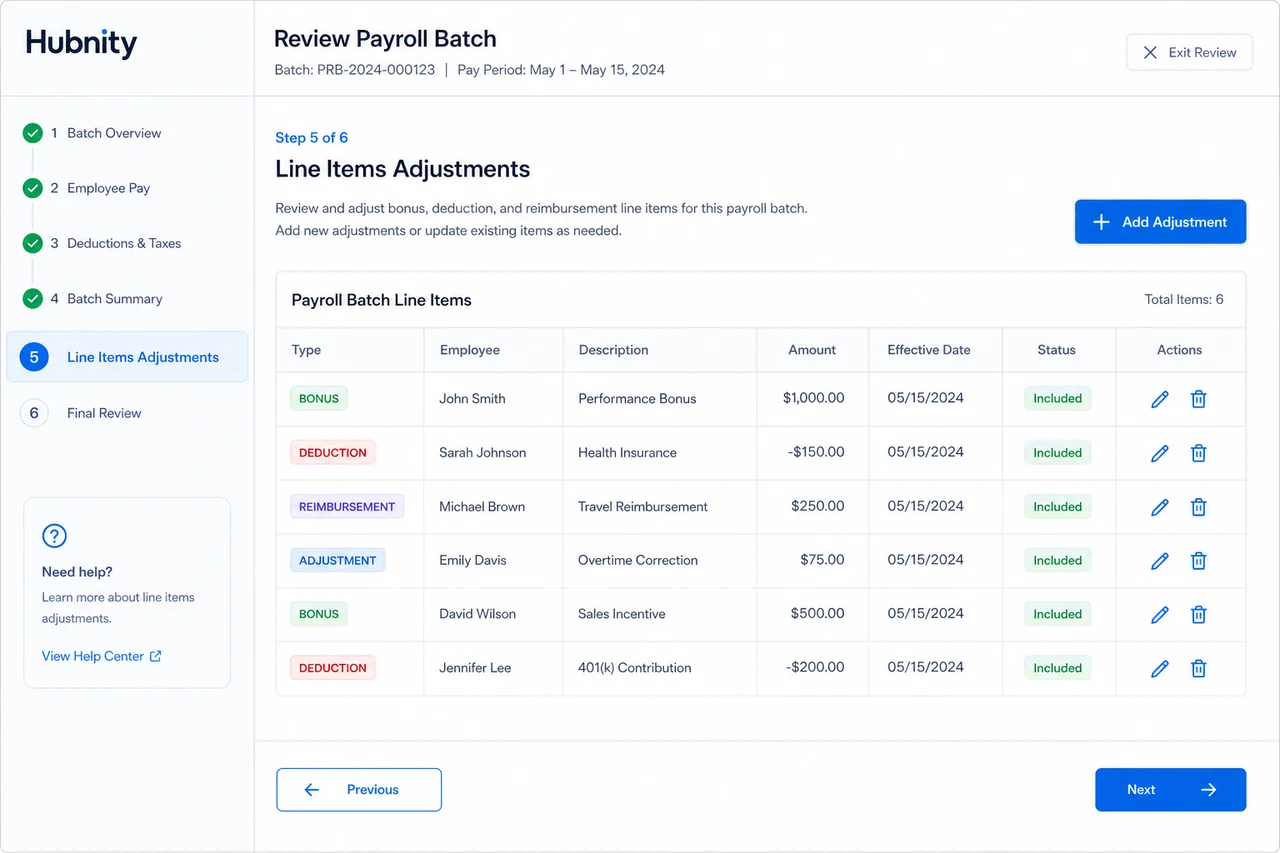
Review line items, add adjustments or bonuses if needed
- 6
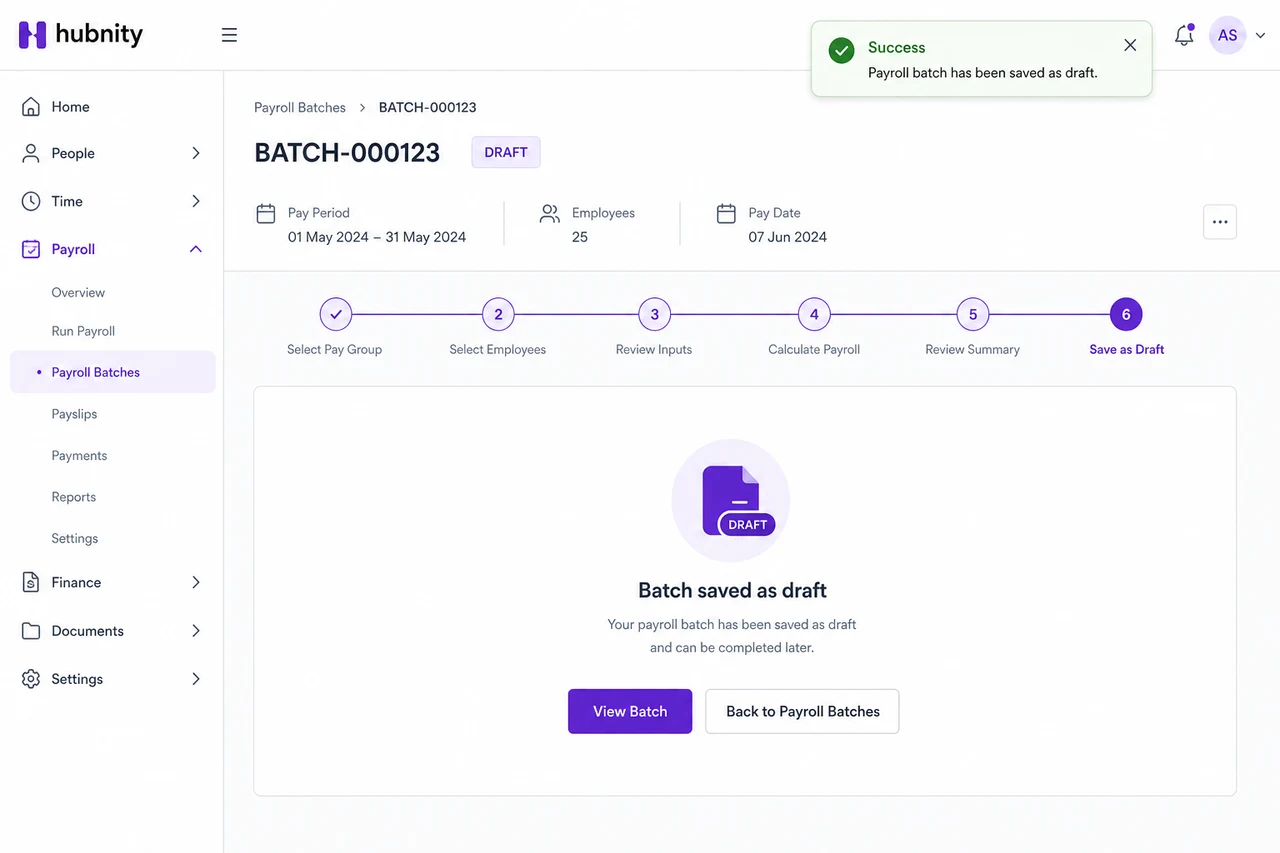
Save as Draft
Review and adjustments
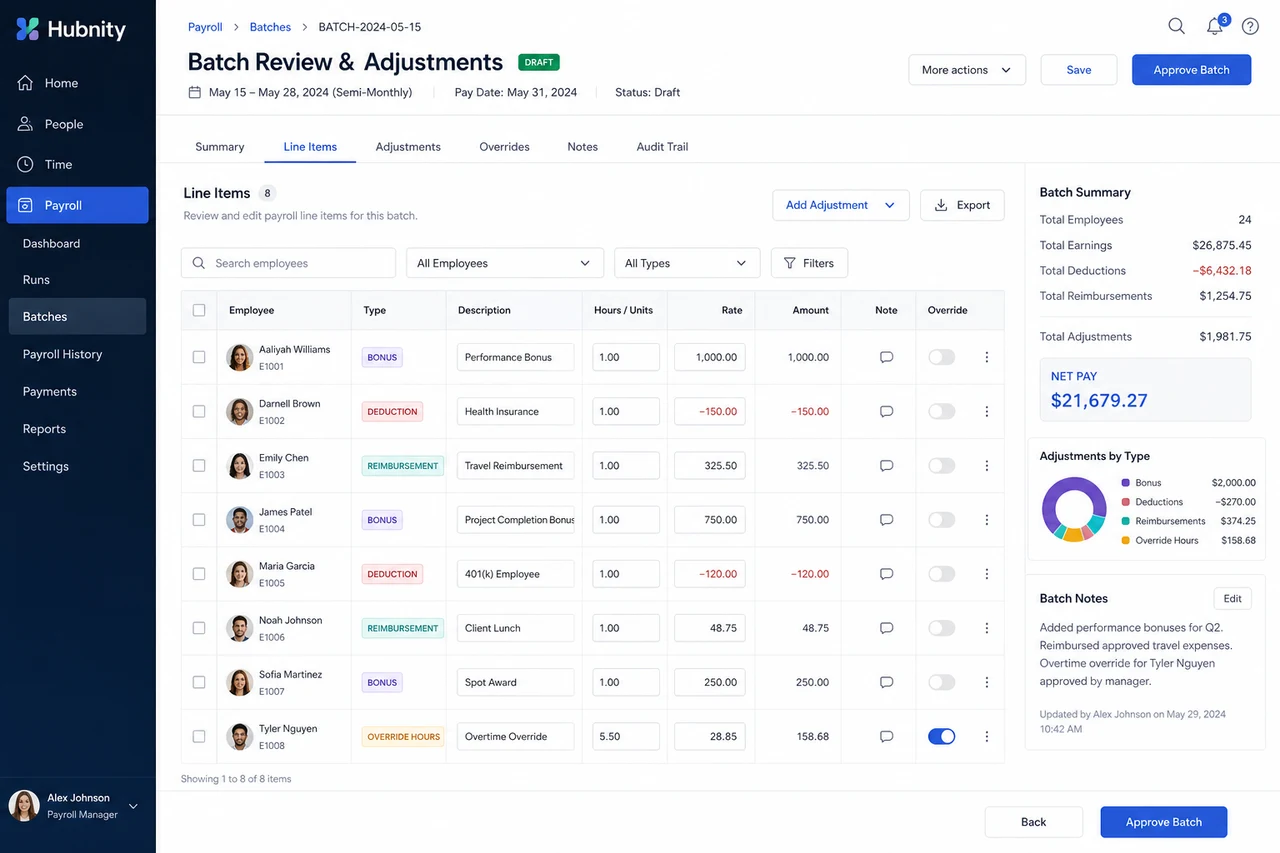
Draft batches are fully editable. Add line-item adjustments (bonus, deduction, reimbursement) with a note.
Override hours on individual line items if approved timesheet data needs correction before payroll.
Approve and export
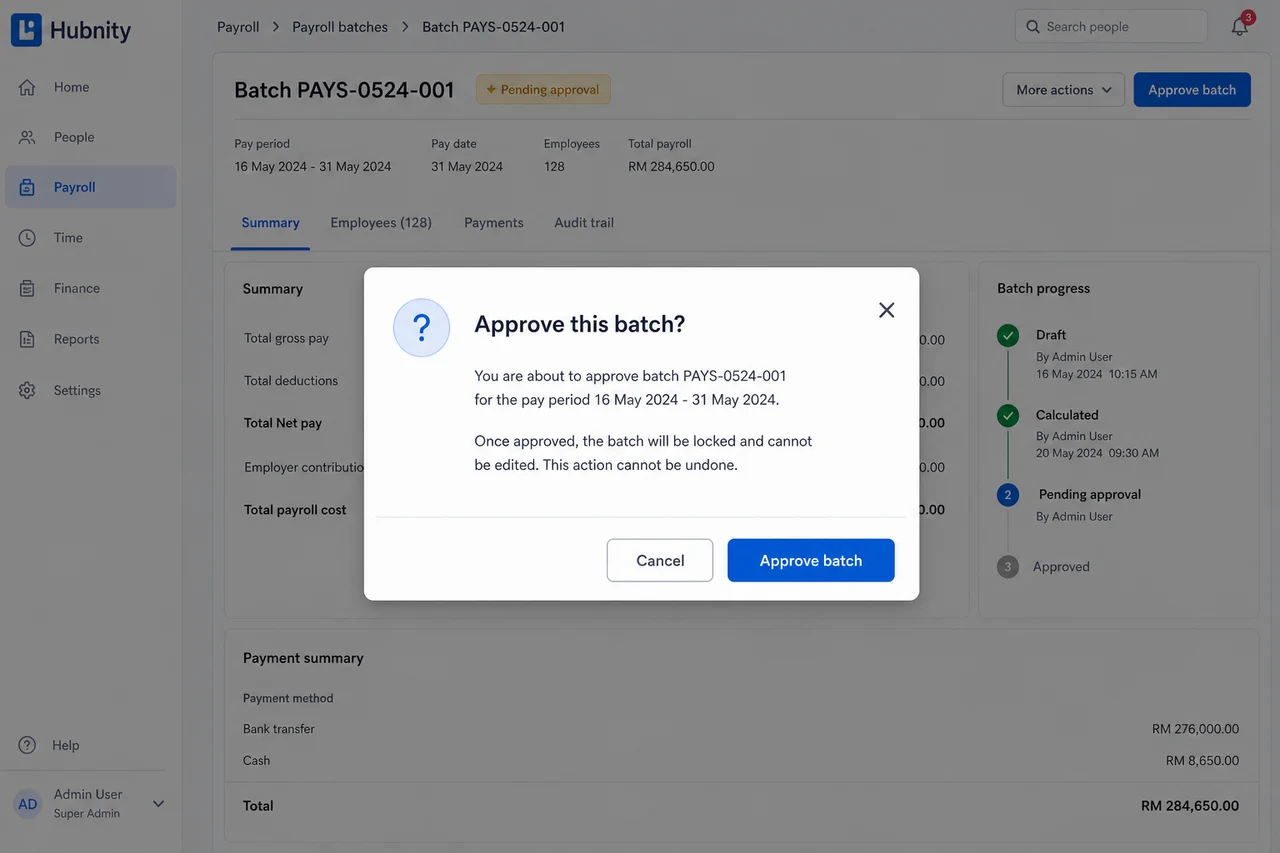
Approved batches lock entries from further edits.
- 1
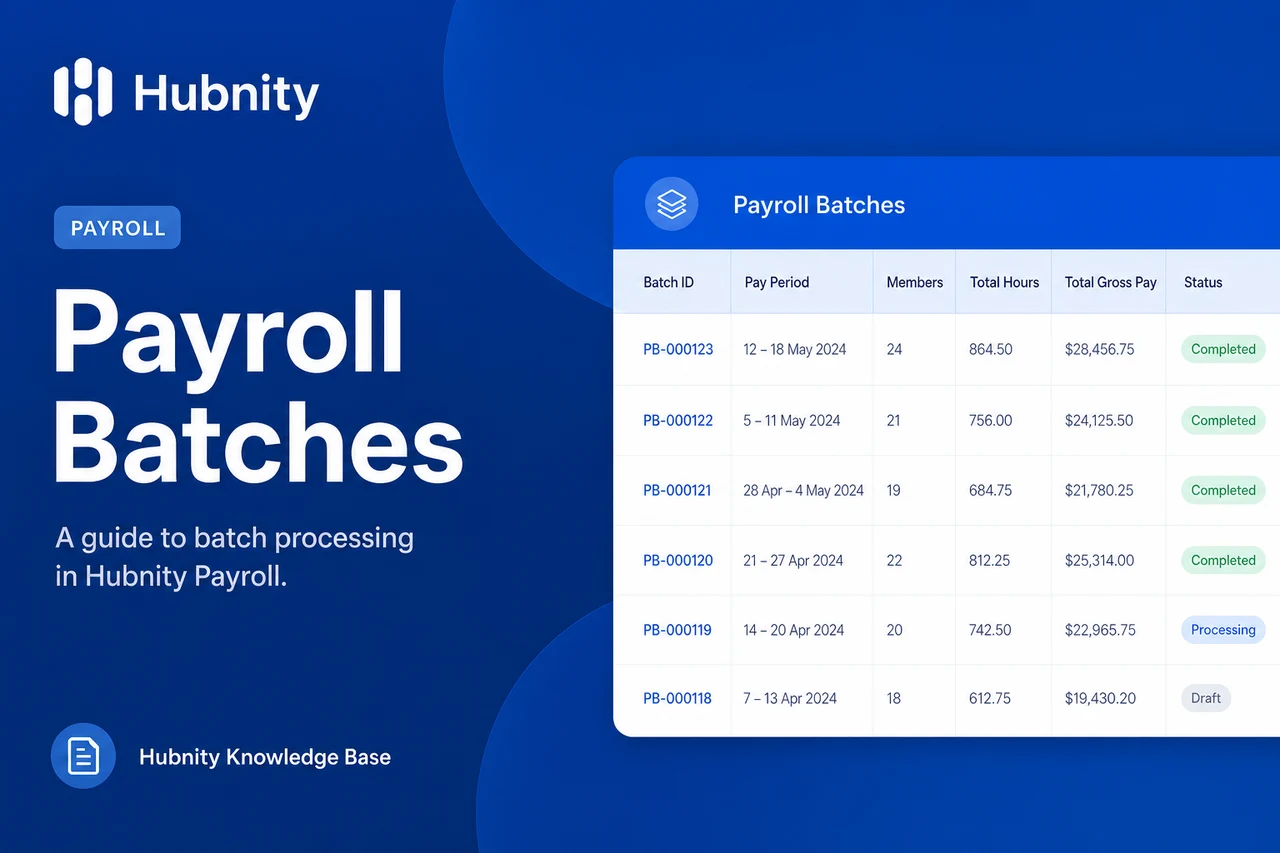
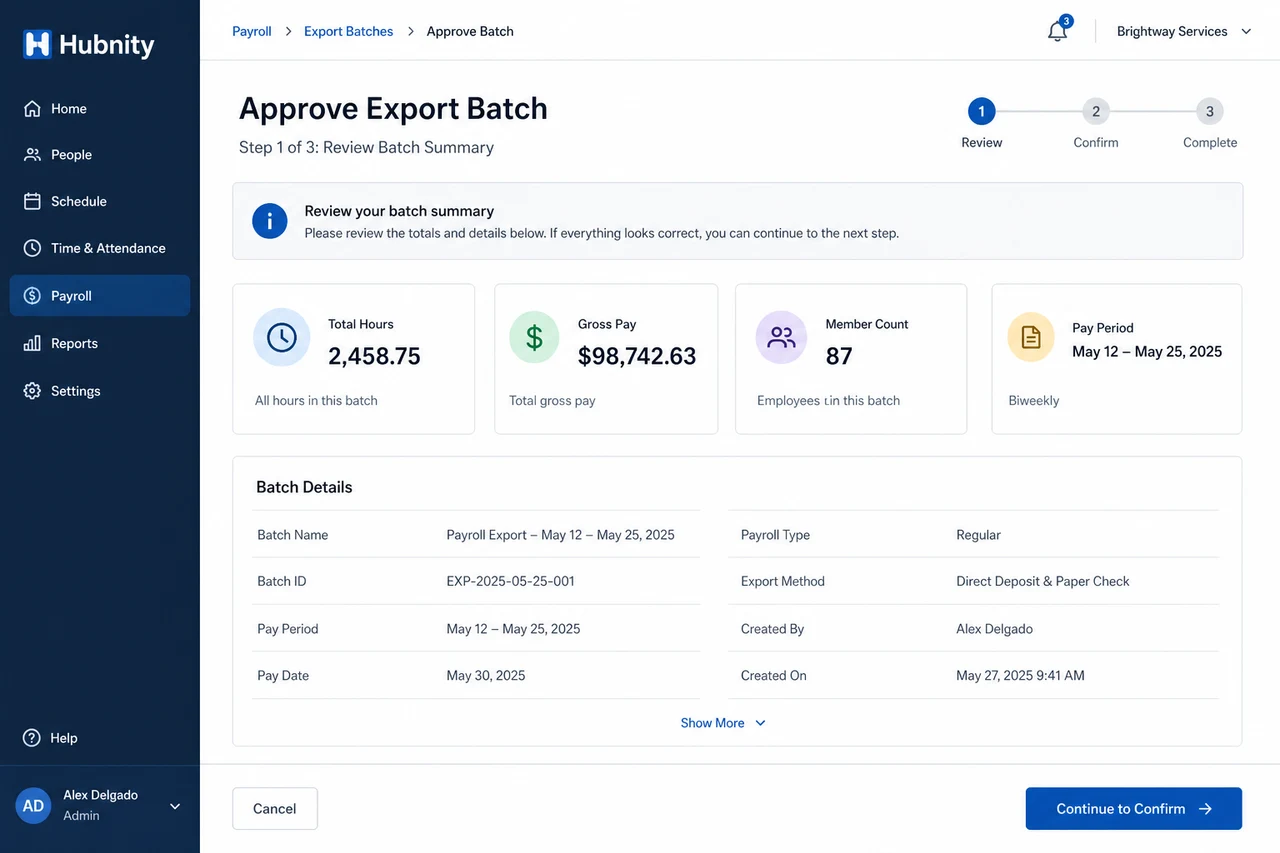
Review the batch summary (total hours, gross pay, member count)
- 2
Click Approve batch
- 3
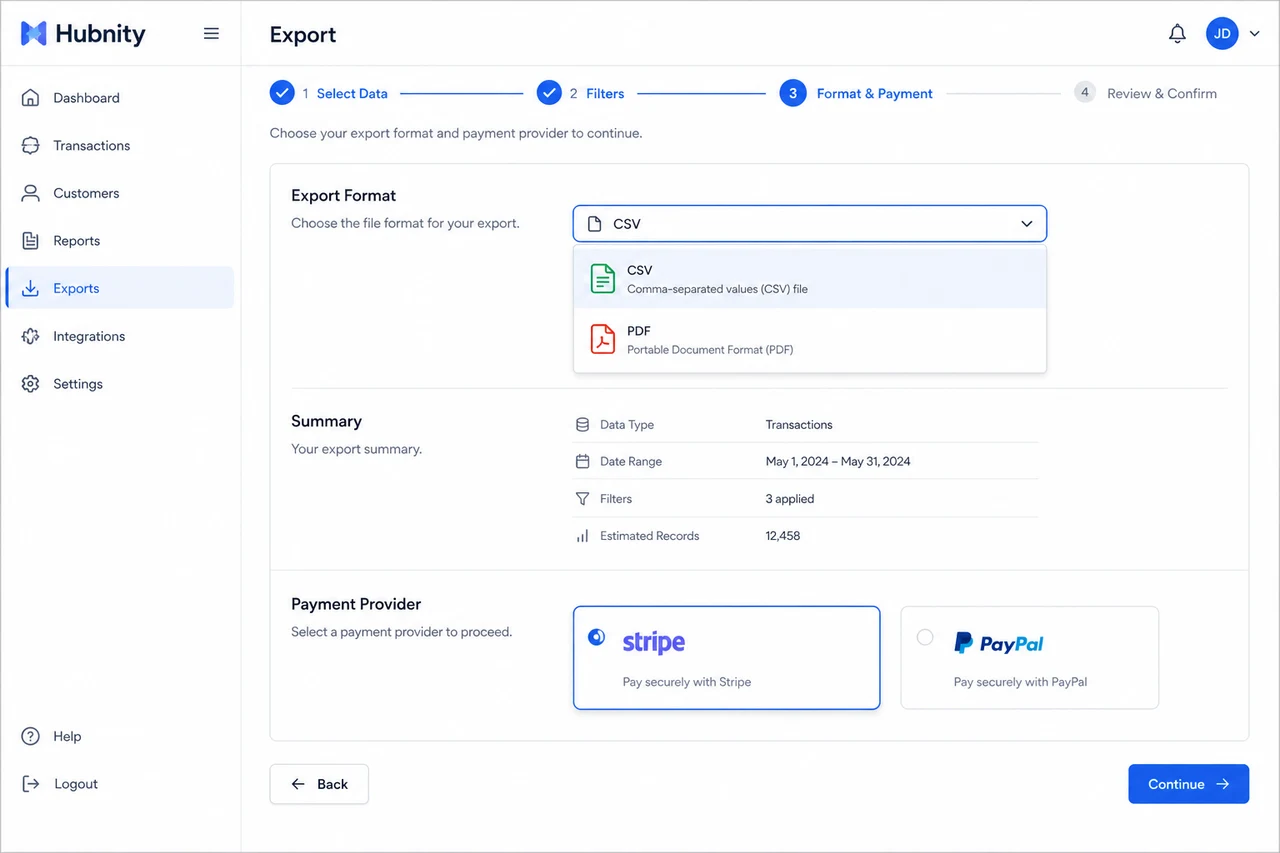
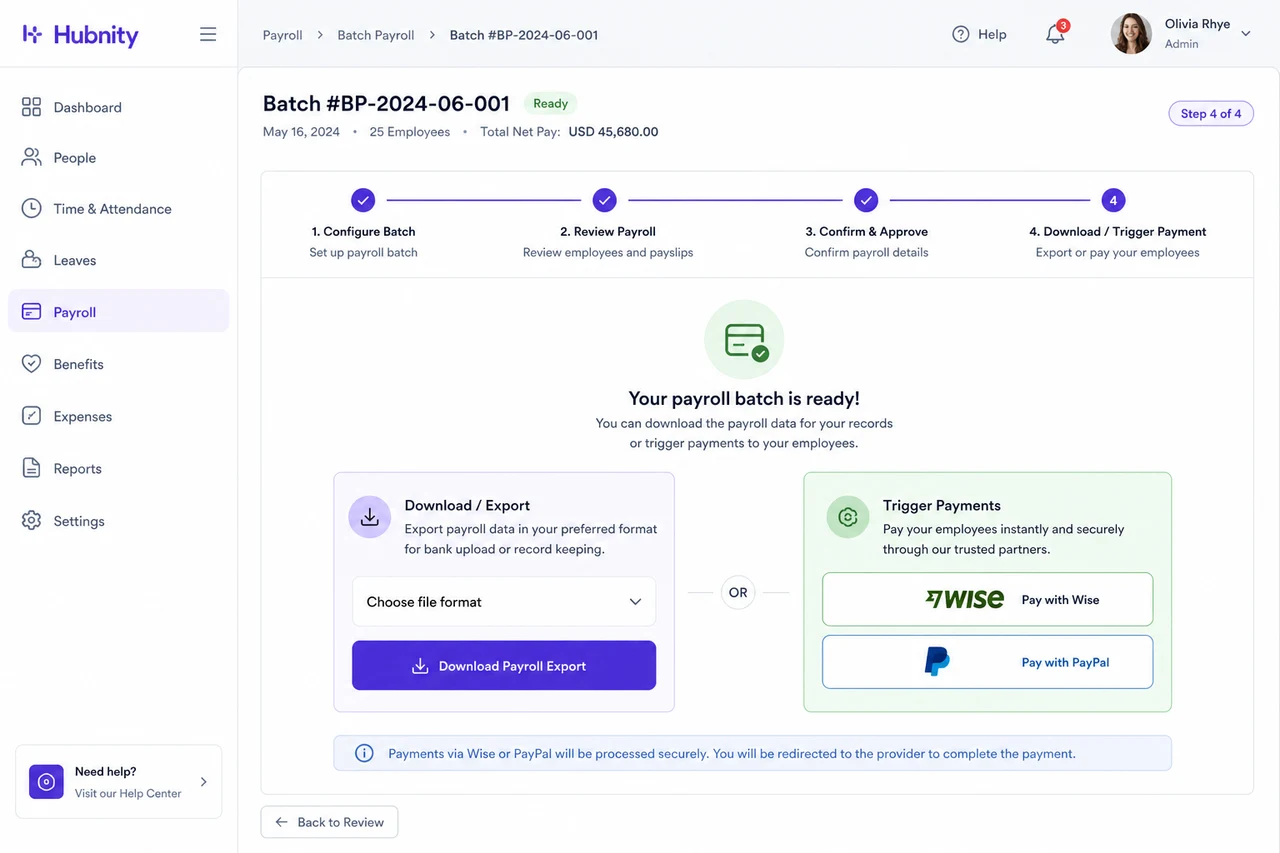
Choose export format: CSV, PDF summary, or payment provider
- 4
Download or trigger payment
- 5
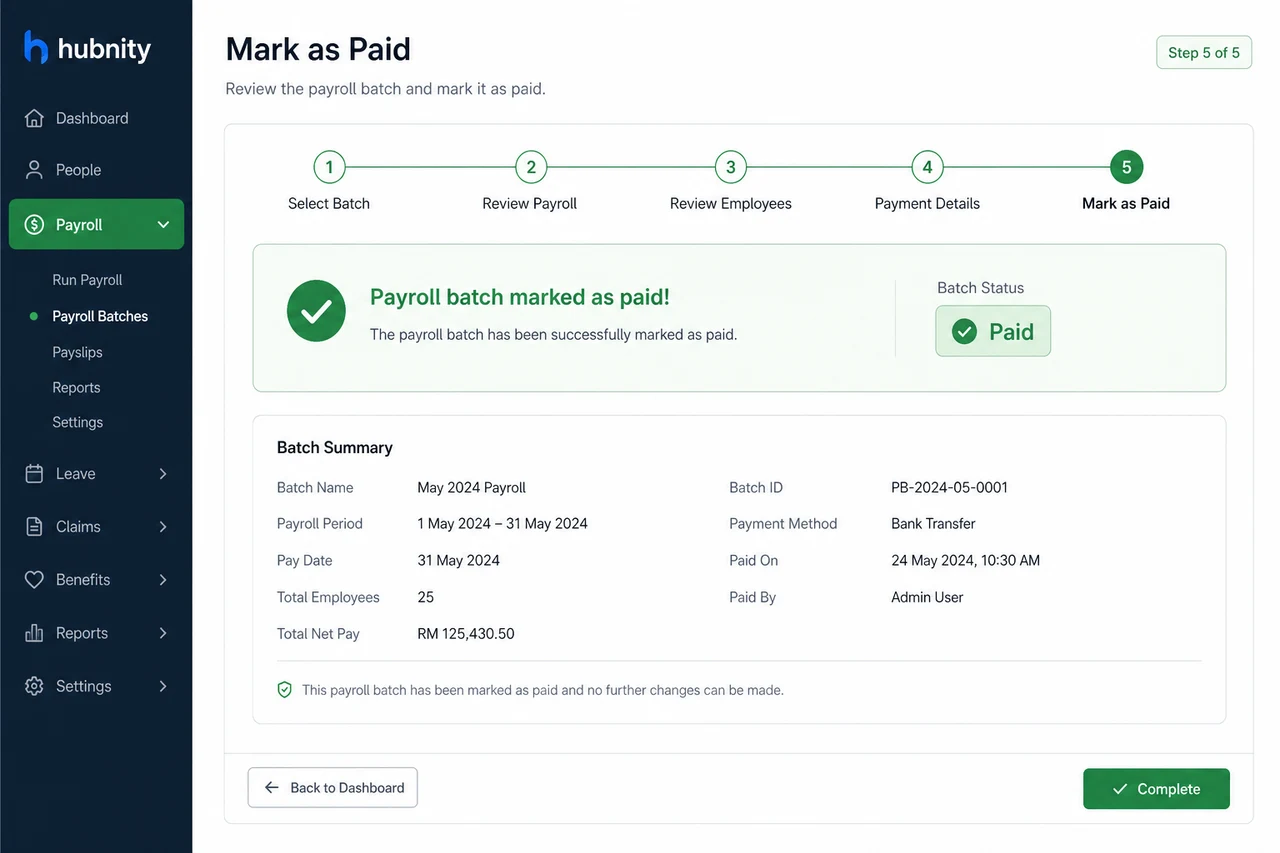
Mark as Paid when complete
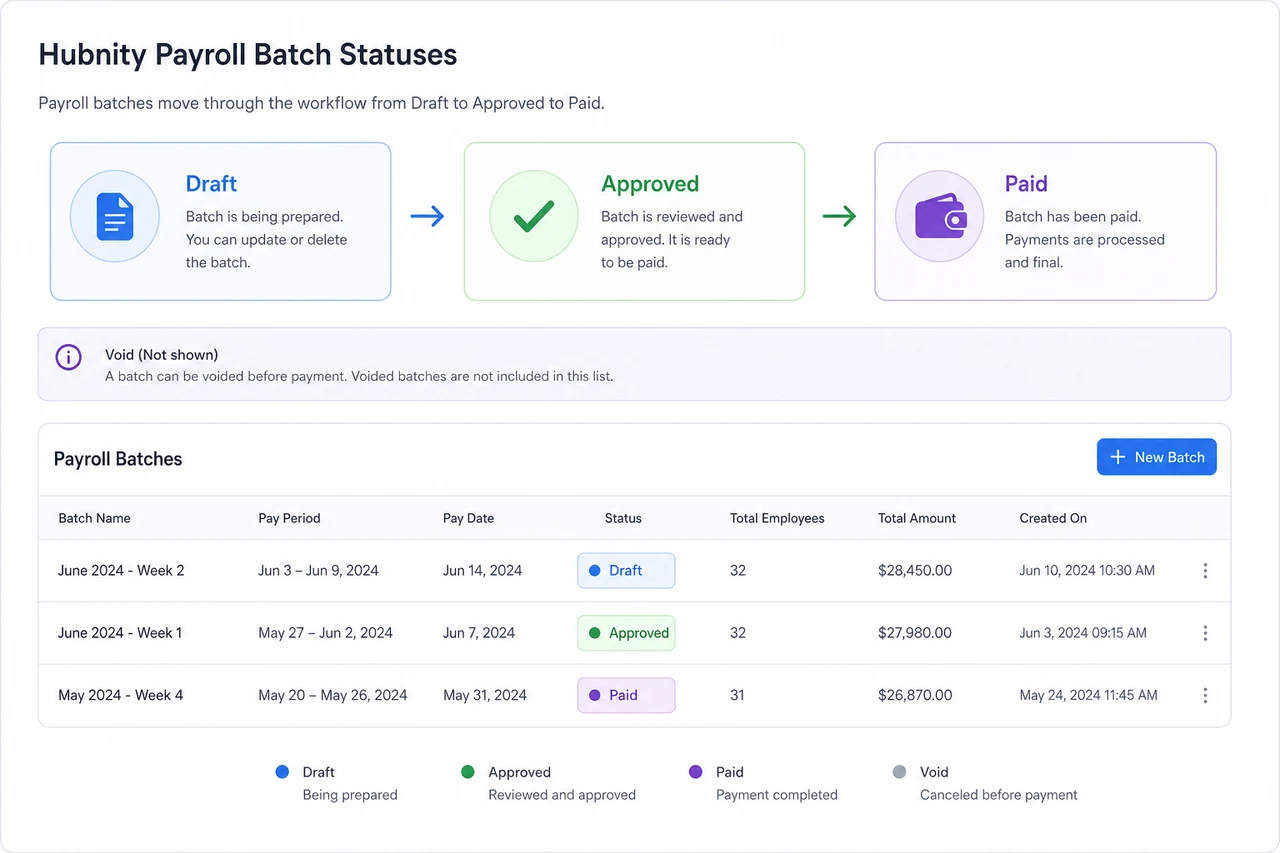
Batch statuses
Draft → Approved → Paid. Void reverts Approved batches to Draft. Paid batches cannot be voided without support assistance.
Common errors
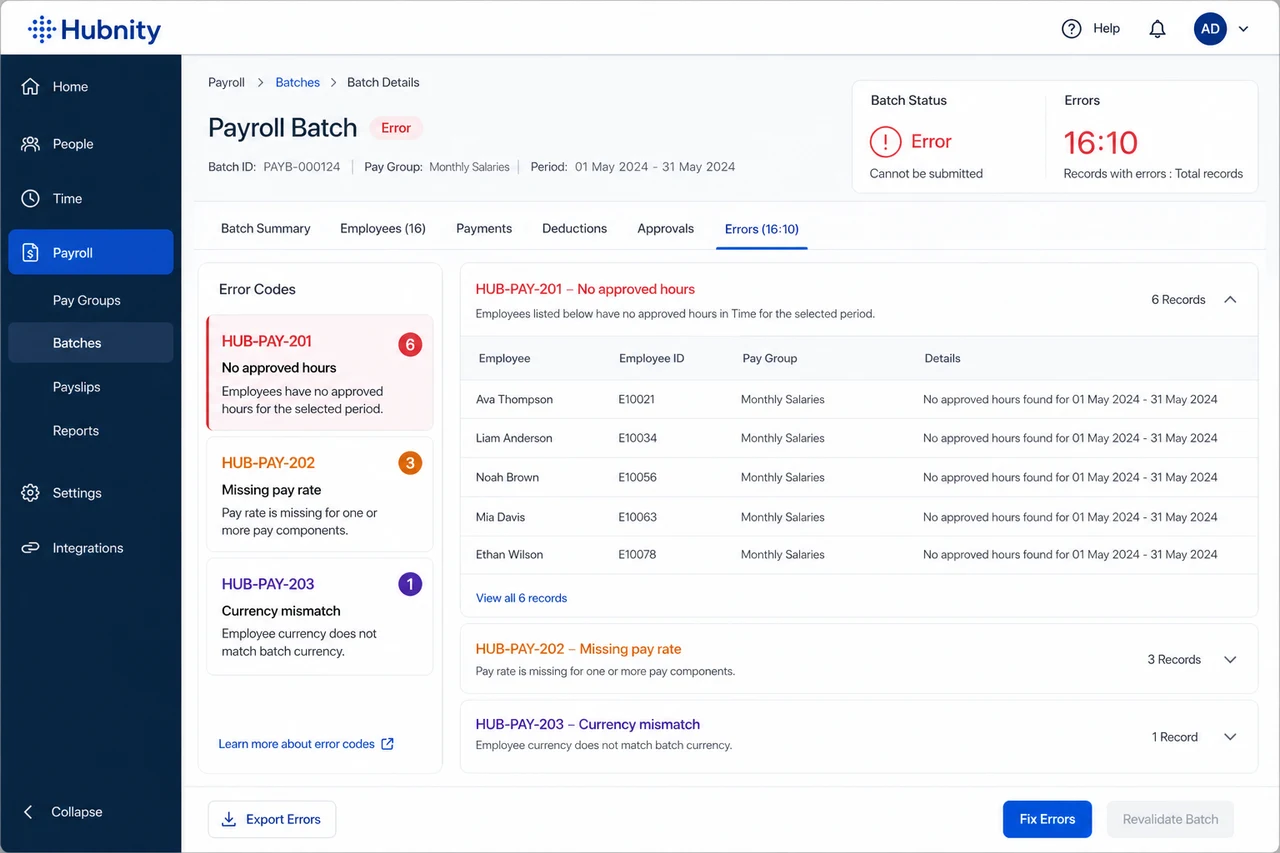
HUB-PAY-201: No approved hours in the selected period. Approve timesheets first.
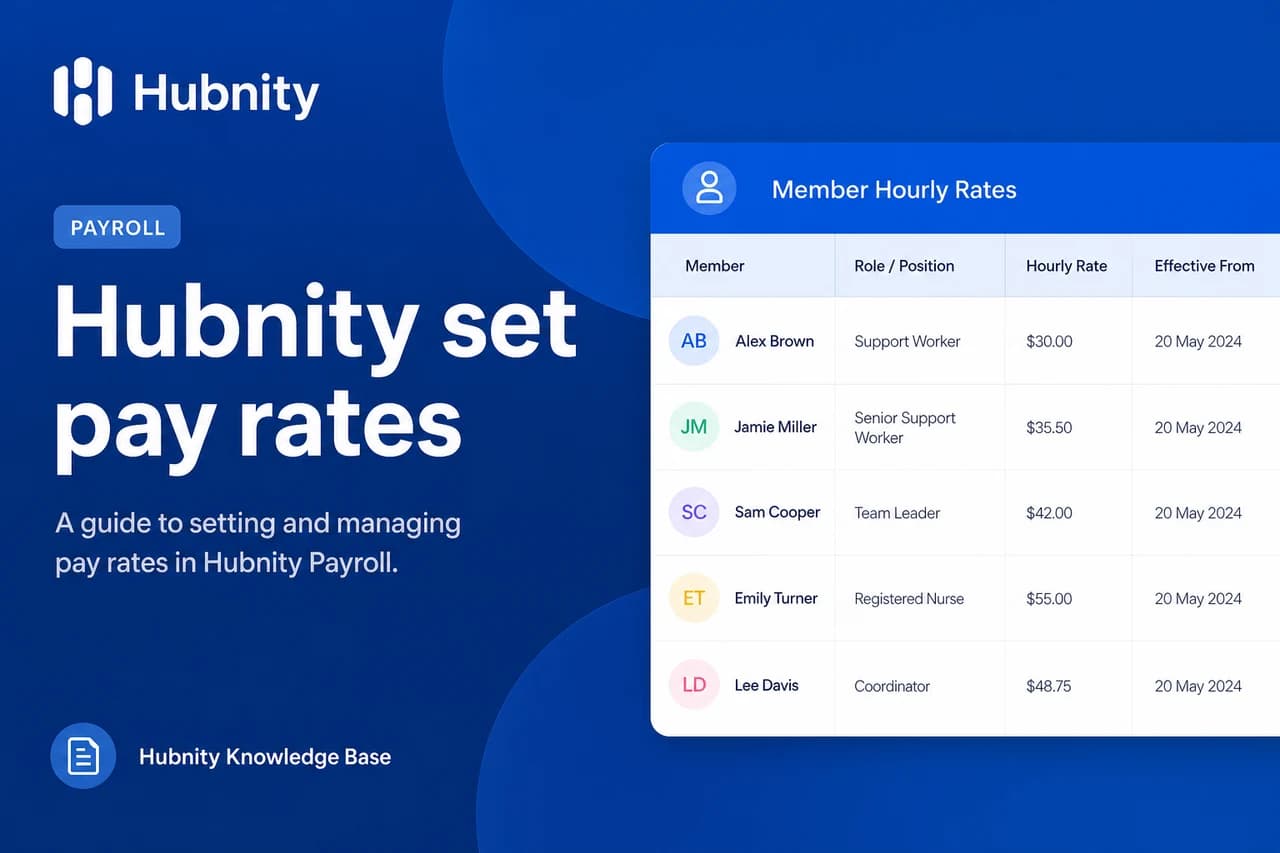
HUB-PAY-202: Member missing pay rate. Set in Payroll → Pay rates.
HUB-PAY-203: Currency mismatch. All members in a batch must share the organization default currency or have conversion rules.