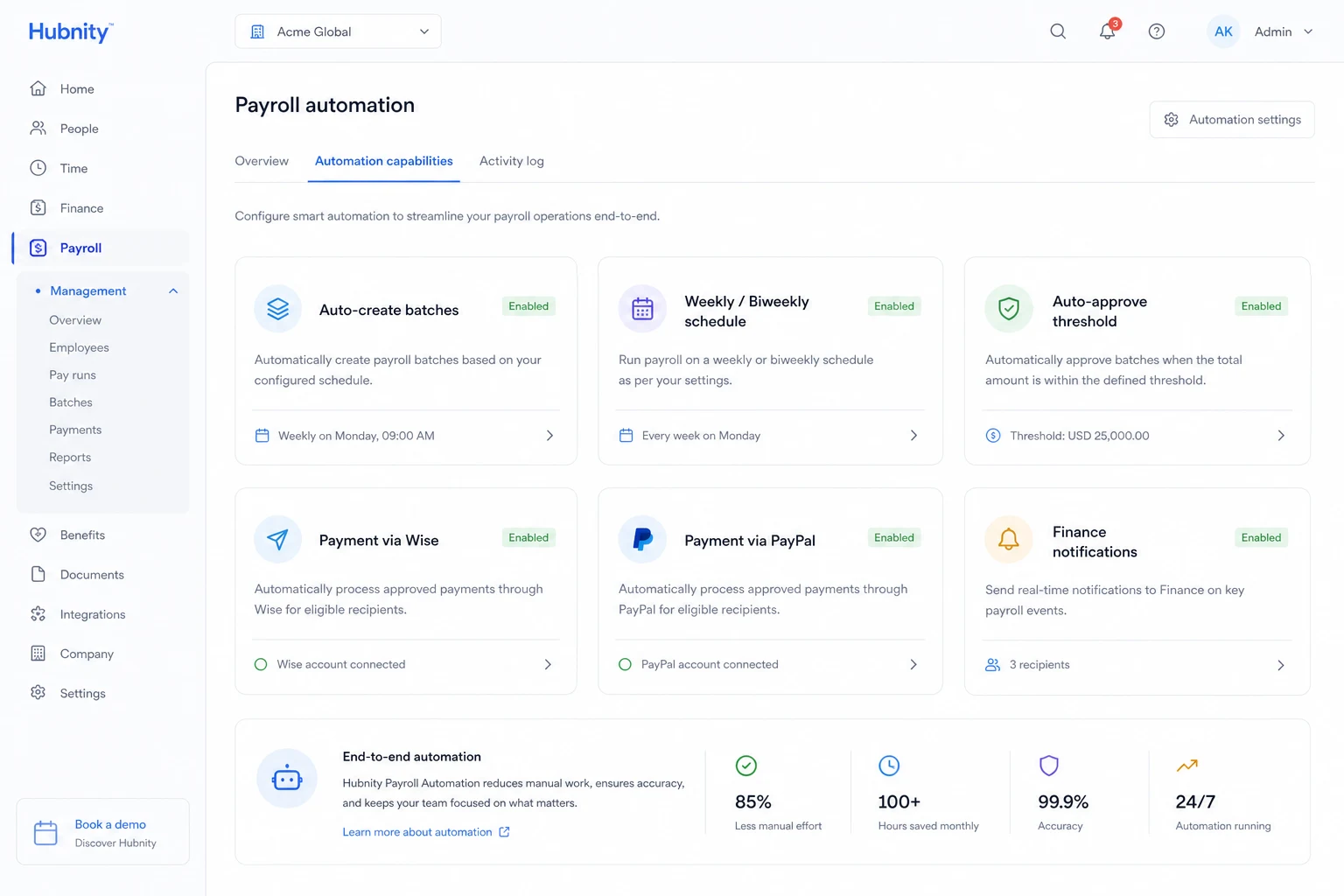
Automate payroll batch creation, approval routing, and payment triggers with the Payroll Automation add-on.
Automation capabilities
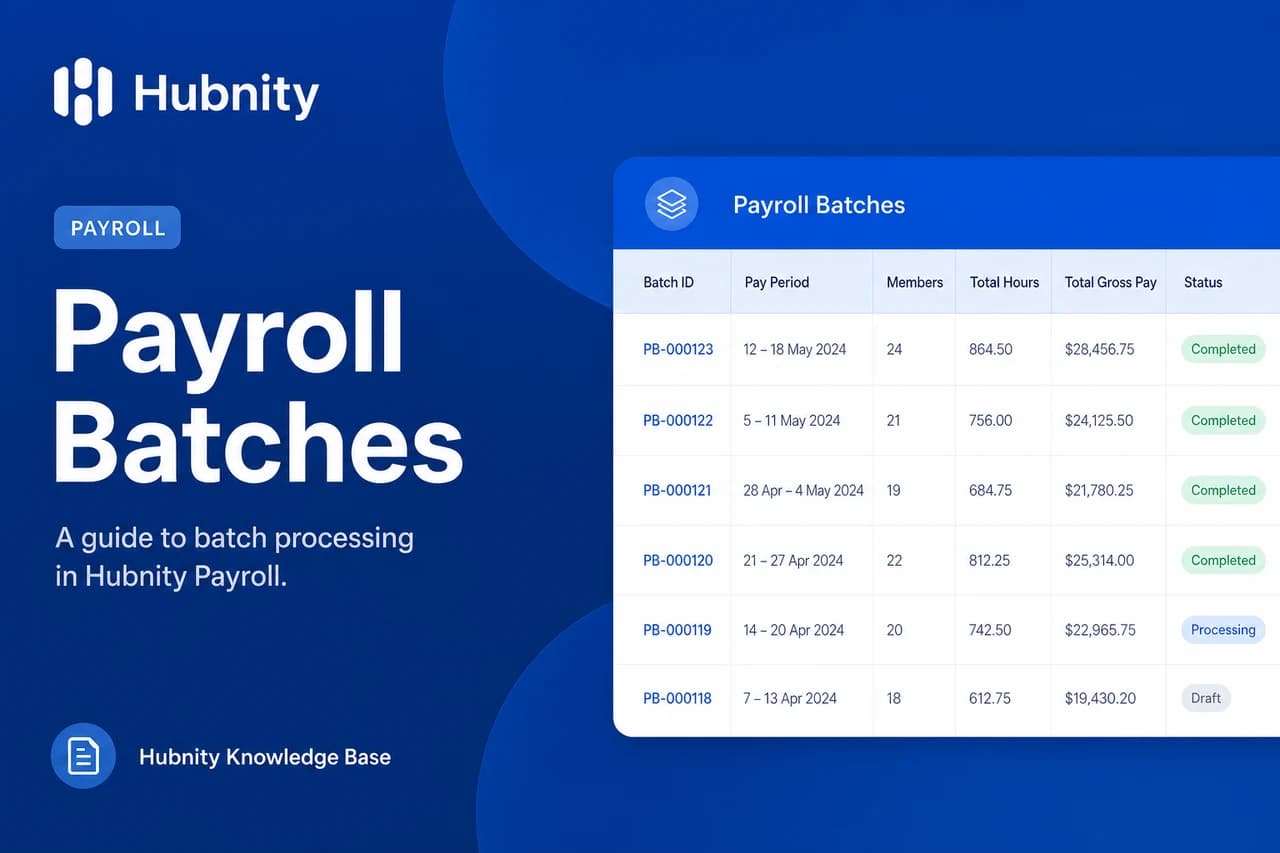
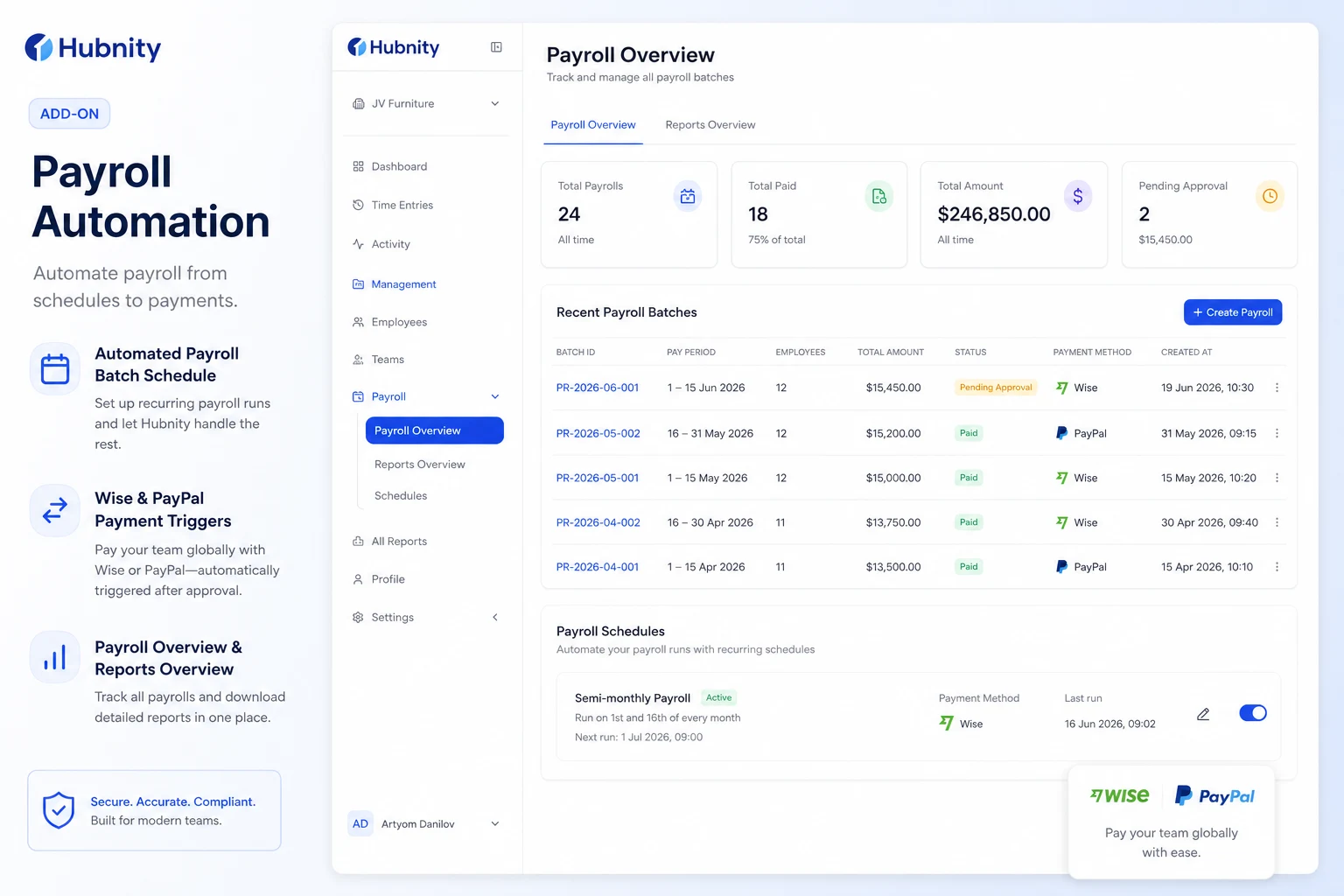
Auto-create payroll batches on a schedule (weekly, biweekly, monthly).
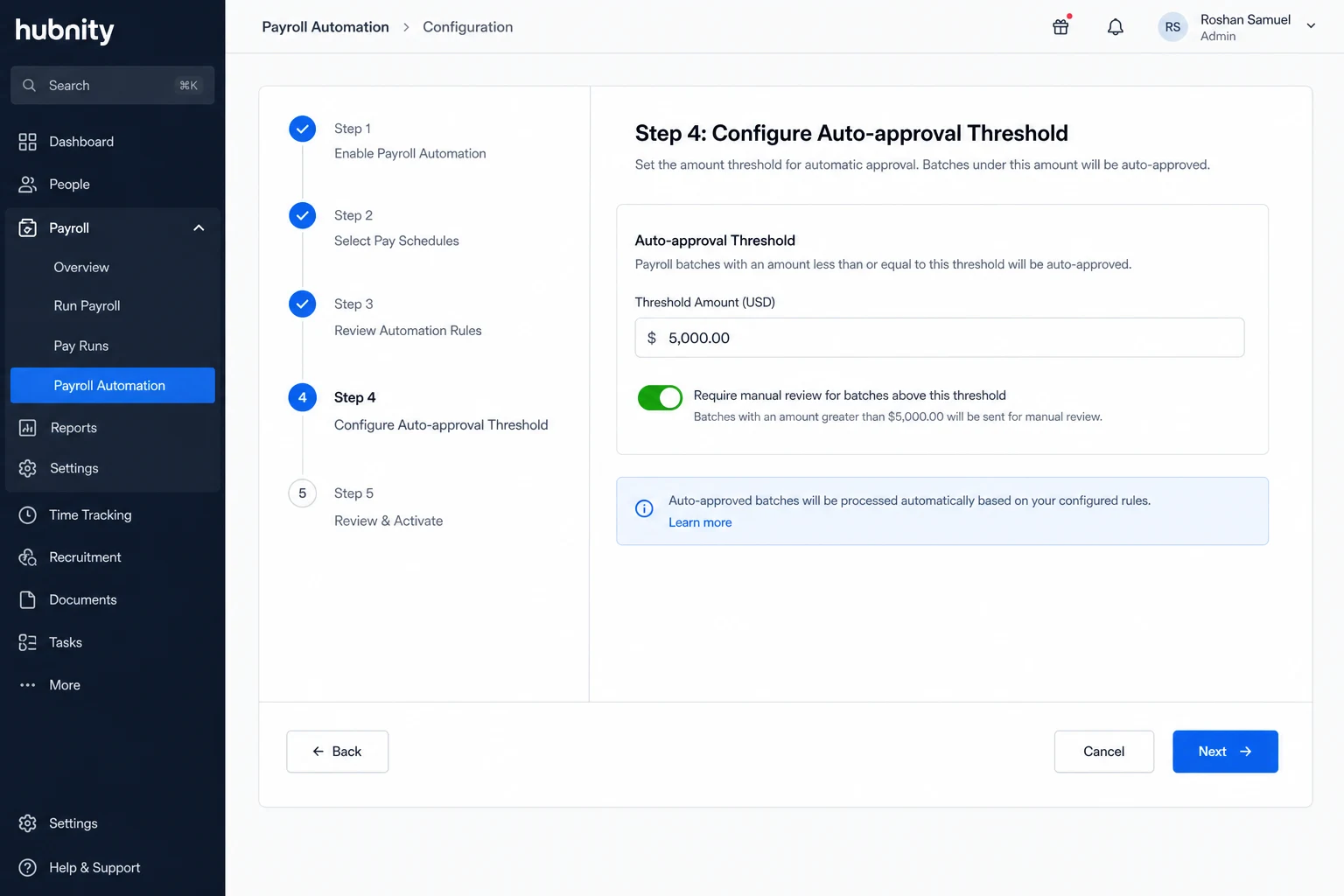
Auto-approve batches under a configurable dollar threshold.
Trigger Wise or PayPal payments on batch approval.
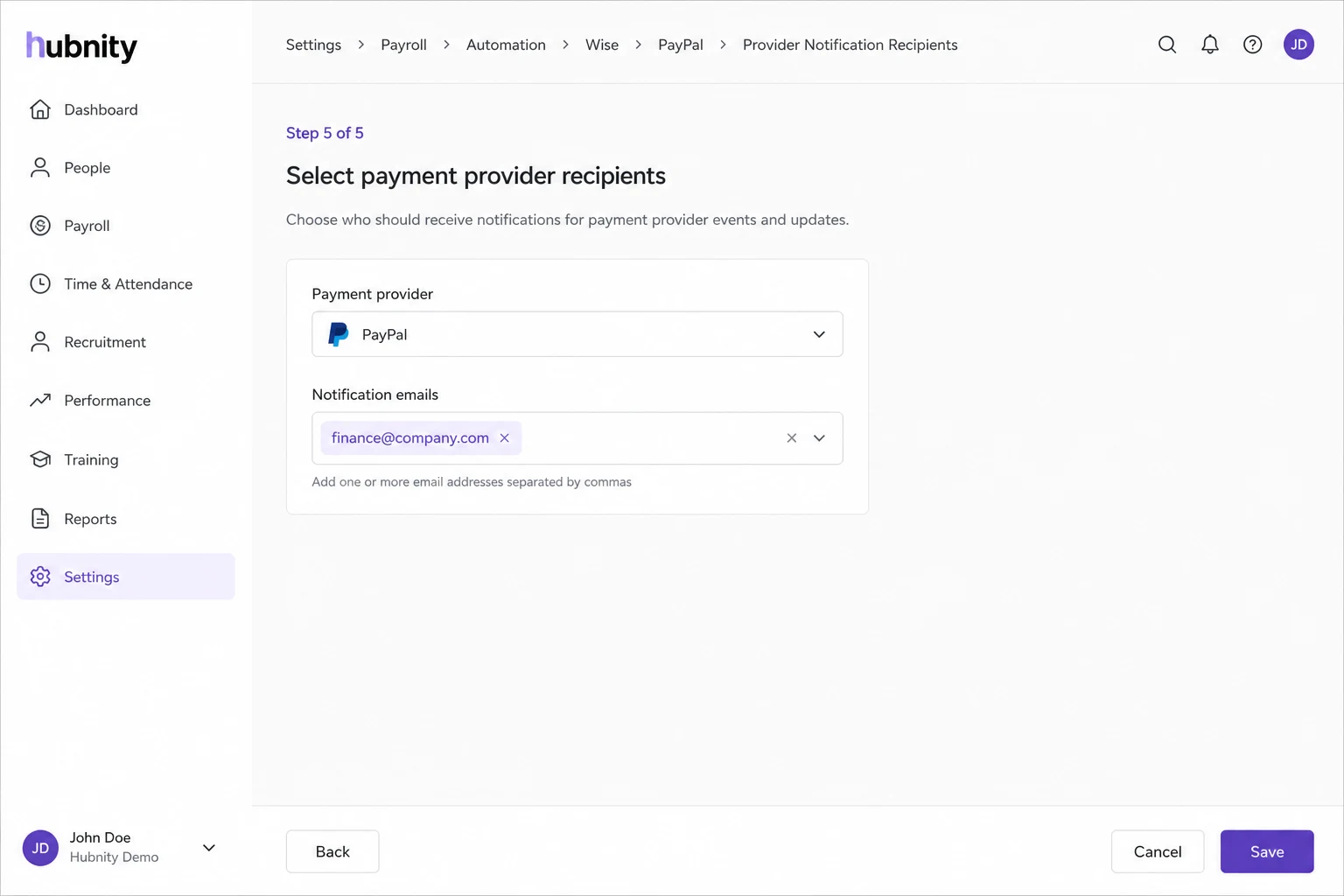
Send summary notifications to finance stakeholders.
Enable Payroll Automation
Requires pay rates configured and a payment provider connected.
- 1
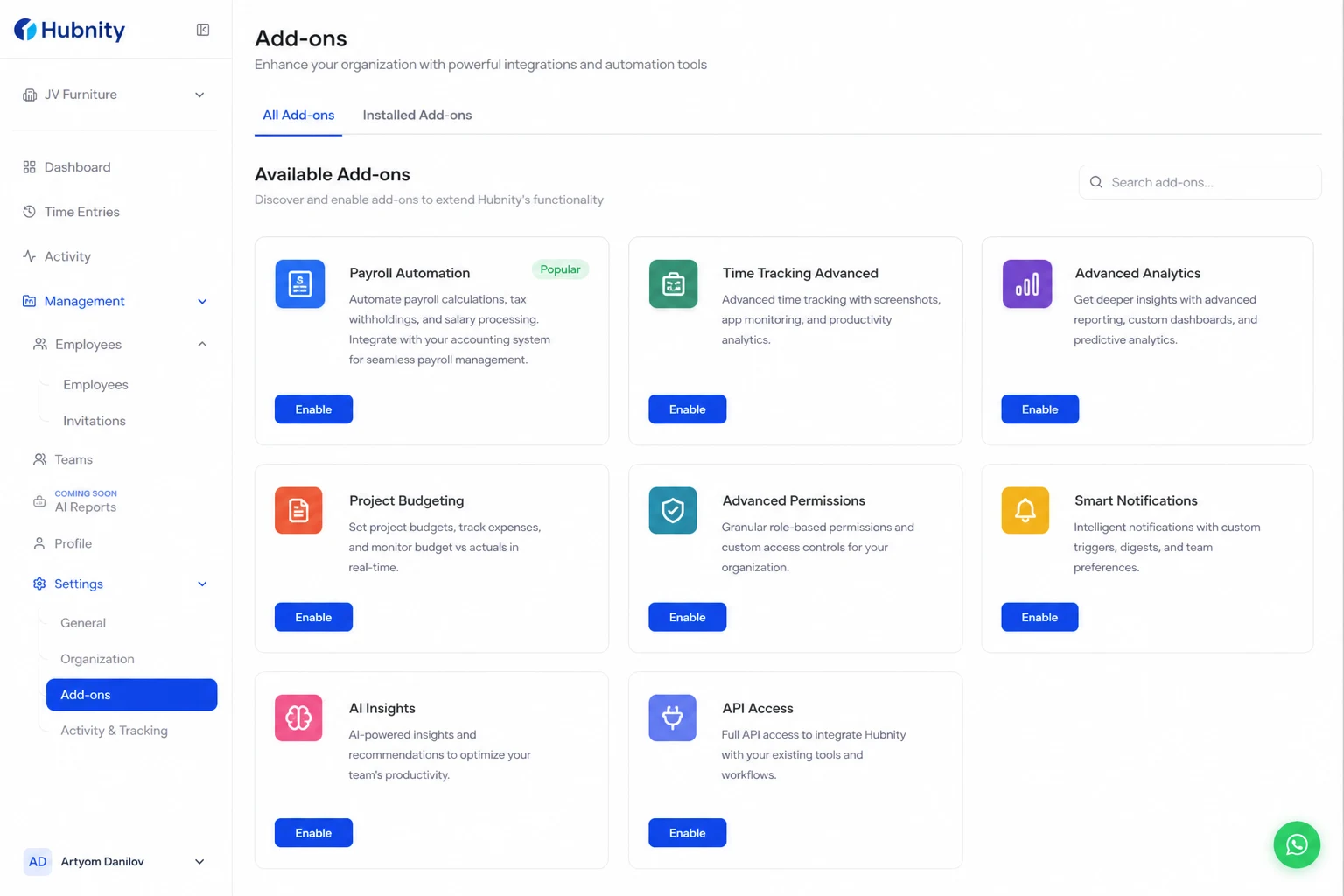
Go to Settings → Add-ons → Payroll Automation
- 2
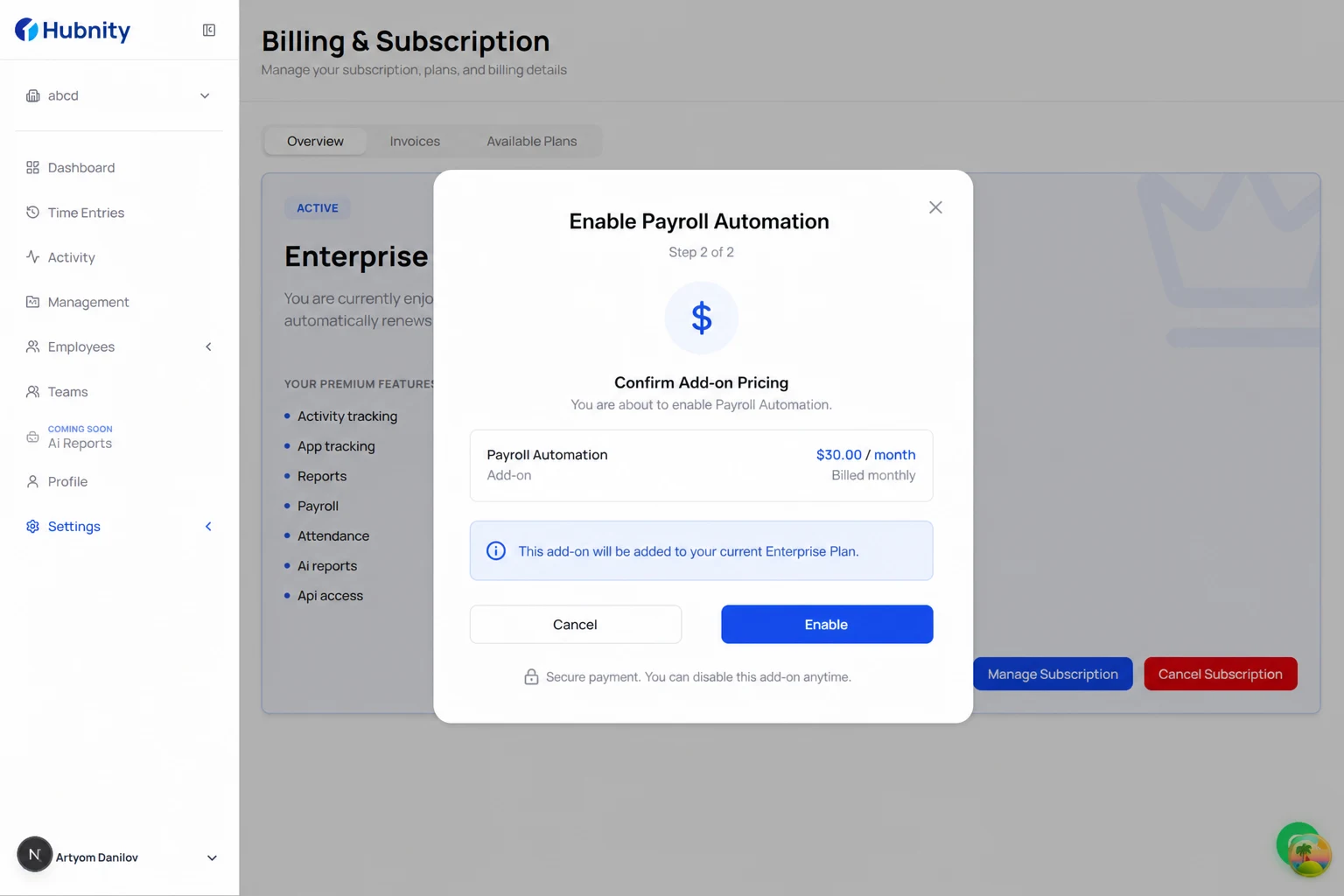
Click Enable and confirm pricing
- 3
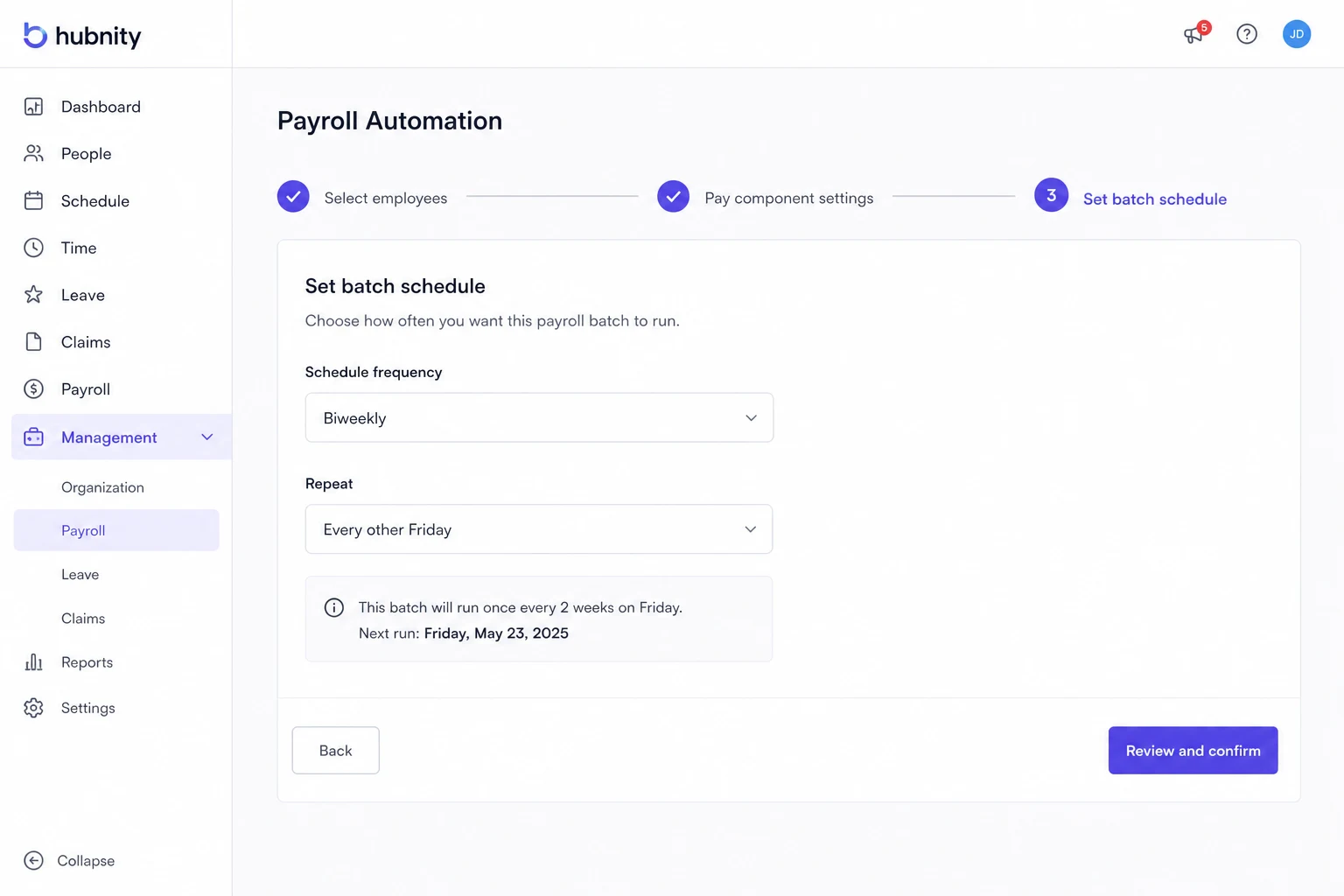
Set batch schedule (e.g., every other Friday)
- 4
Configure auto-approval threshold (or disable for manual review)
- 5
Select payment provider and notification recipients
- 6
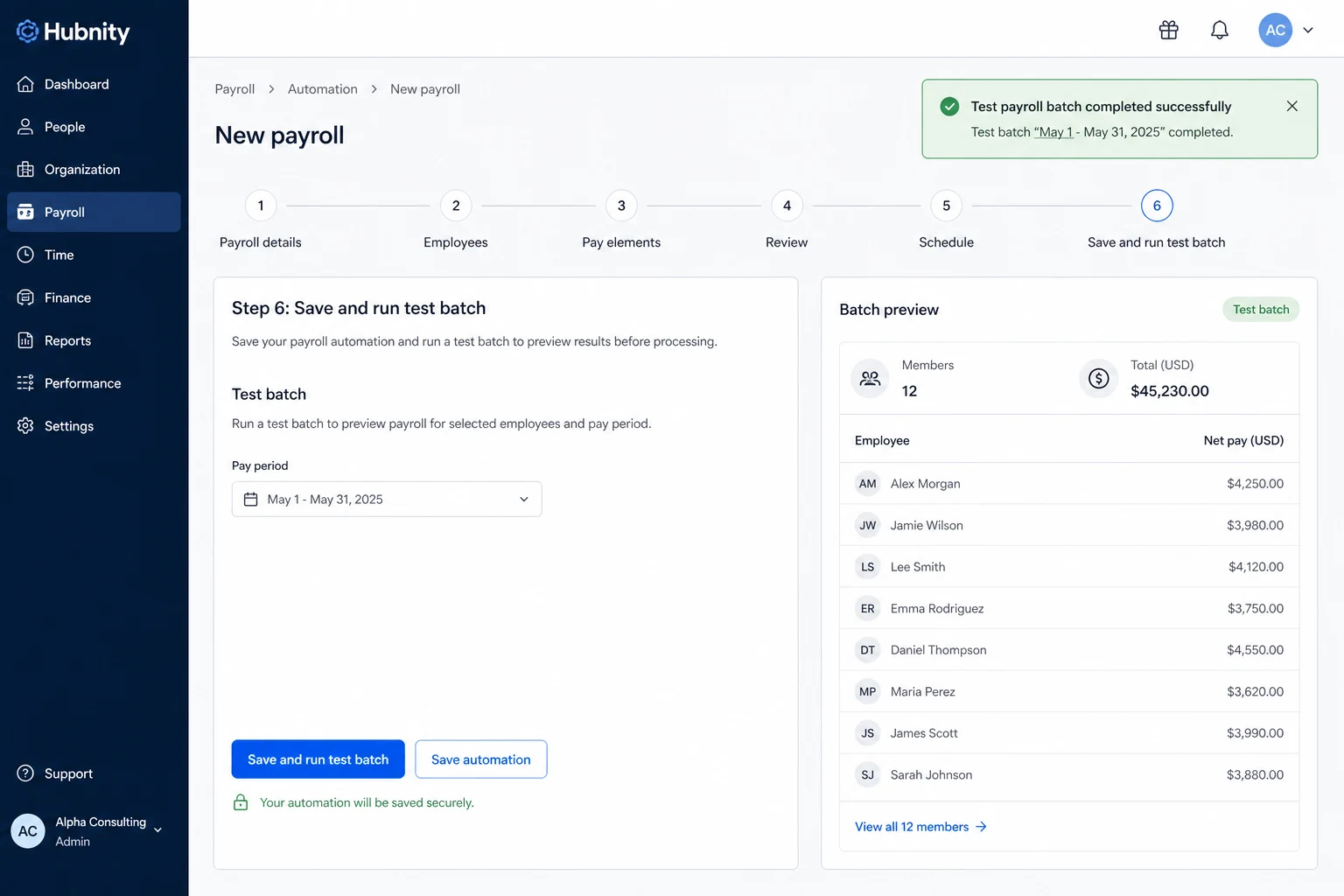
Save and run a test batch
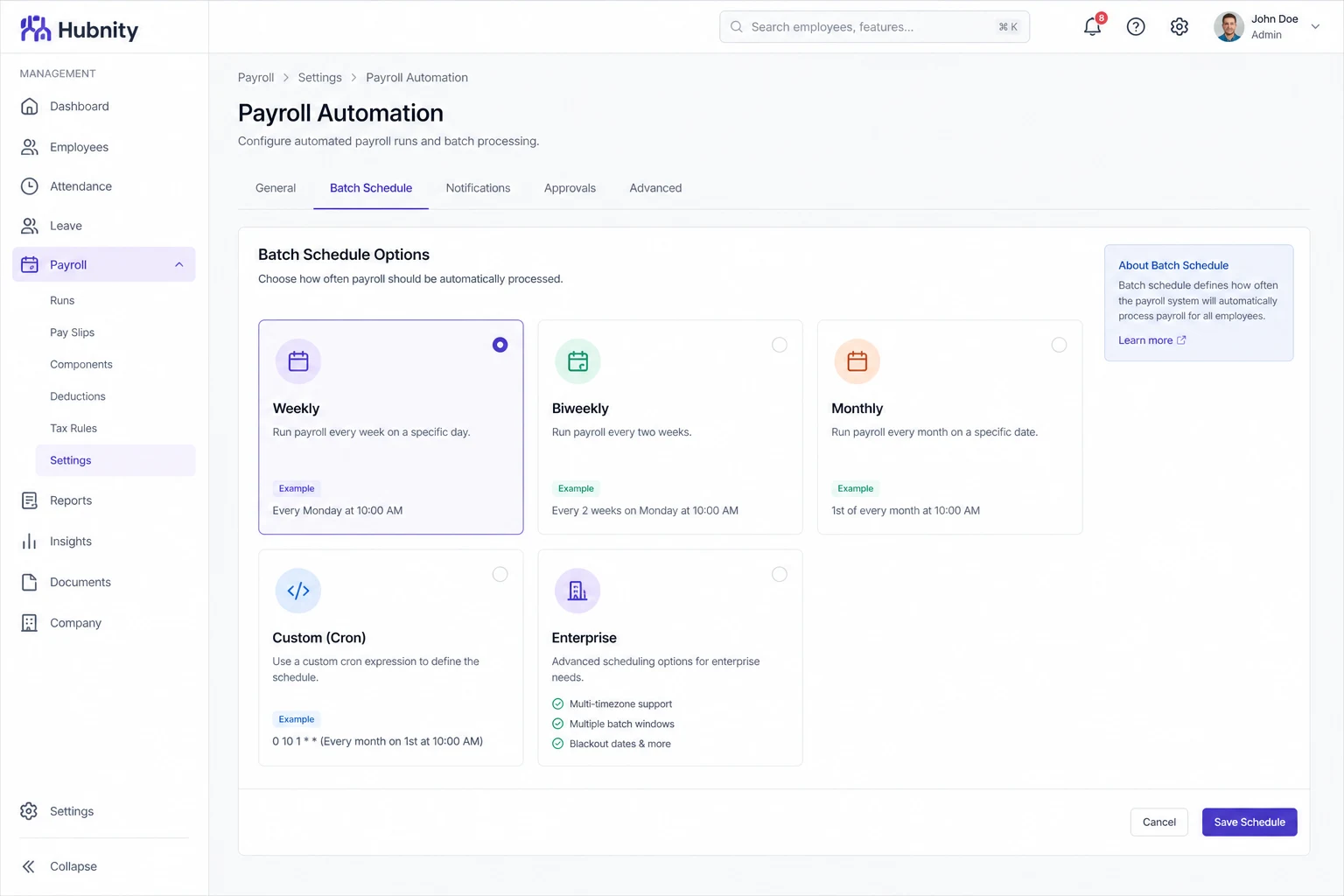
Batch schedule options
Weekly: batch created every specified weekday.
Biweekly: batch created every two weeks on a specified day.
Monthly: batch created on a specified date (1st–28th).
Custom cron (Enterprise): Settings → Add-ons → Payroll Automation → Advanced schedule.
Approval routing
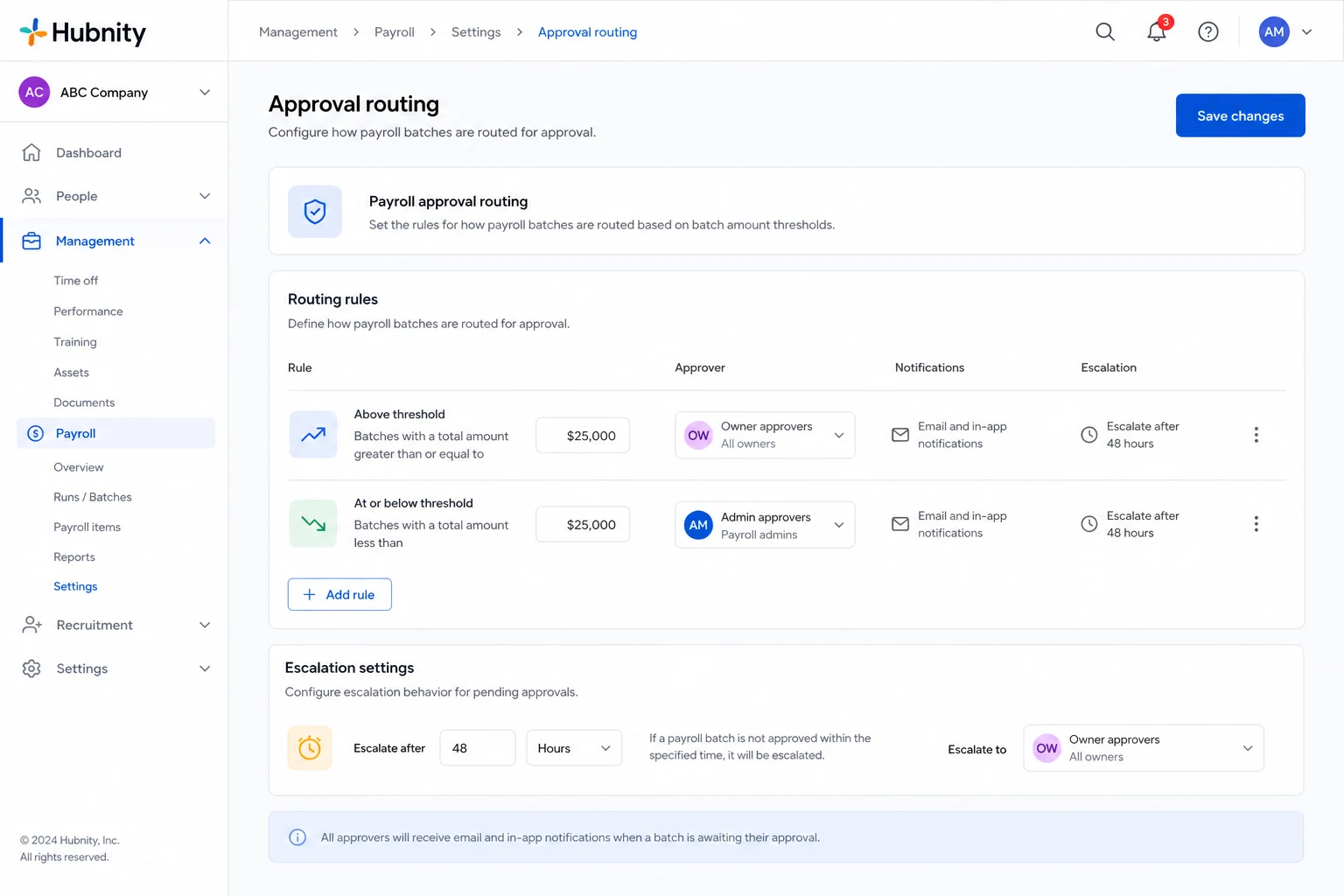
Batches above the auto-approval threshold route to designated approvers (Owners by default).
Approvers receive email and in-app notifications. Batches auto-escalate after 48 hours without action.
Error handling
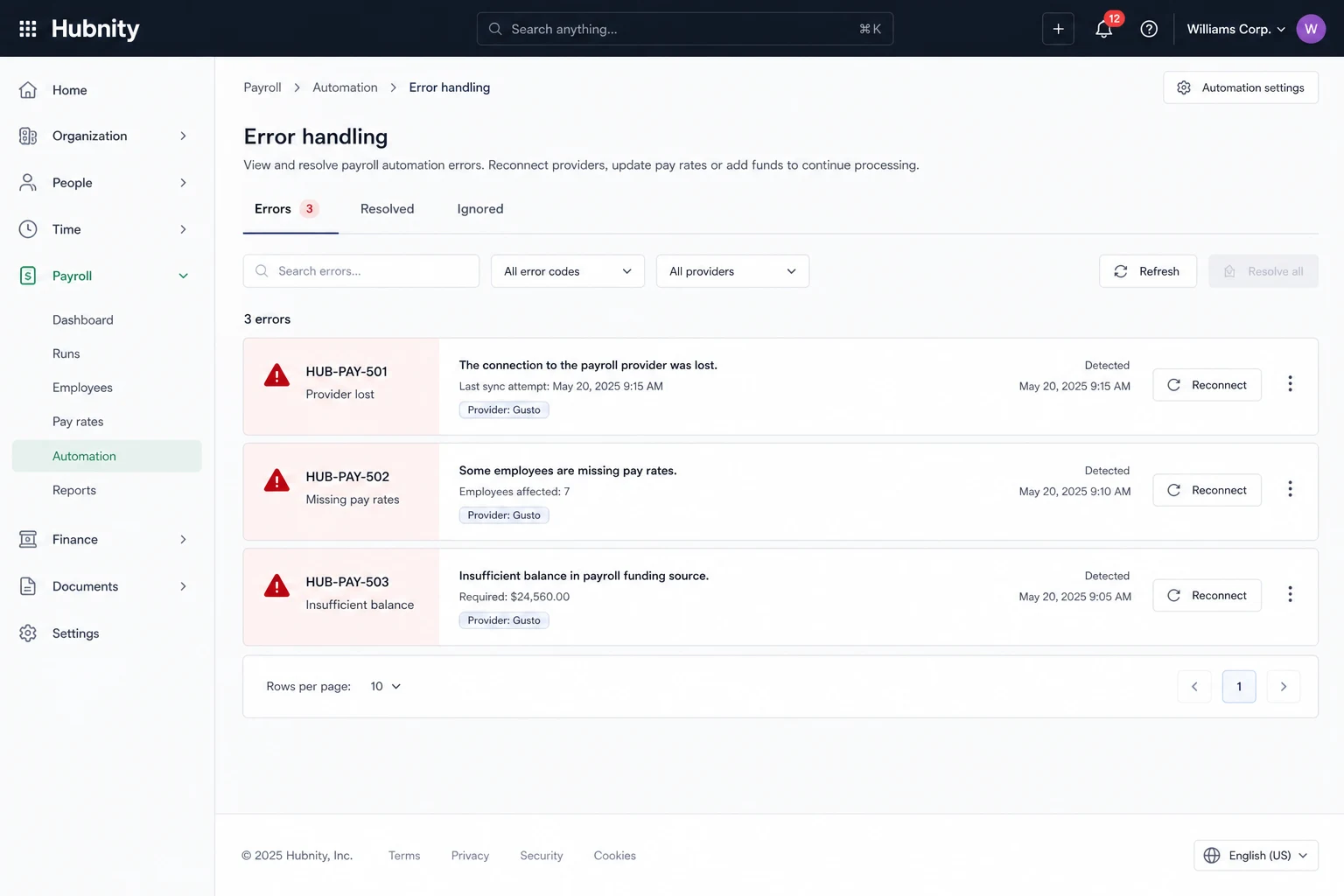
HUB-PAY-501: Payment provider connection lost. Reconnect from Payroll → Payment providers.
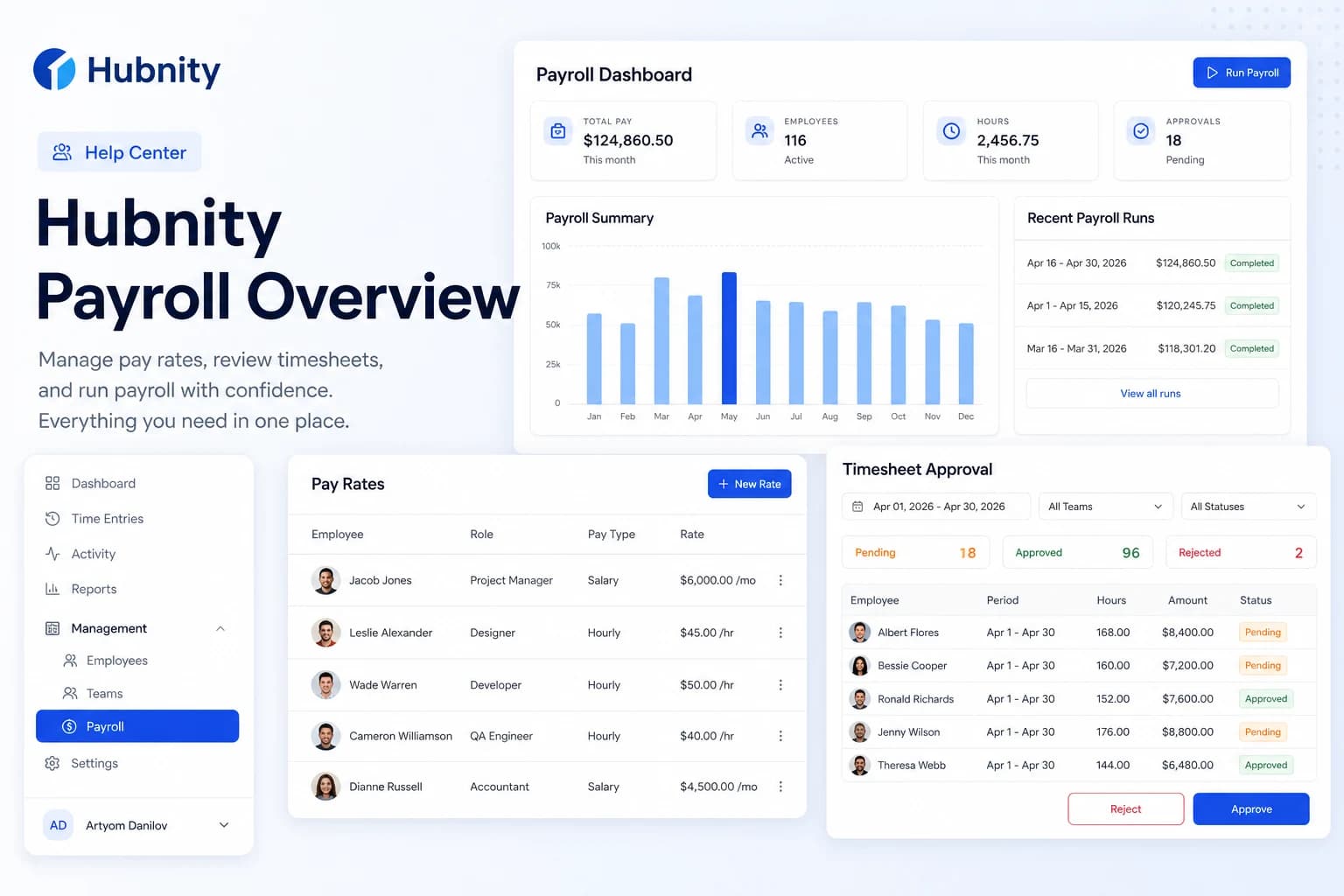
HUB-PAY-502: Batch contains members without pay rates. Fix in Payroll → Pay rates before retry.
HUB-PAY-503: Insufficient provider balance. Top up Wise/PayPal account and re-trigger payment.