Organize members into departments and teams for scoped reporting, manager access, and approval workflows.
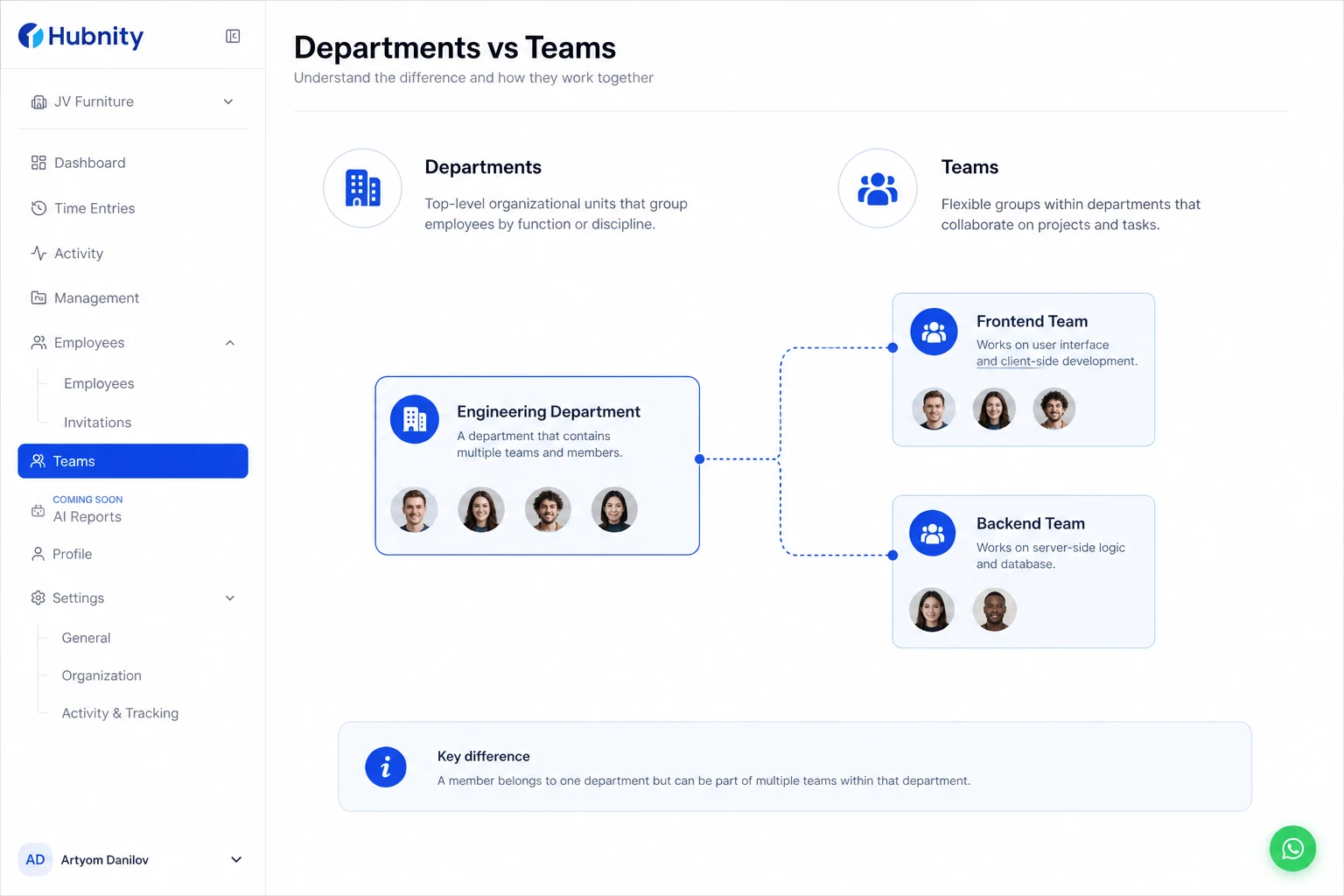
Departments vs teams
Departments are top-level groups (Engineering, Sales, Operations). Teams are sub-groups within departments (Frontend, Backend).
A member can belong to one department and multiple teams. Team membership controls manager visibility.
Create a department and team
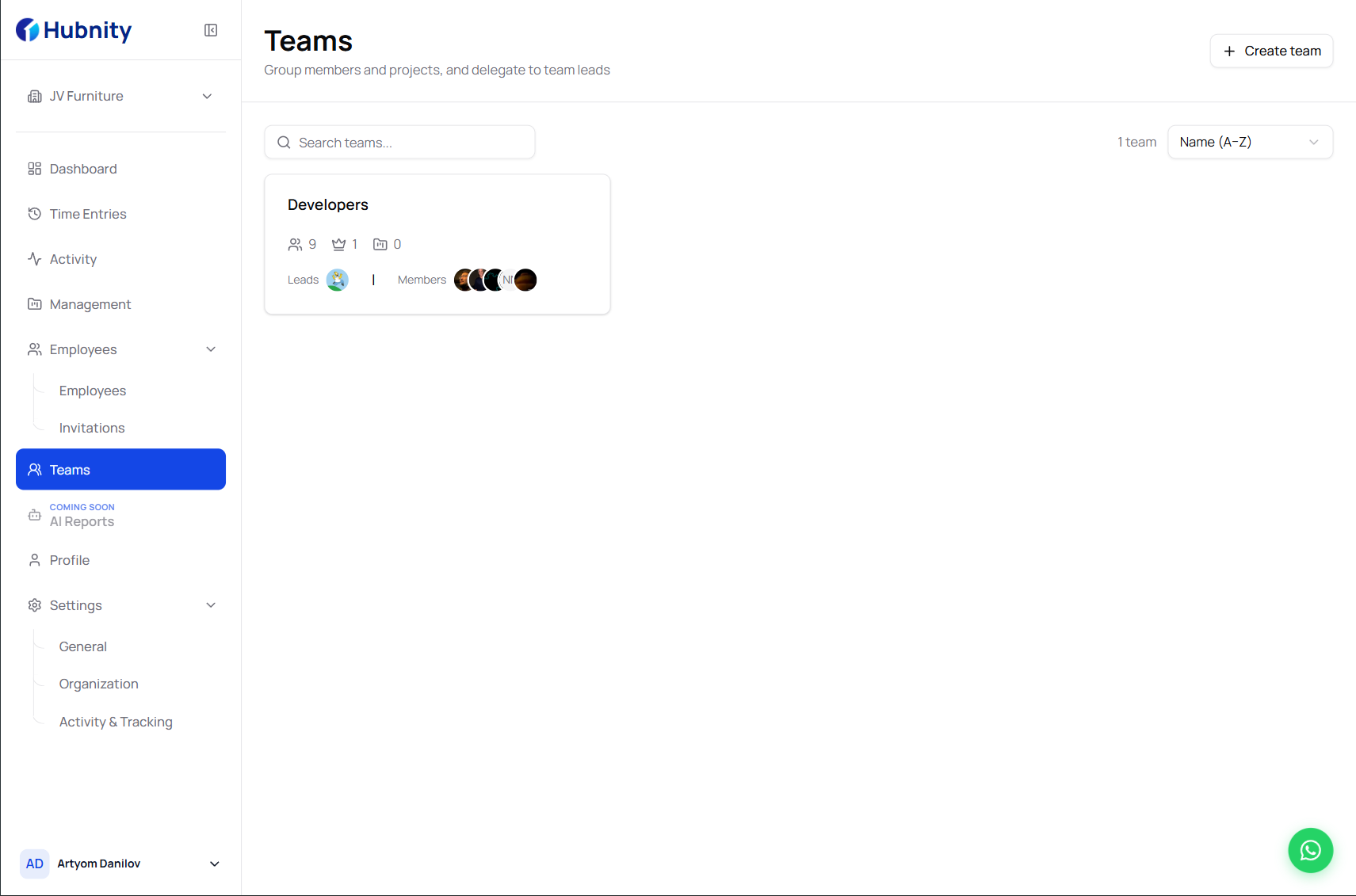
Departments and teams are managed from People → Teams.
- 1
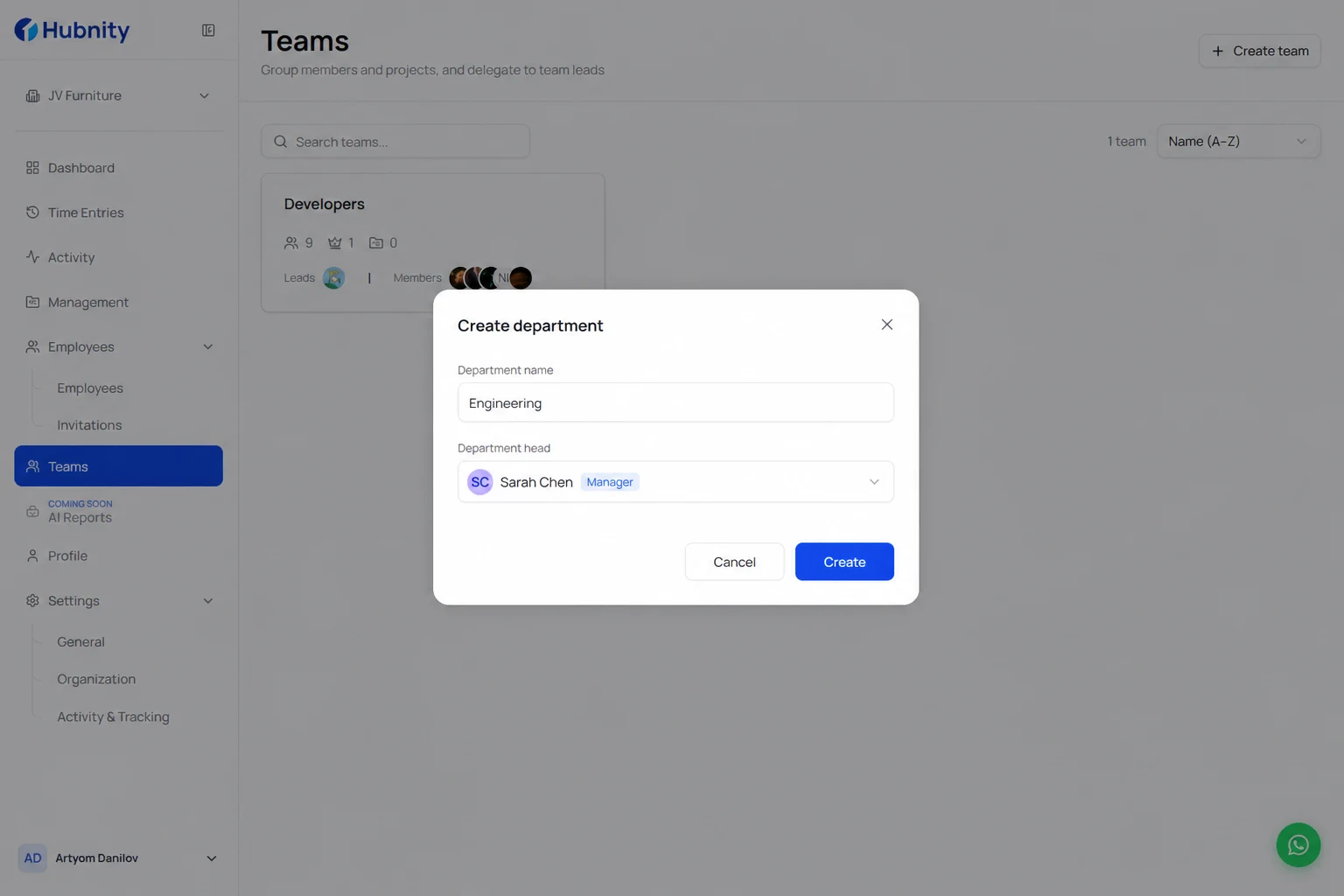
Go to People → Teams → New department
- 2
Enter department name and assign a department head (Manager role minimum)
- 3
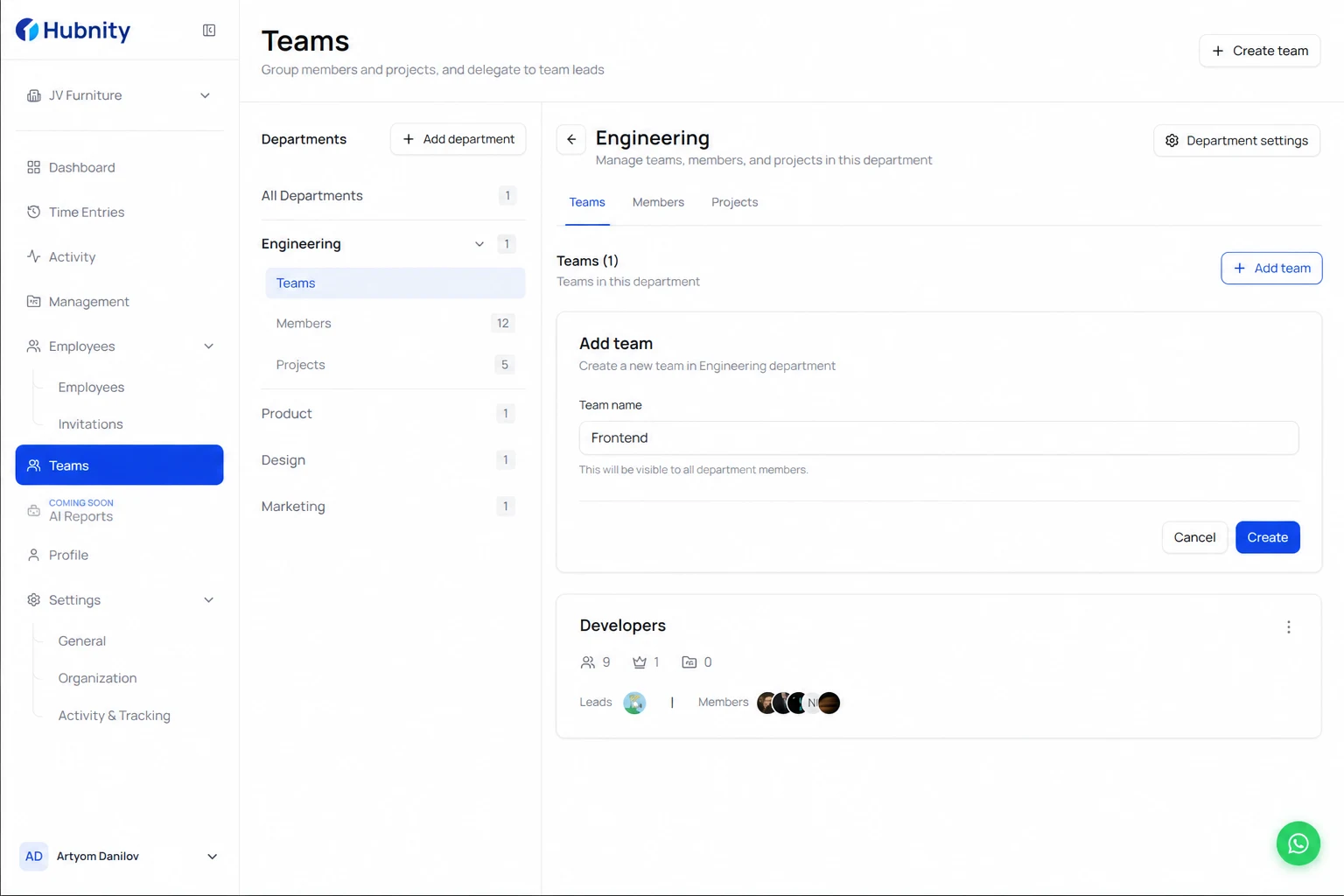
Click Create, then Add team within the department
- 4
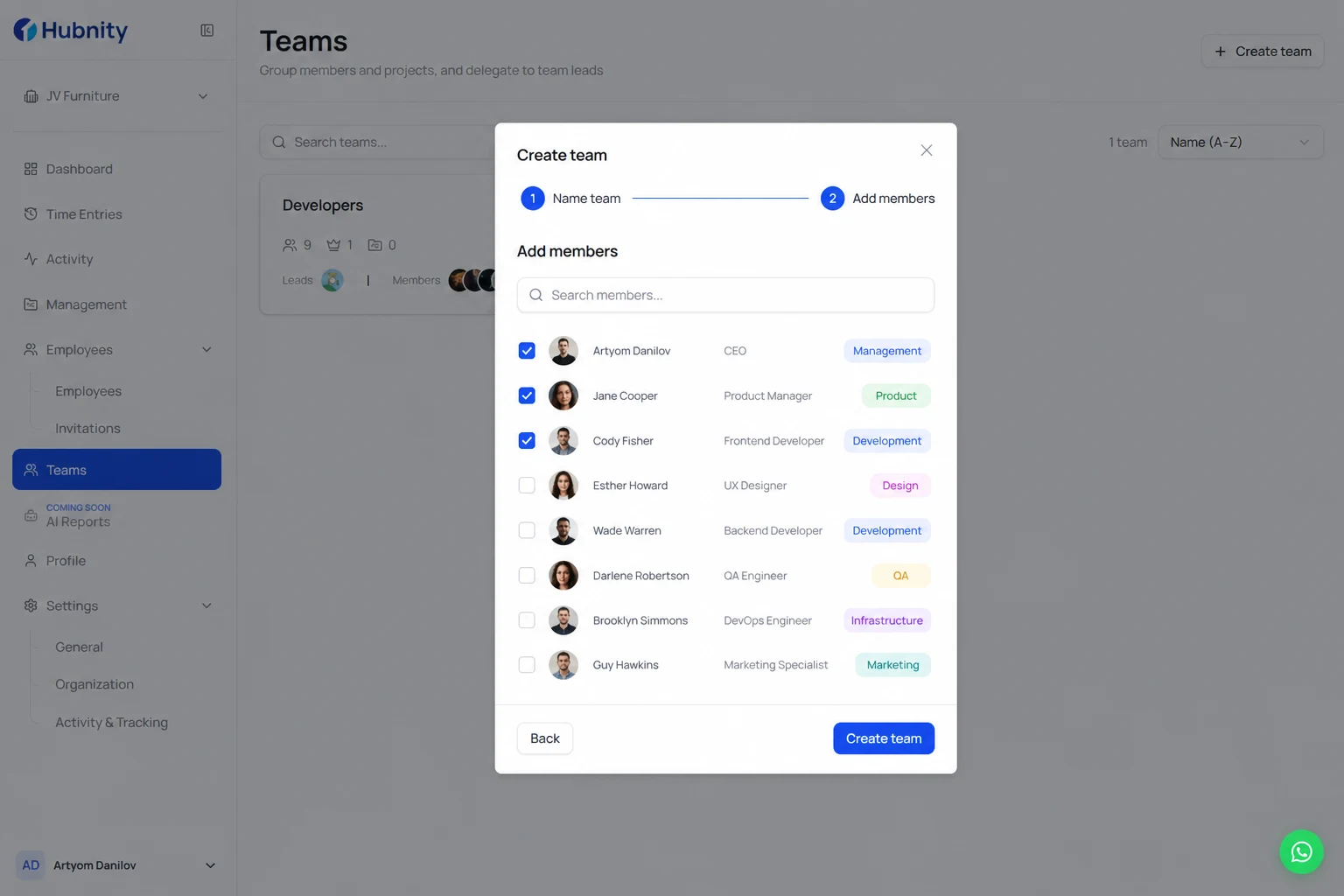
Name the team and add members
- 5
Assign a team manager for approval workflows
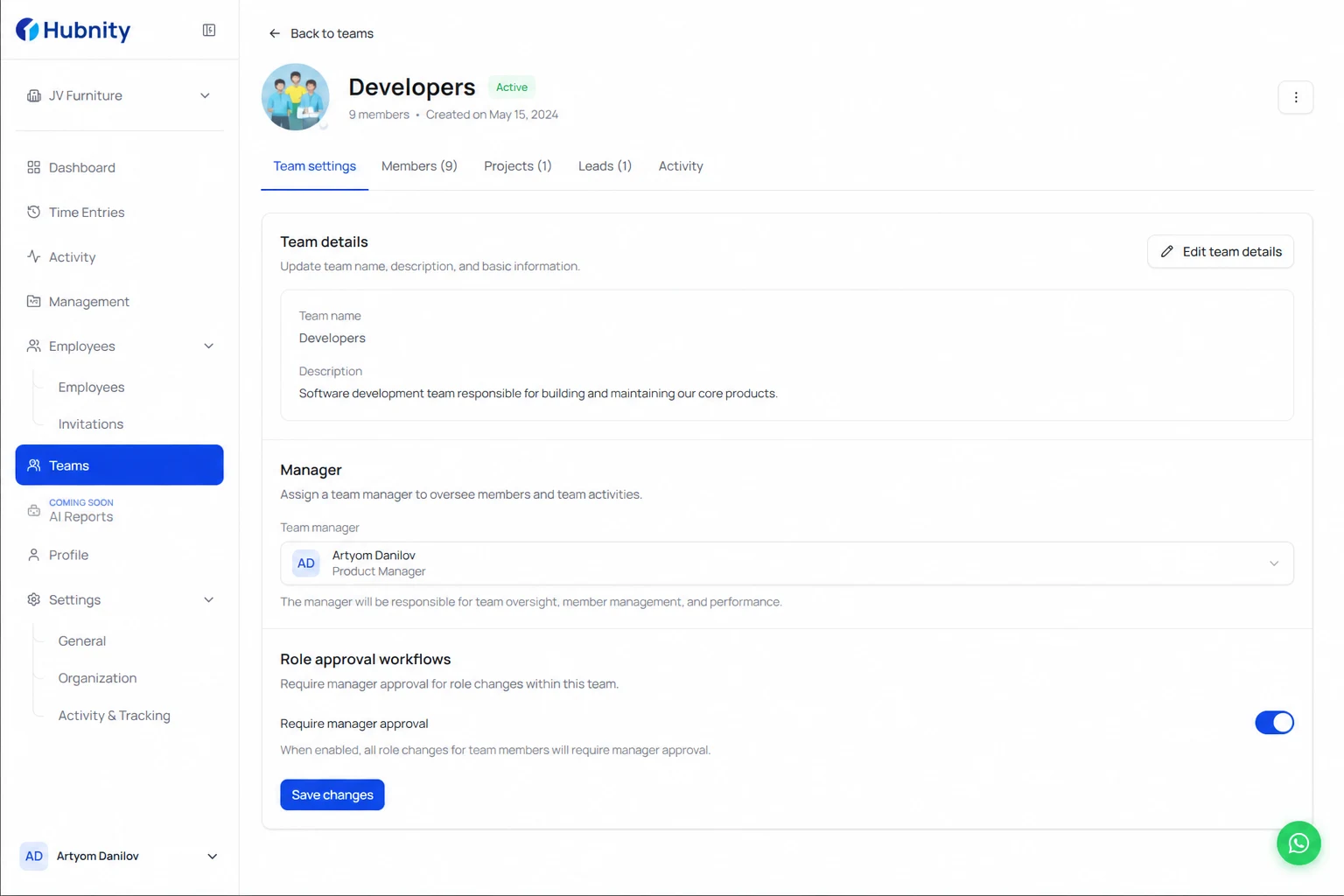
Manager scope
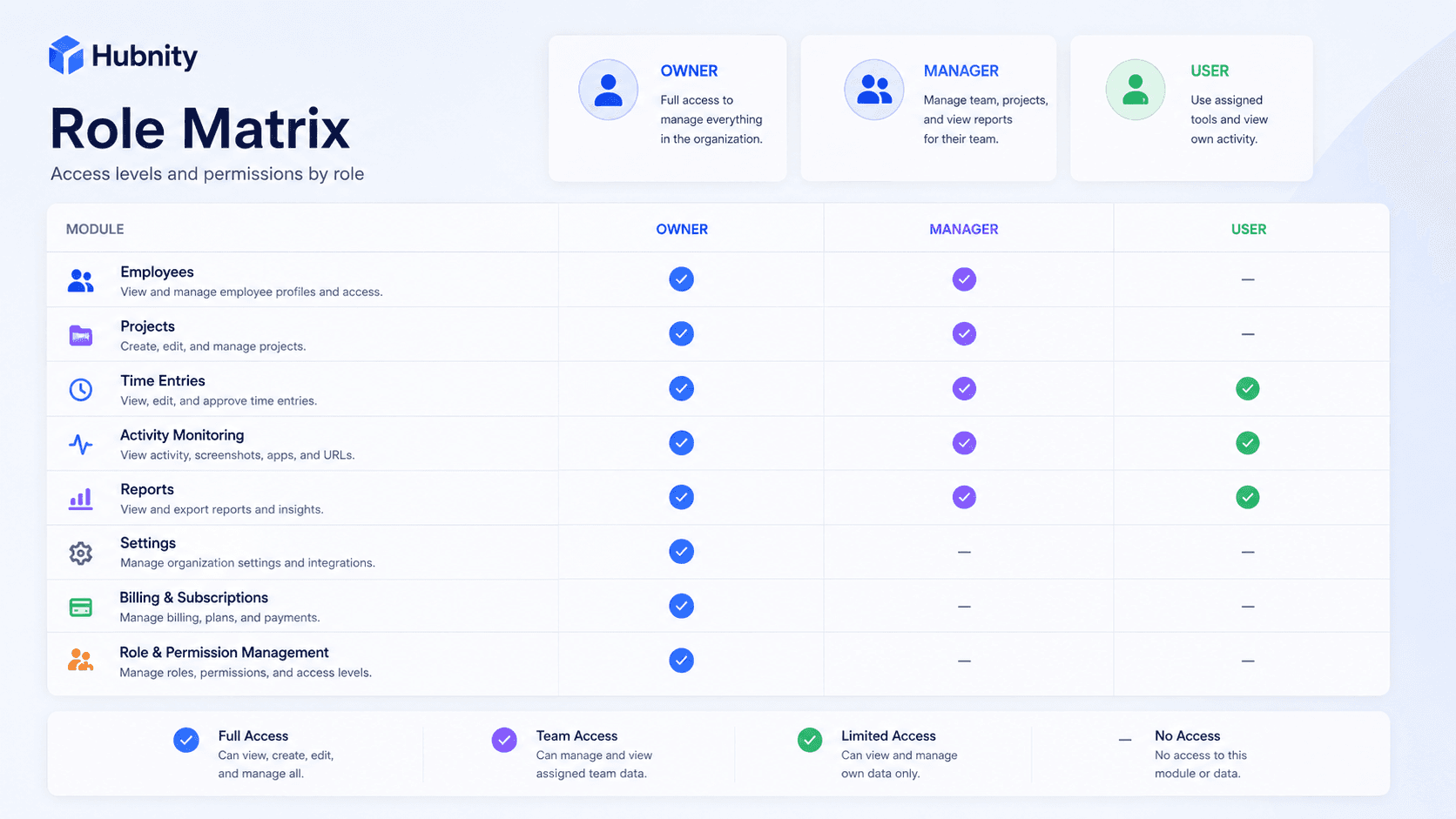
Managers see reports, timesheets, and activity only for members in their managed teams.
A Manager assigned at the department level sees all teams within that department.
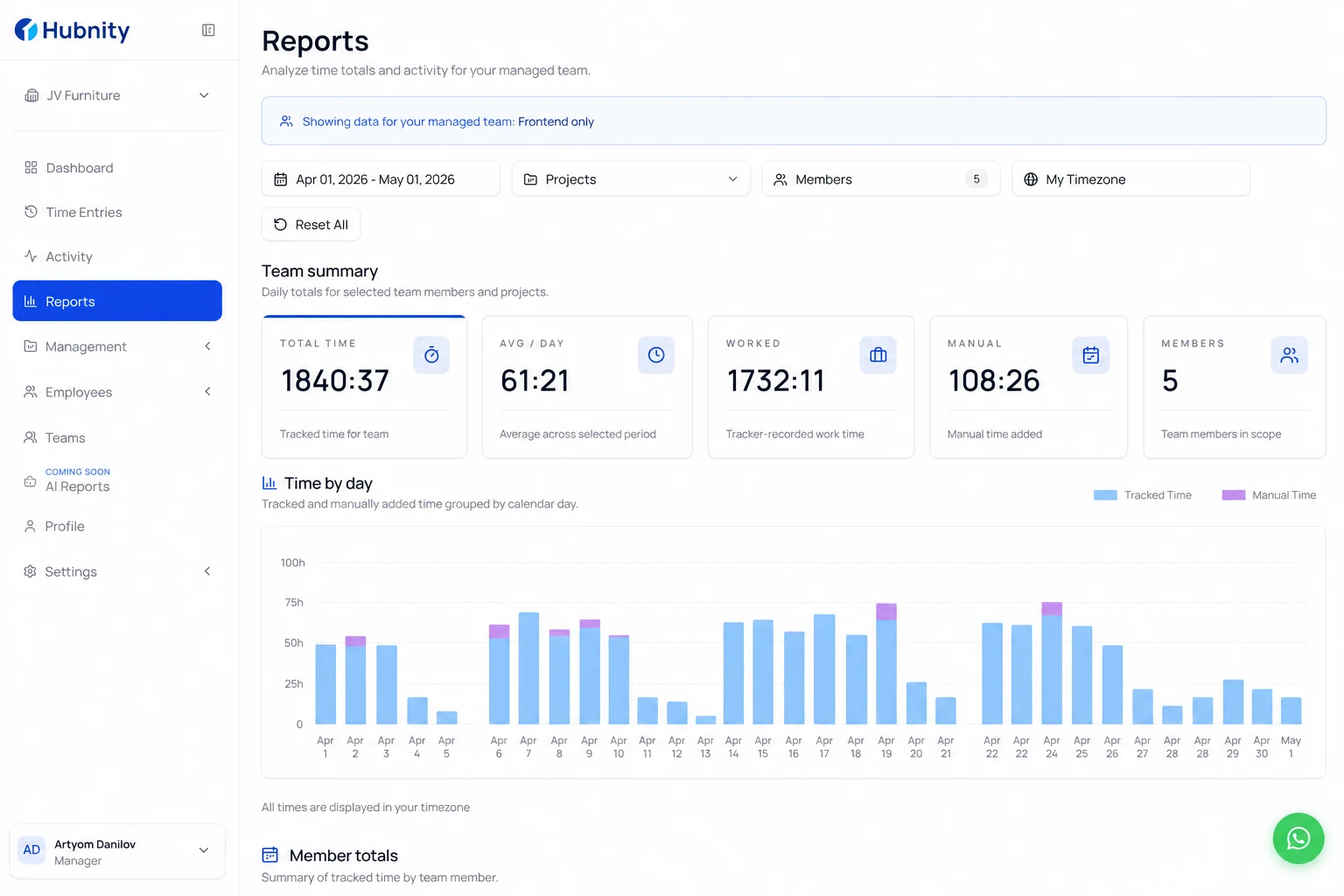
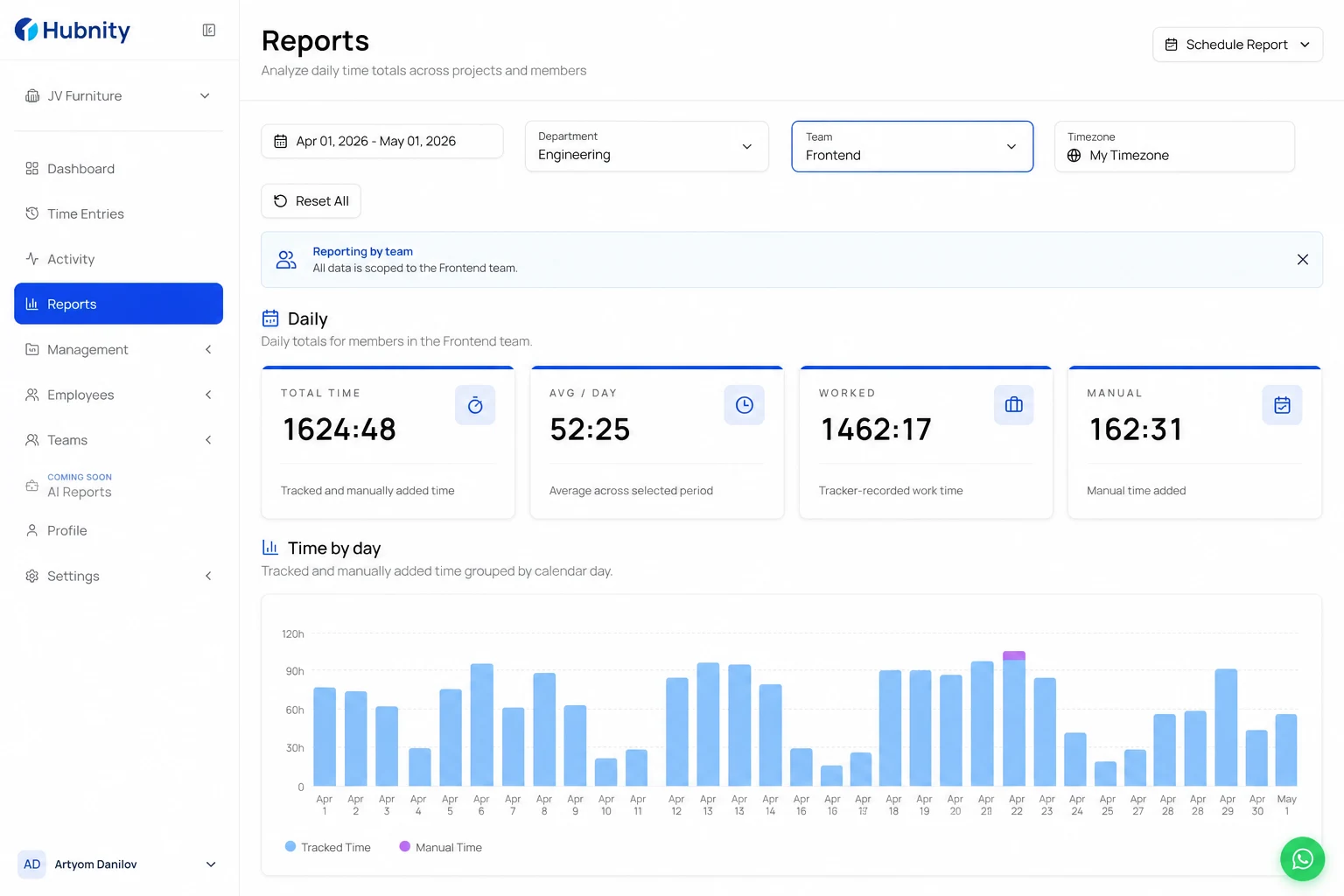
Reporting by team
Filter any report by department or team from the report filter bar.
Scheduled reports can be scoped to a specific team for automated manager delivery.
Moving members between teams
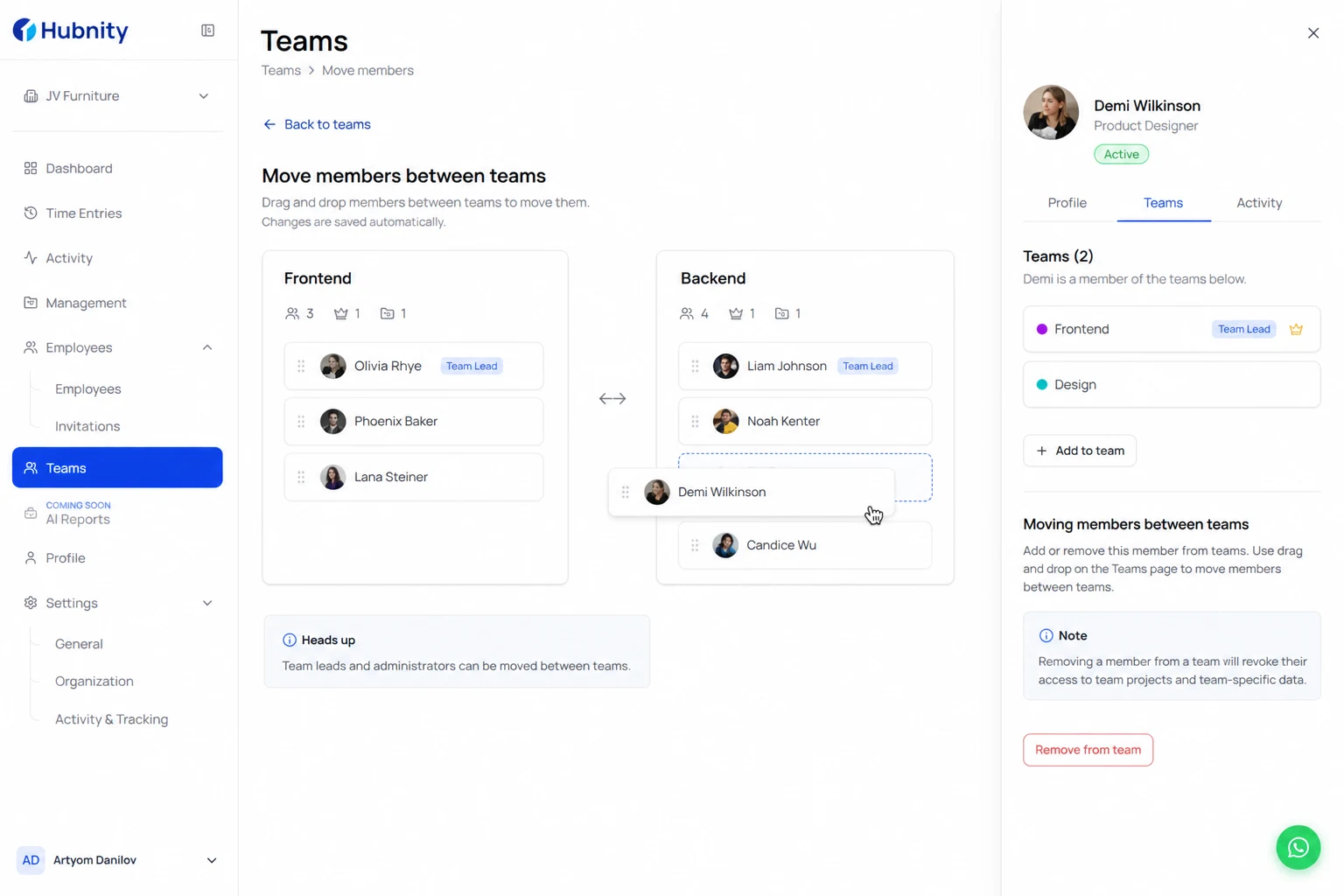
Drag members between teams on People → Teams or edit from the member profile → Teams tab.
Historical time entries retain the team assignment at the time of tracking for accurate past reports.