Step 1 on hubnity.eu: create your organization profile and configure tracking defaults.
Organization setup
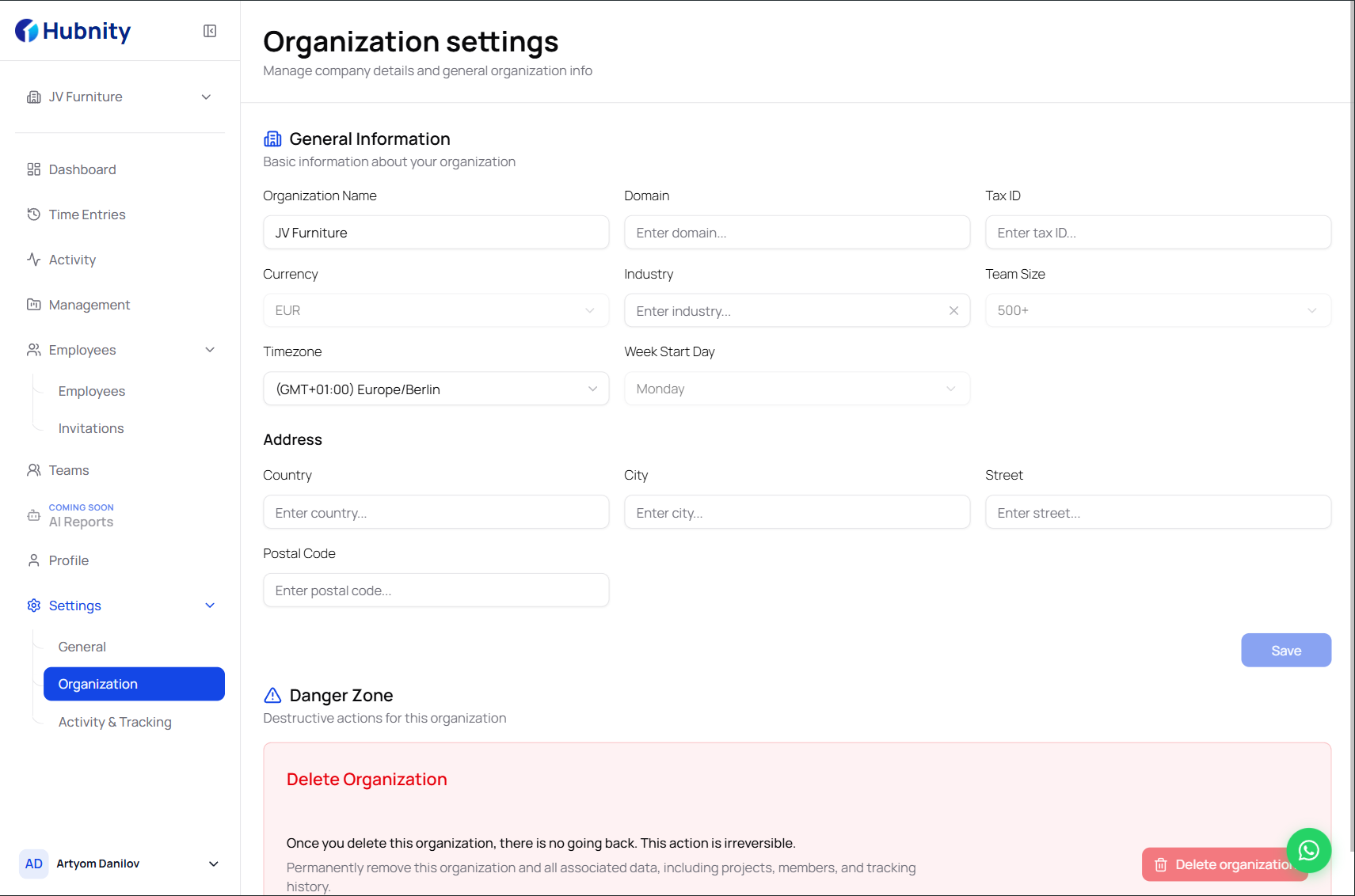
Create your organization profile and configure tracking settings to fit your team's workflow.
Sign up at https://hubnity.eu/register and complete the guided setup flow.
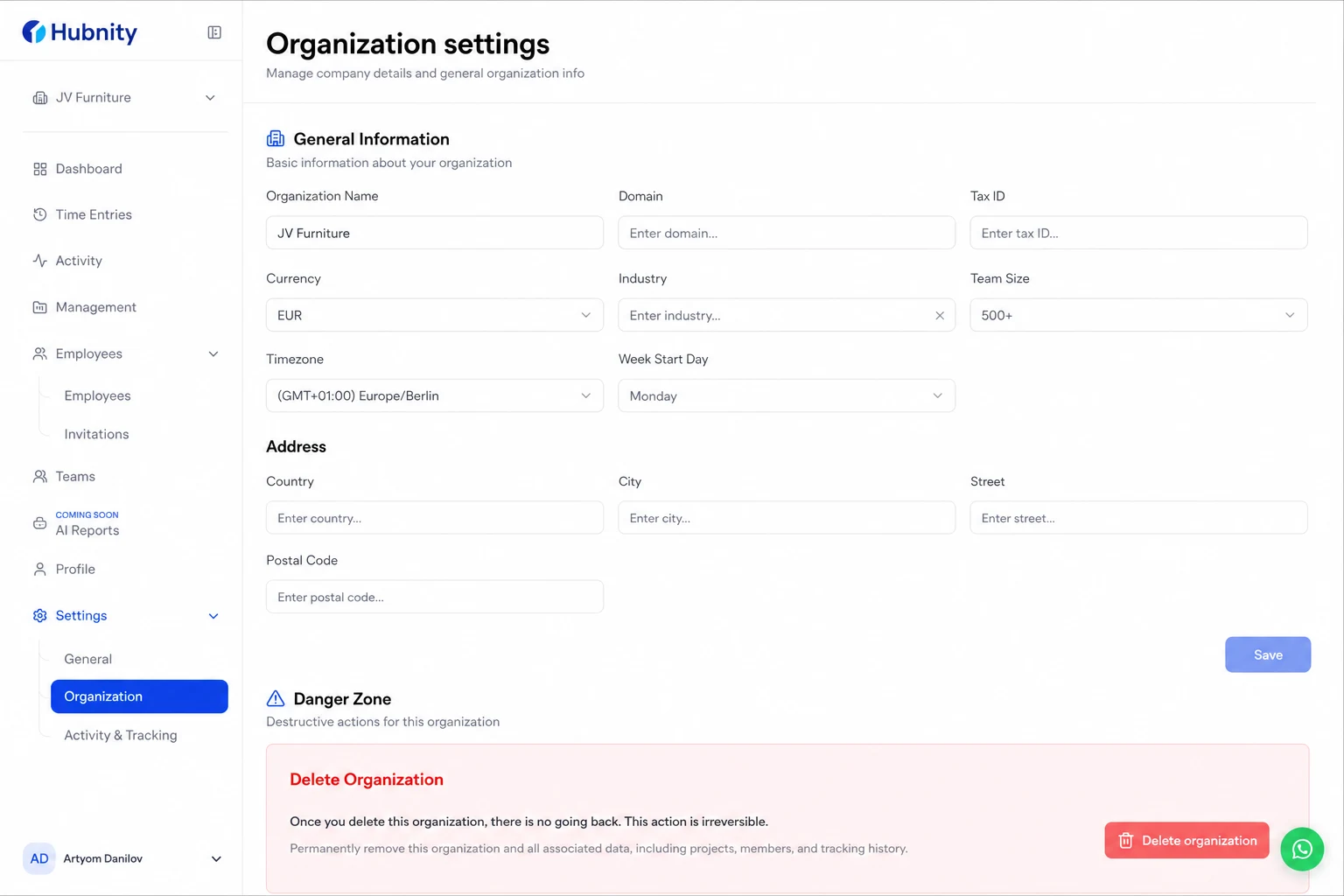
Workspace configuration
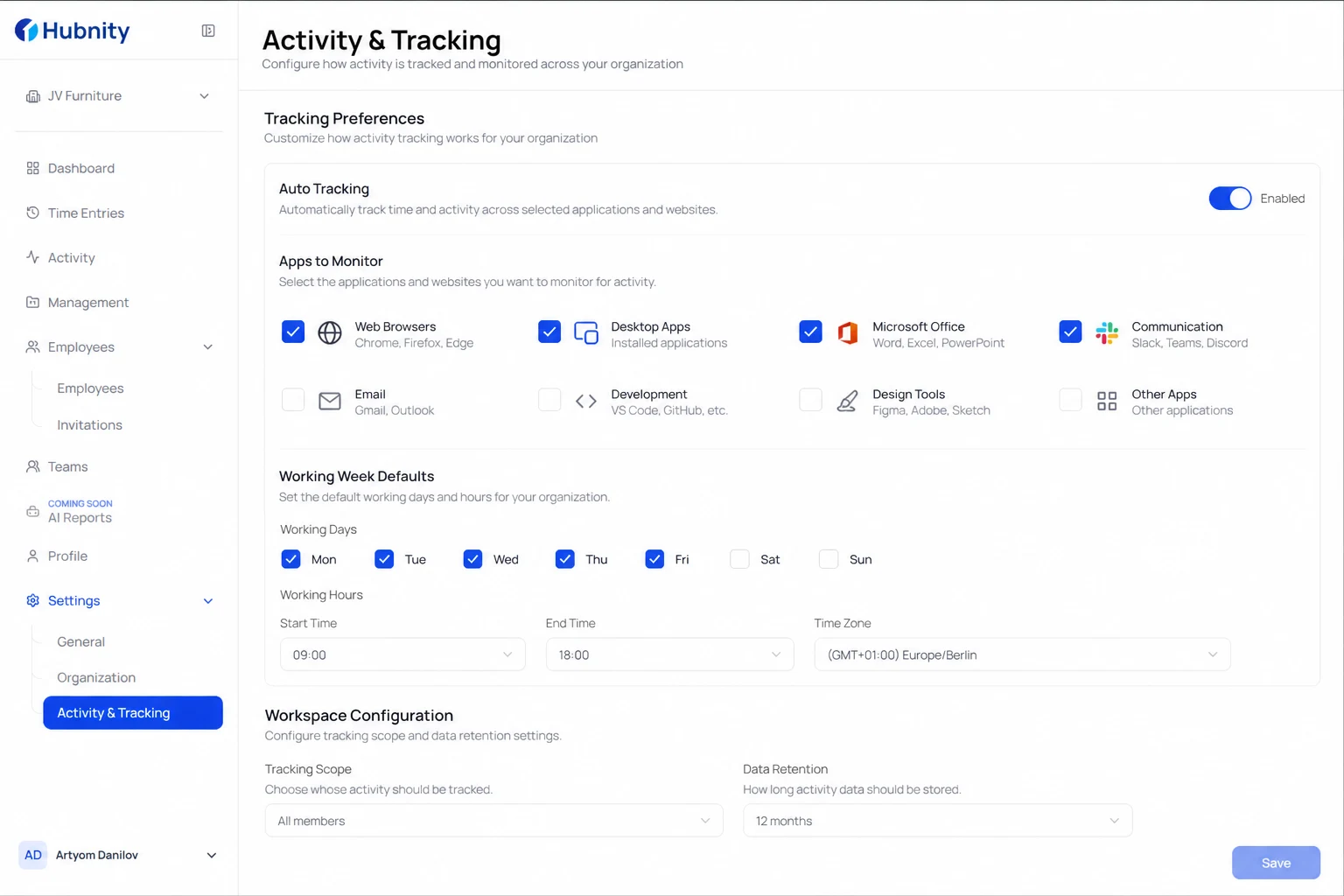
Set your company name, time zone, and working week defaults during onboarding.
Choose tracking preferences—which apps and sites to monitor, and whether auto tracking is enabled.
- 1
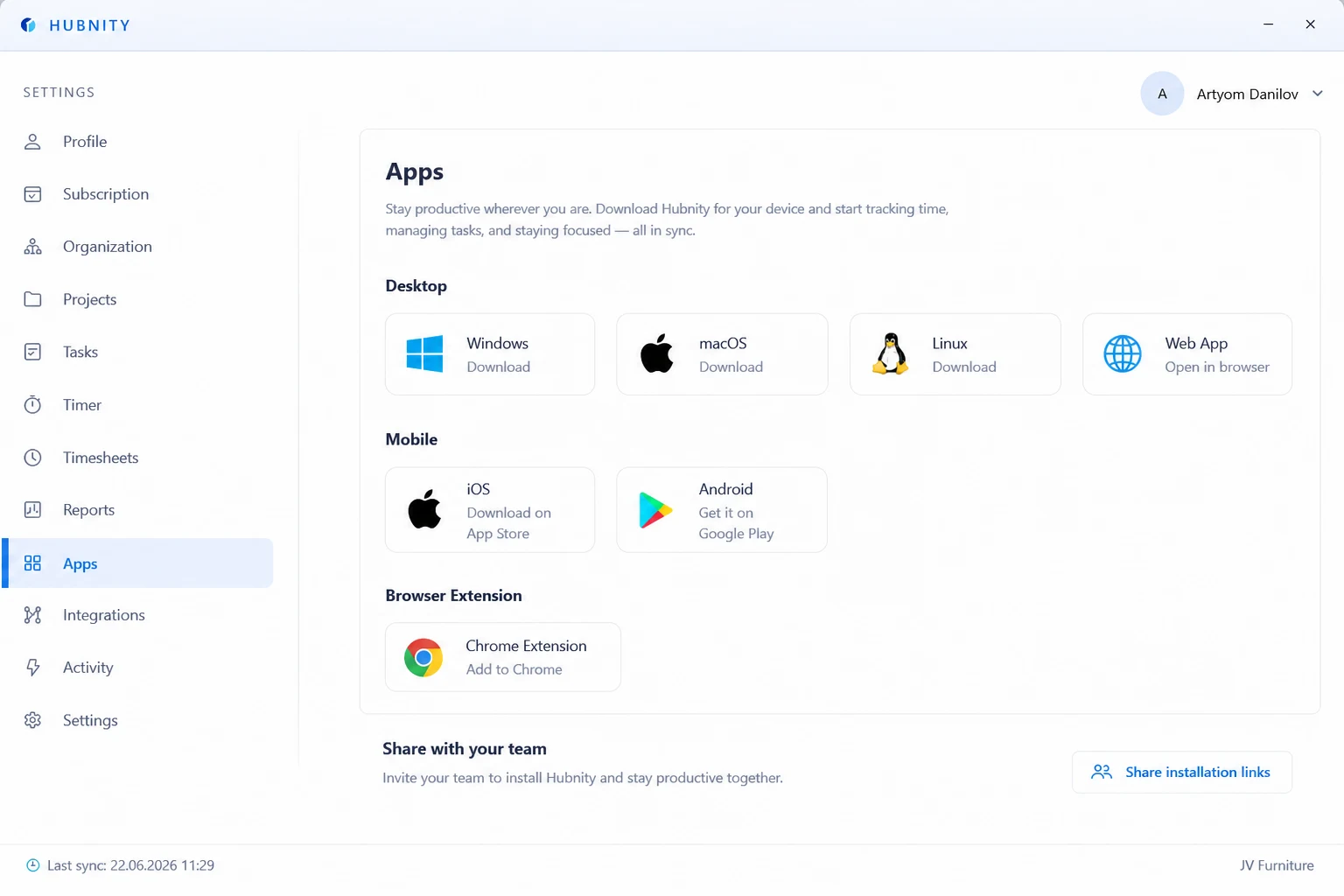
Install the desktop app for Mac, Windows, or Linux (setup under a minute, no admin rights required).
- 2
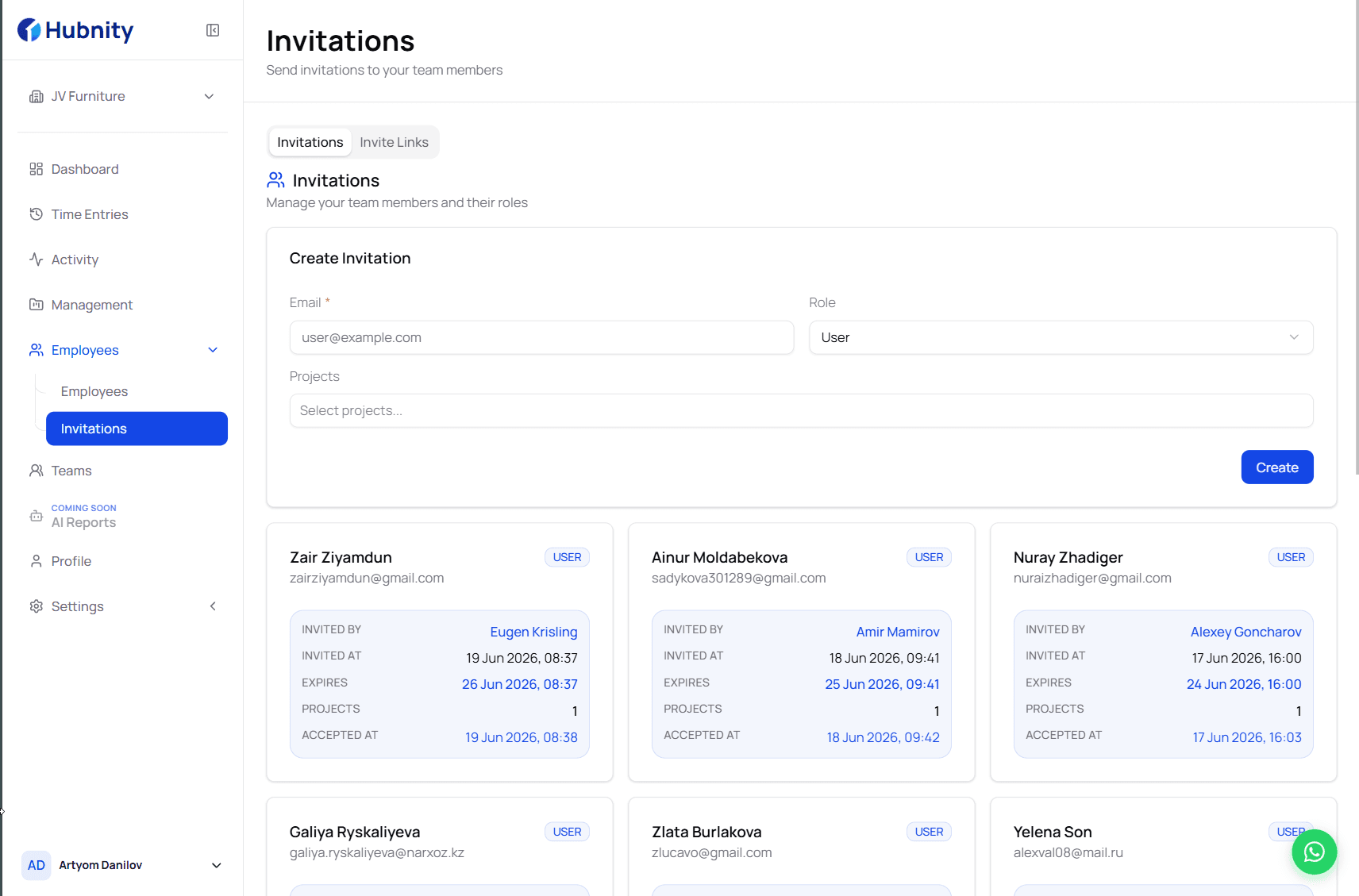
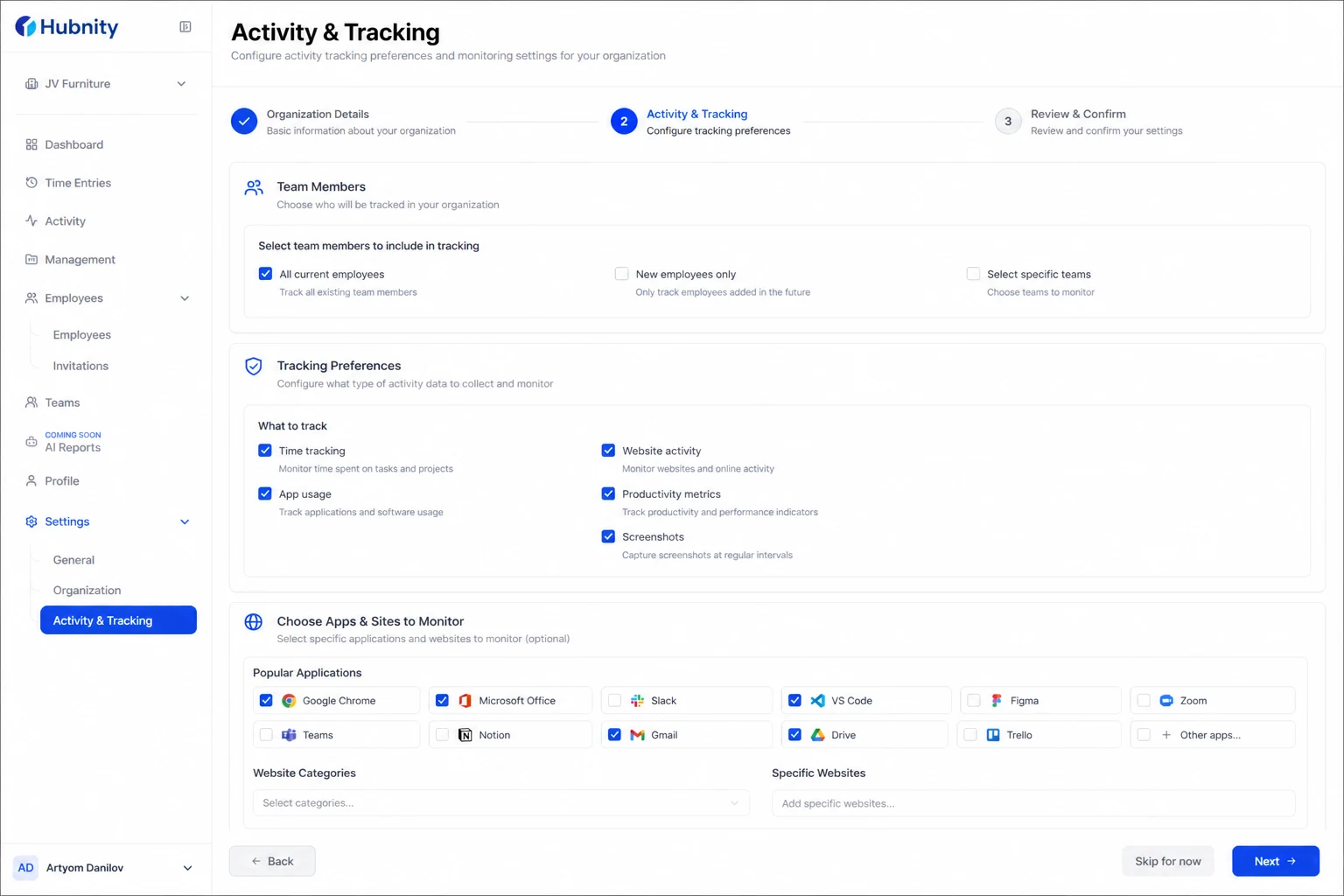
Configure your workspace: add your team, set tracking preferences, and choose apps and sites to monitor.
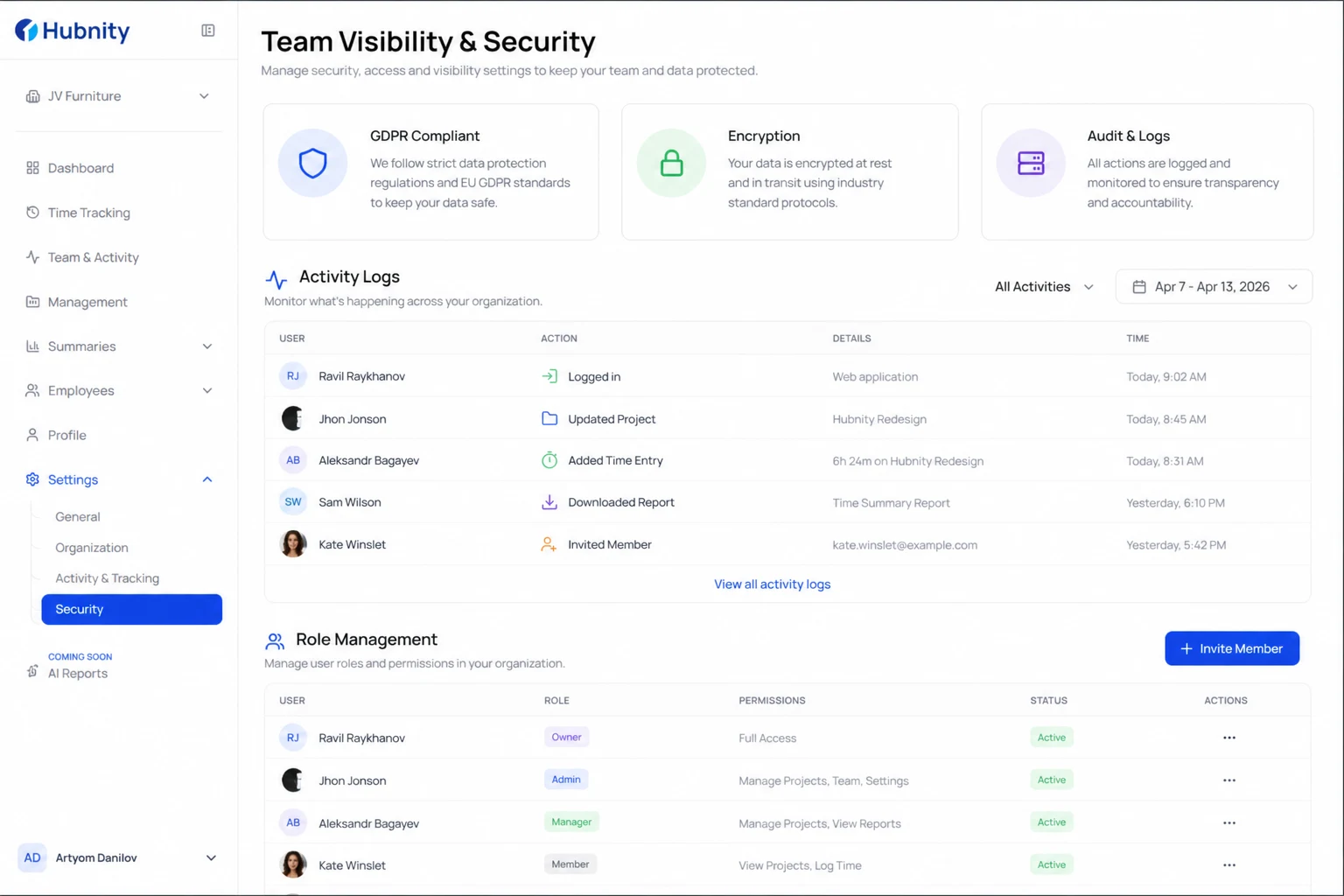
Team visibility and security
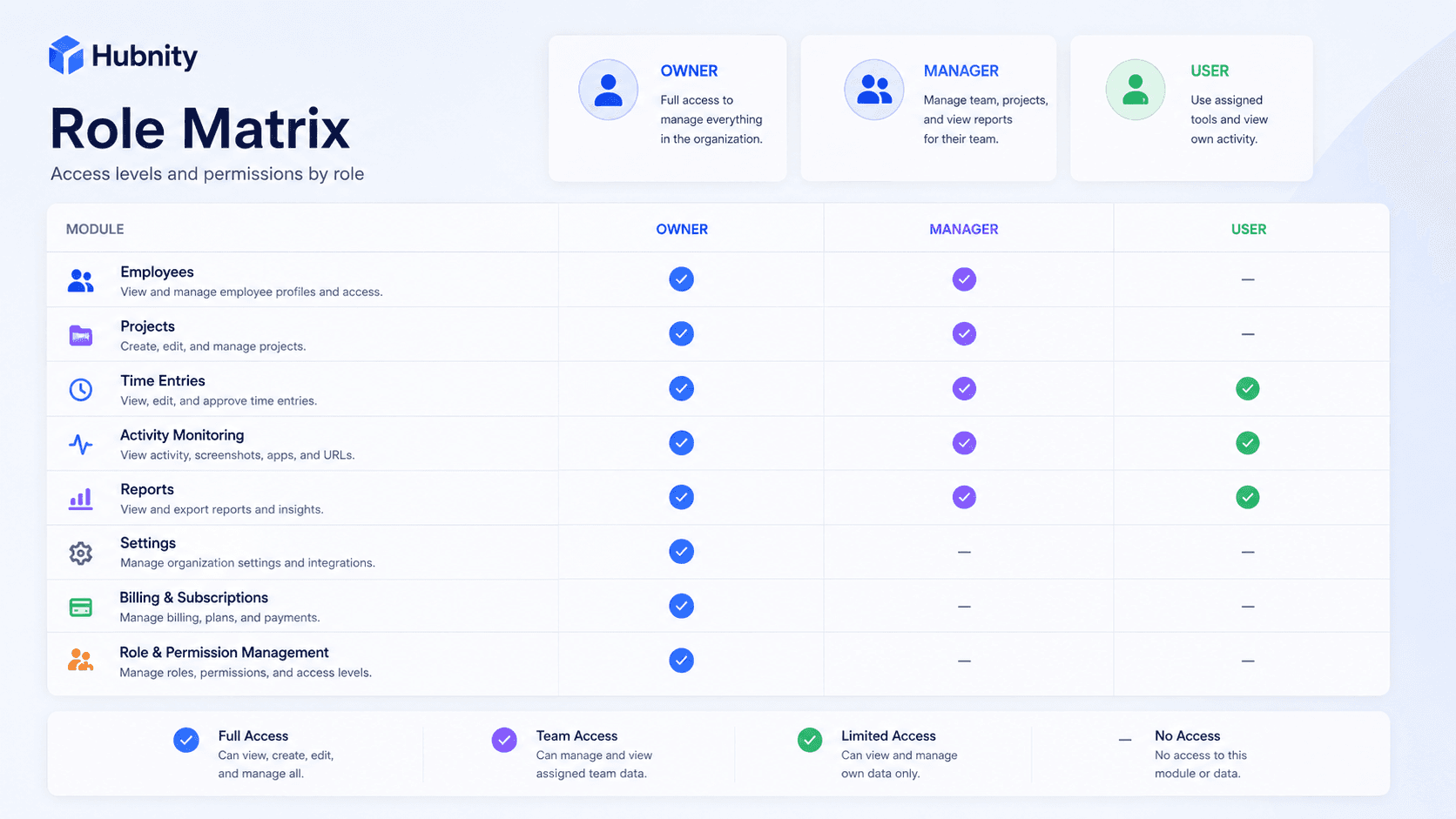
Monitor activity logs, manage roles, and stay aligned with team progress.
We take data security very seriously. All user data is encrypted at rest and in transit. Our infrastructure is hosted on enterprise-grade cloud providers and is fully GDPR compliant.