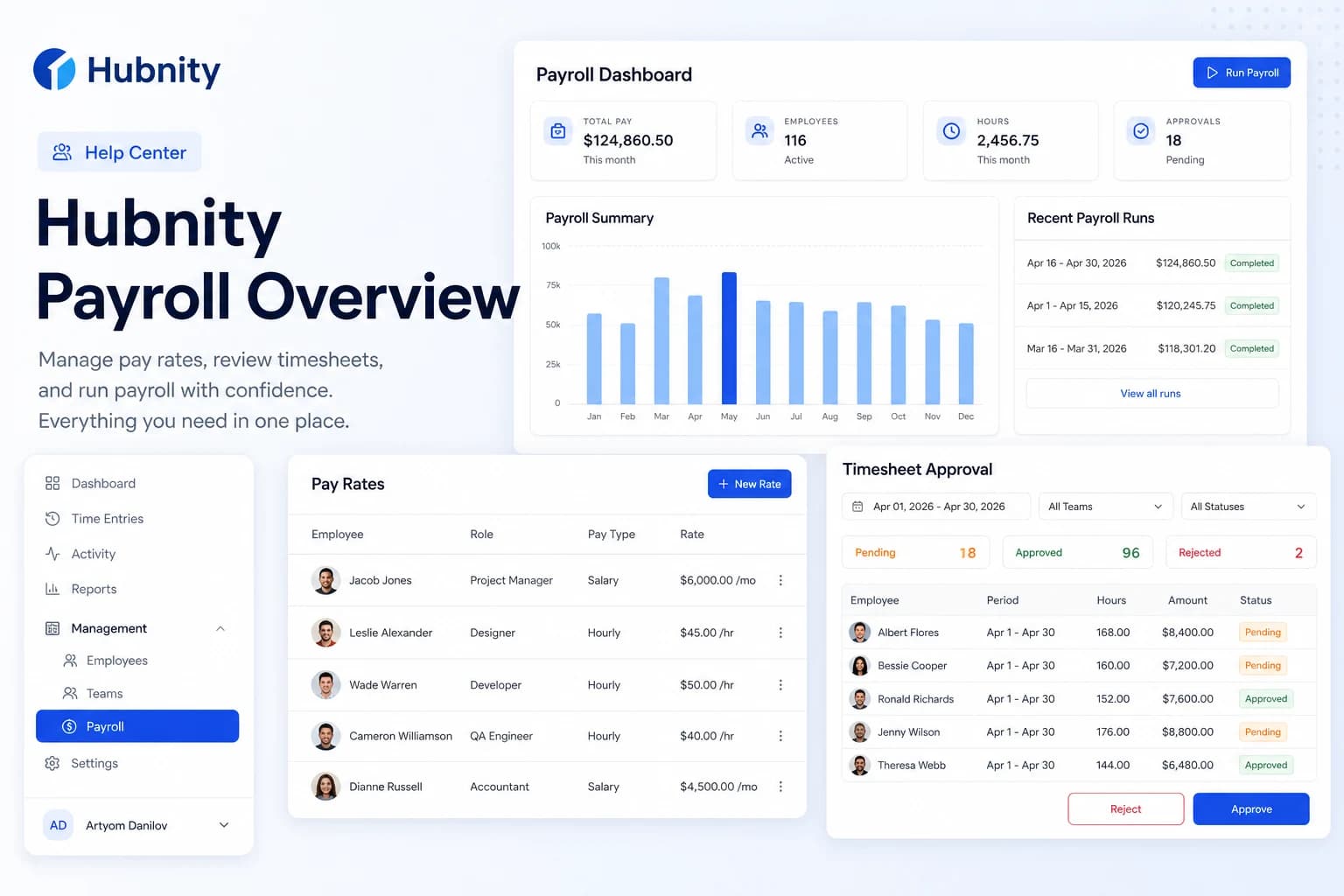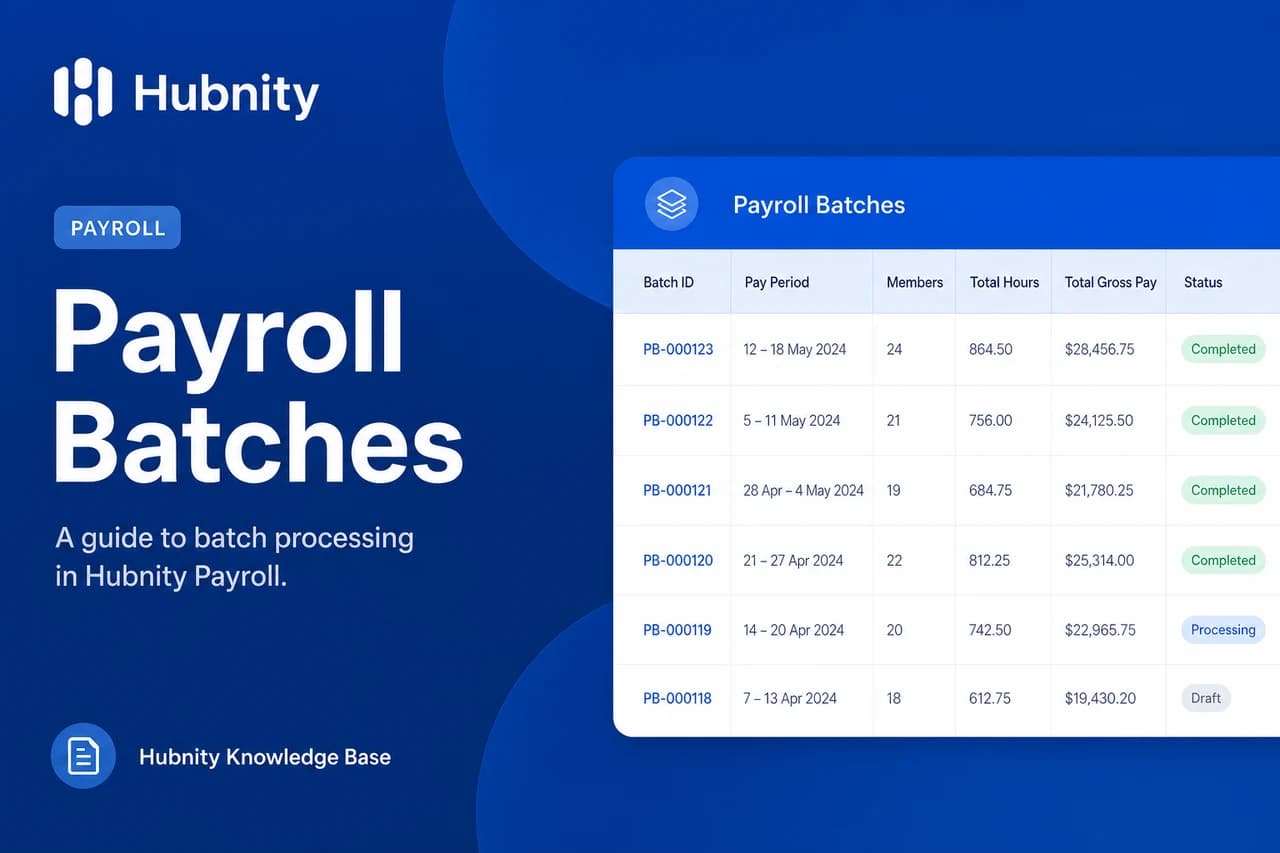
Connect Wise or PayPal to Hubnity for direct payroll payments from approved batches.
Connect Wise
Requires a Wise Business account with API access enabled.
- 1
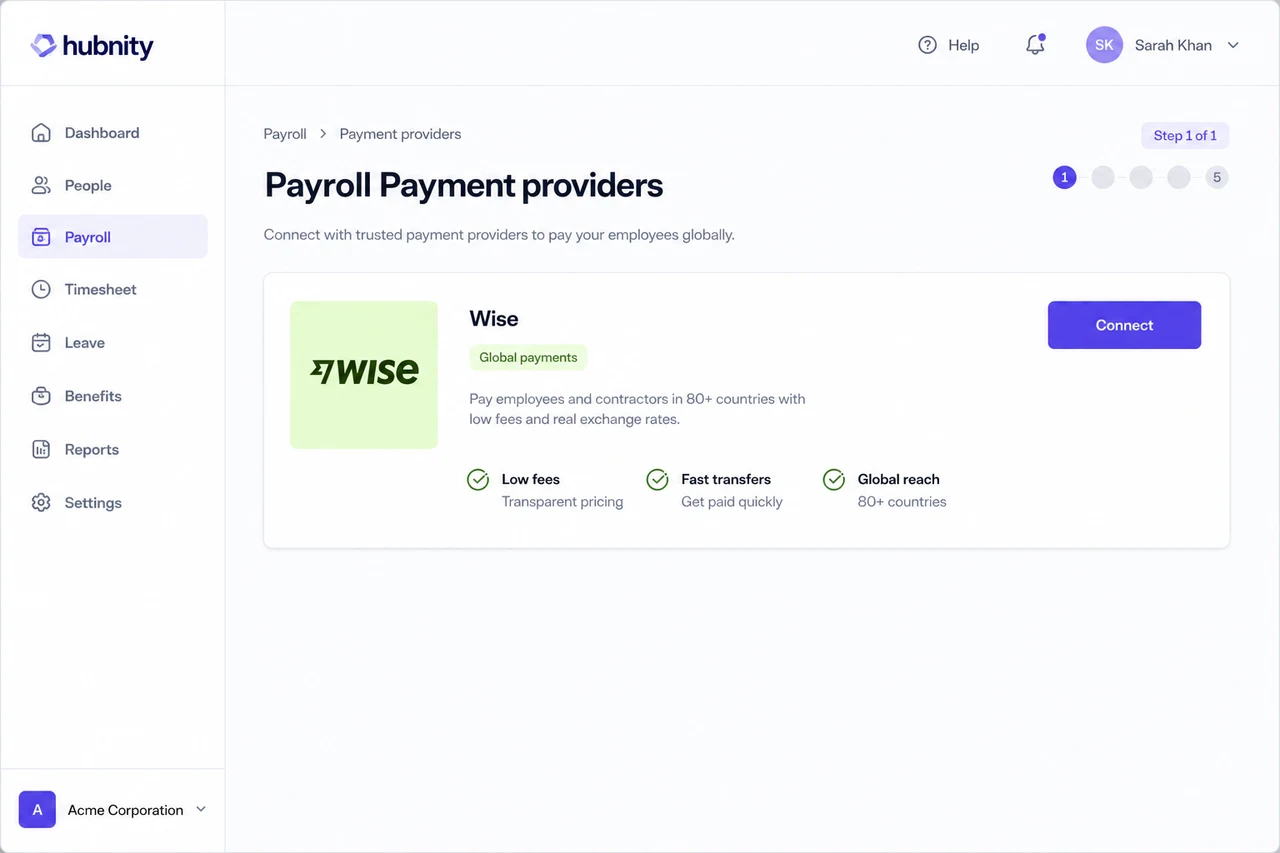
Go to Payroll → Payment providers → Wise
- 2
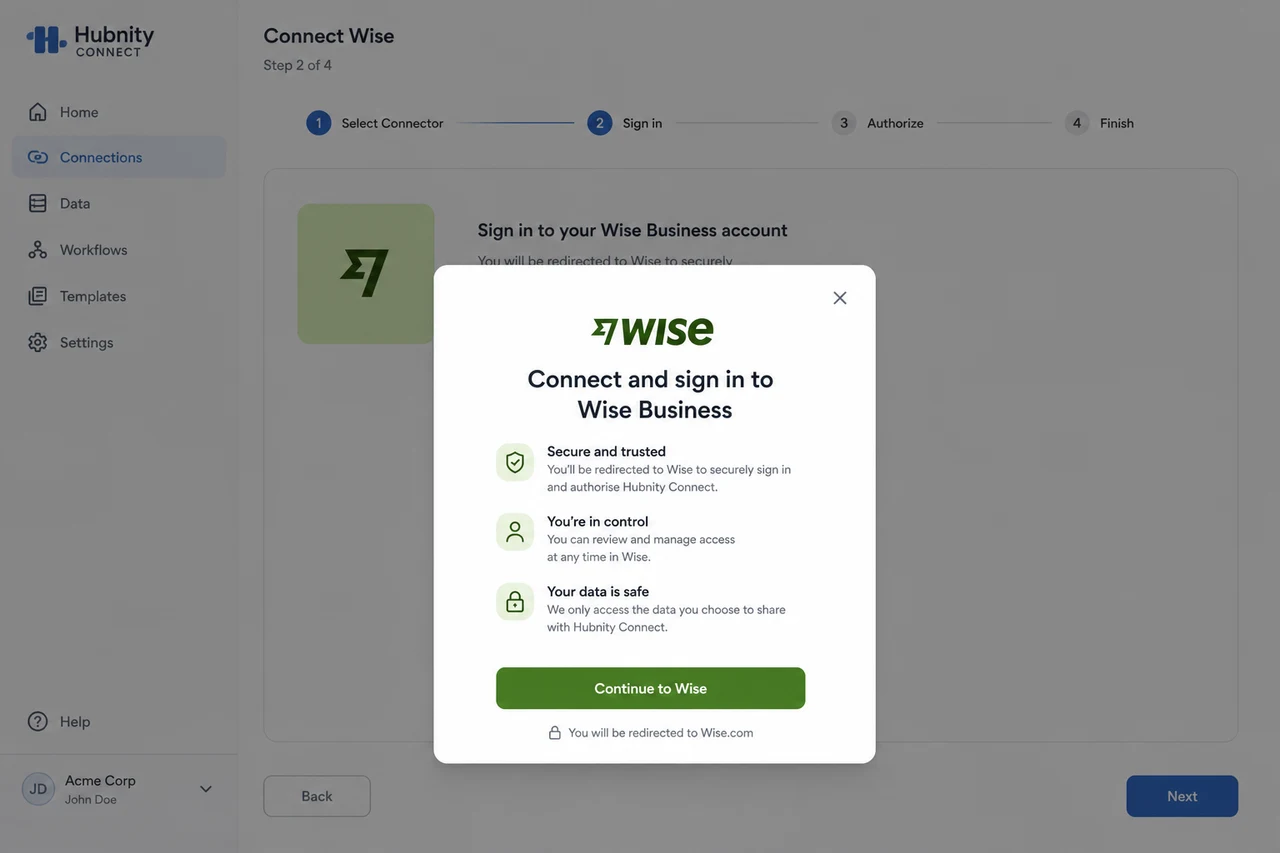
Click Connect and sign in to Wise
- 3
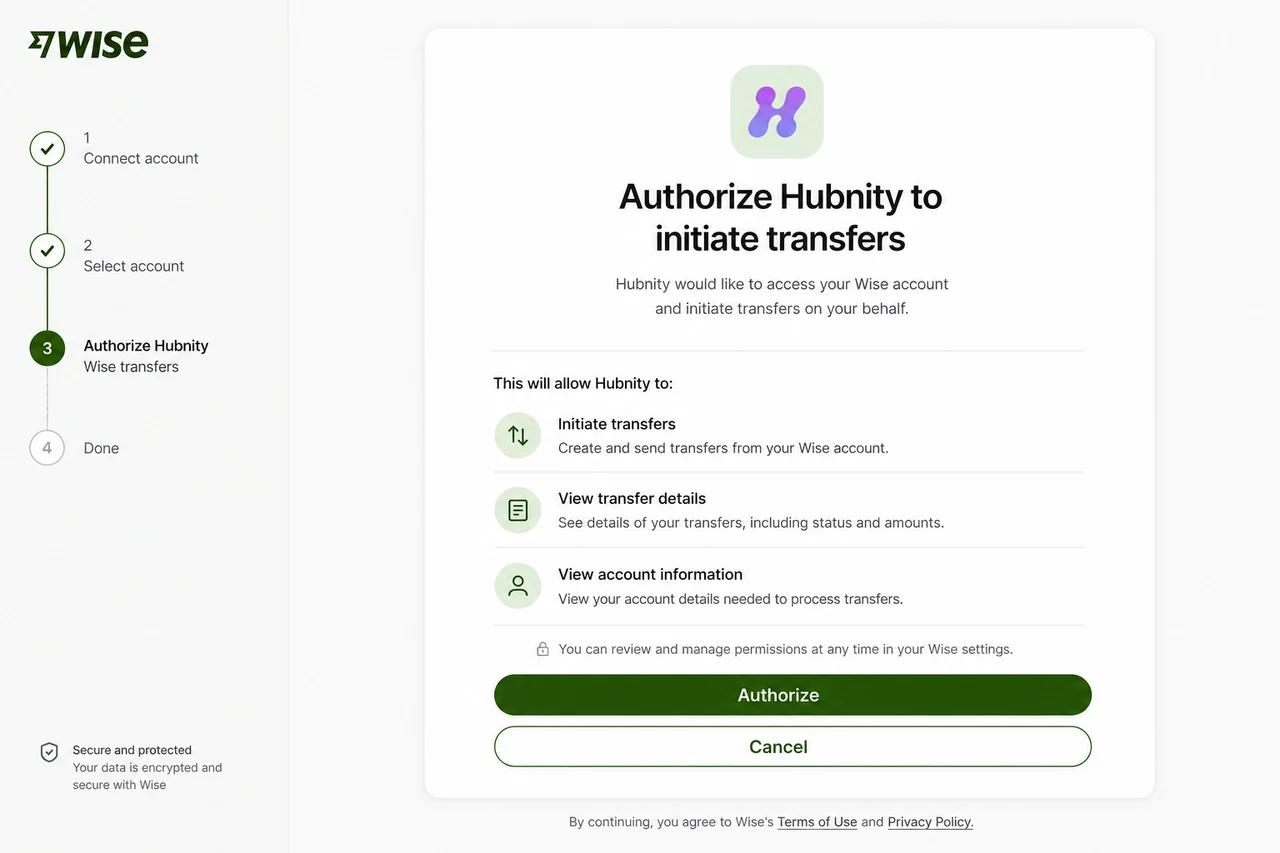
Authorize Hubnity to initiate transfers
- 4
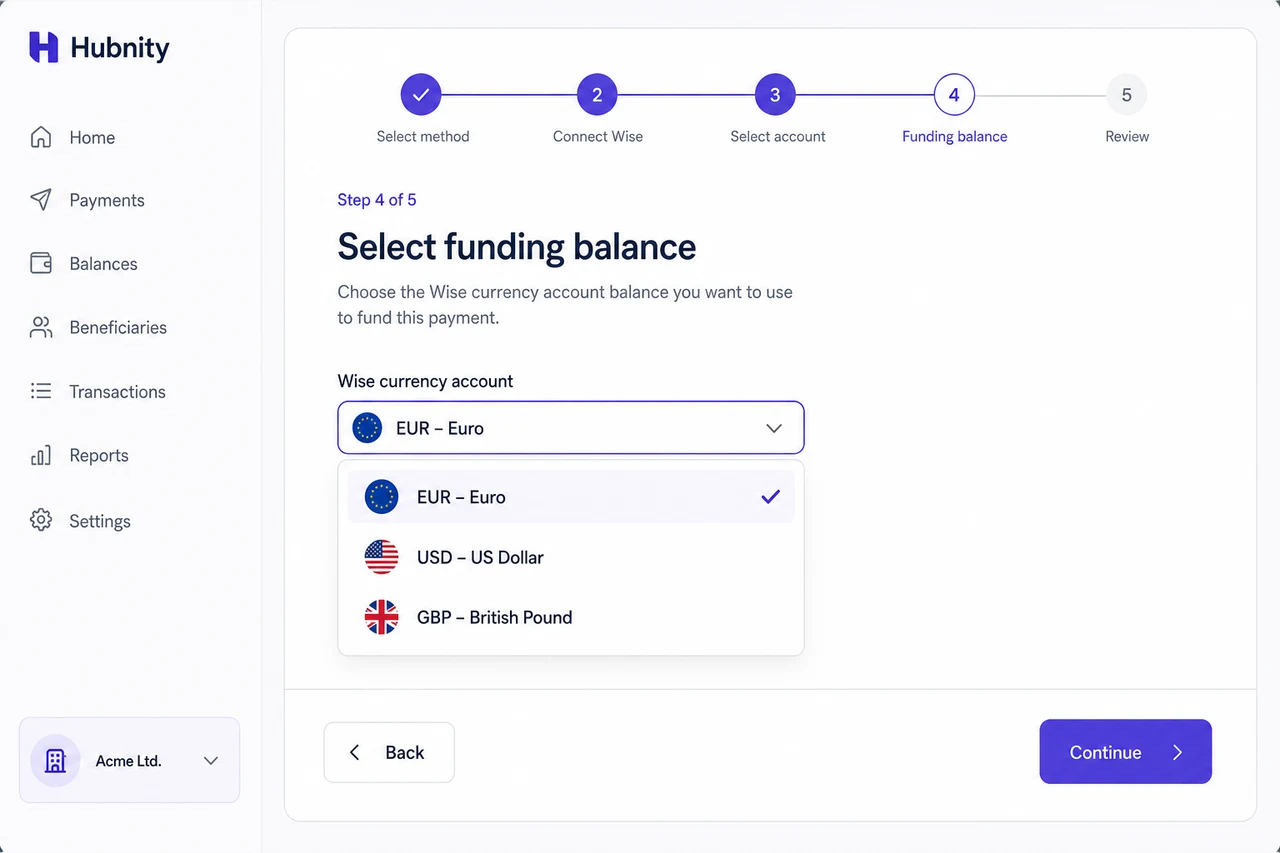
Select the funding balance (currency account)
- 5
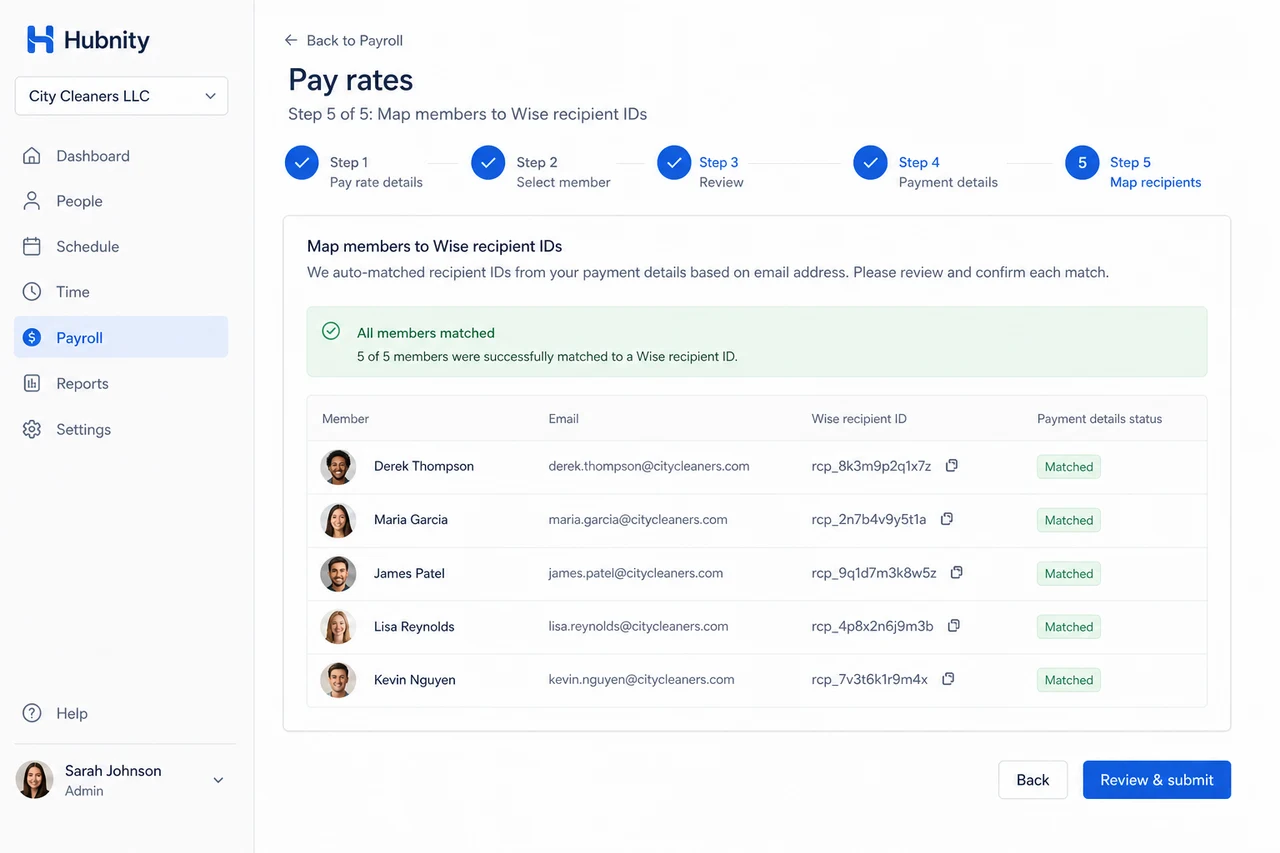
Map Hubnity members to Wise recipient IDs (auto-matched by email where possible)
- 6
Test with a $1.00 verification transfer
Connect PayPal
Requires a PayPal Business account.
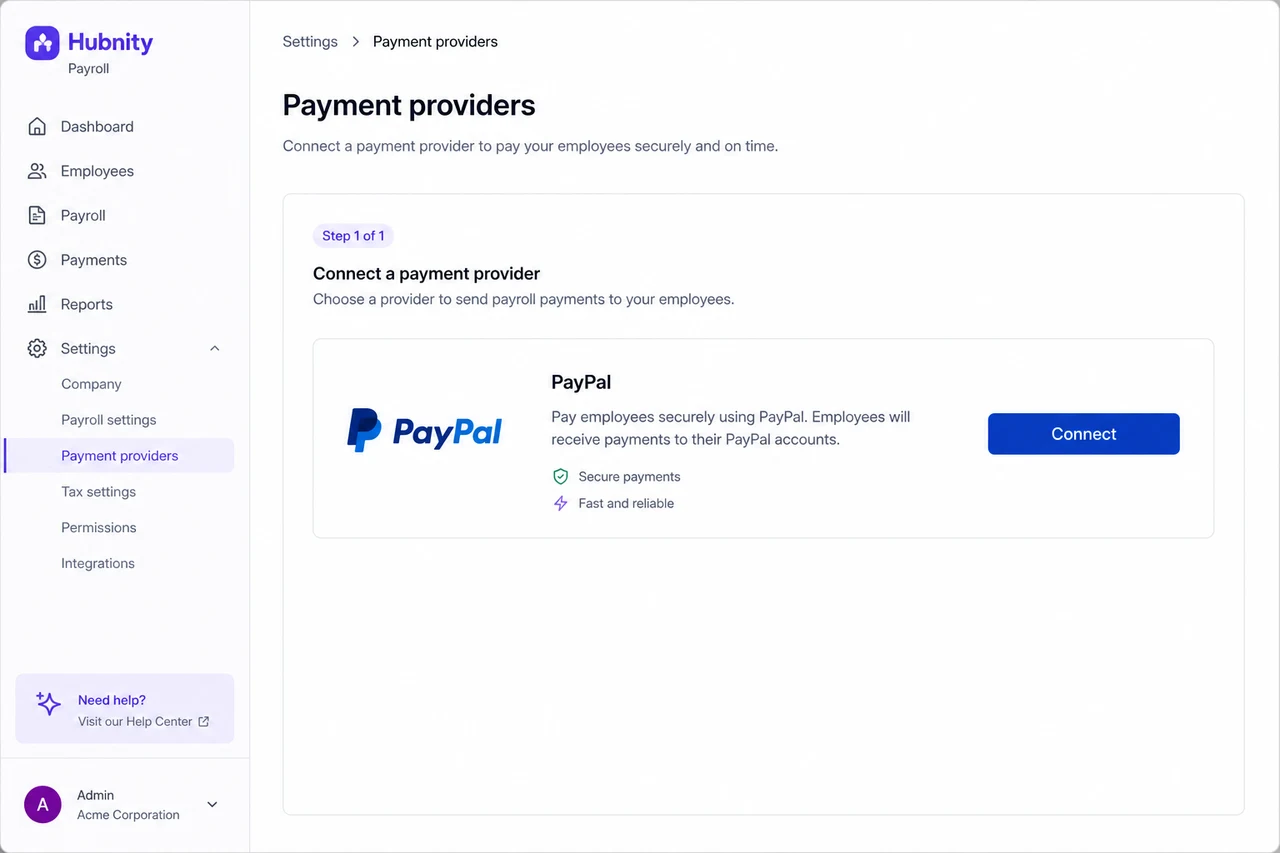
- 1
Go to Payroll → Payment providers → PayPal
- 2
Click Connect and sign in to PayPal Business

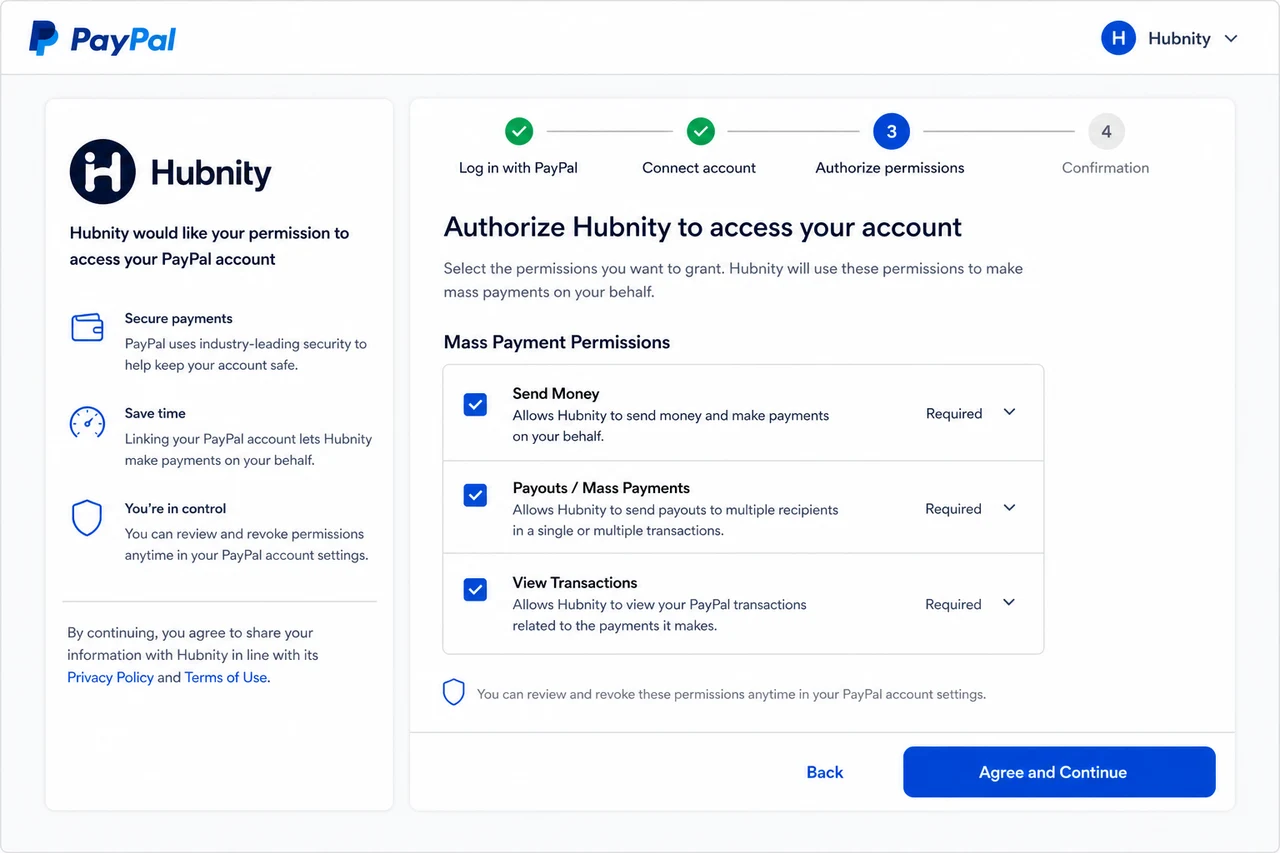
- 3
Authorize mass payment permissions
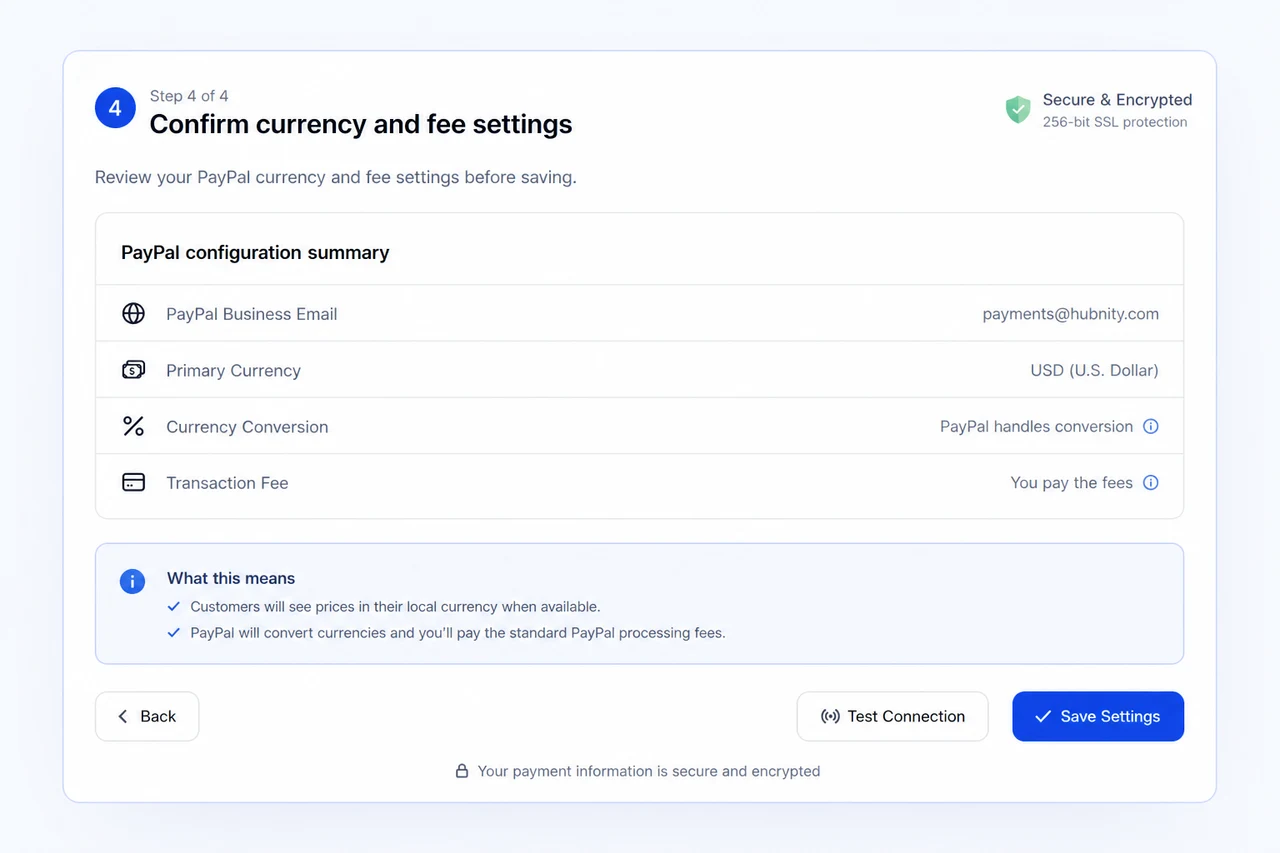
- 4
Confirm currency and fee settings
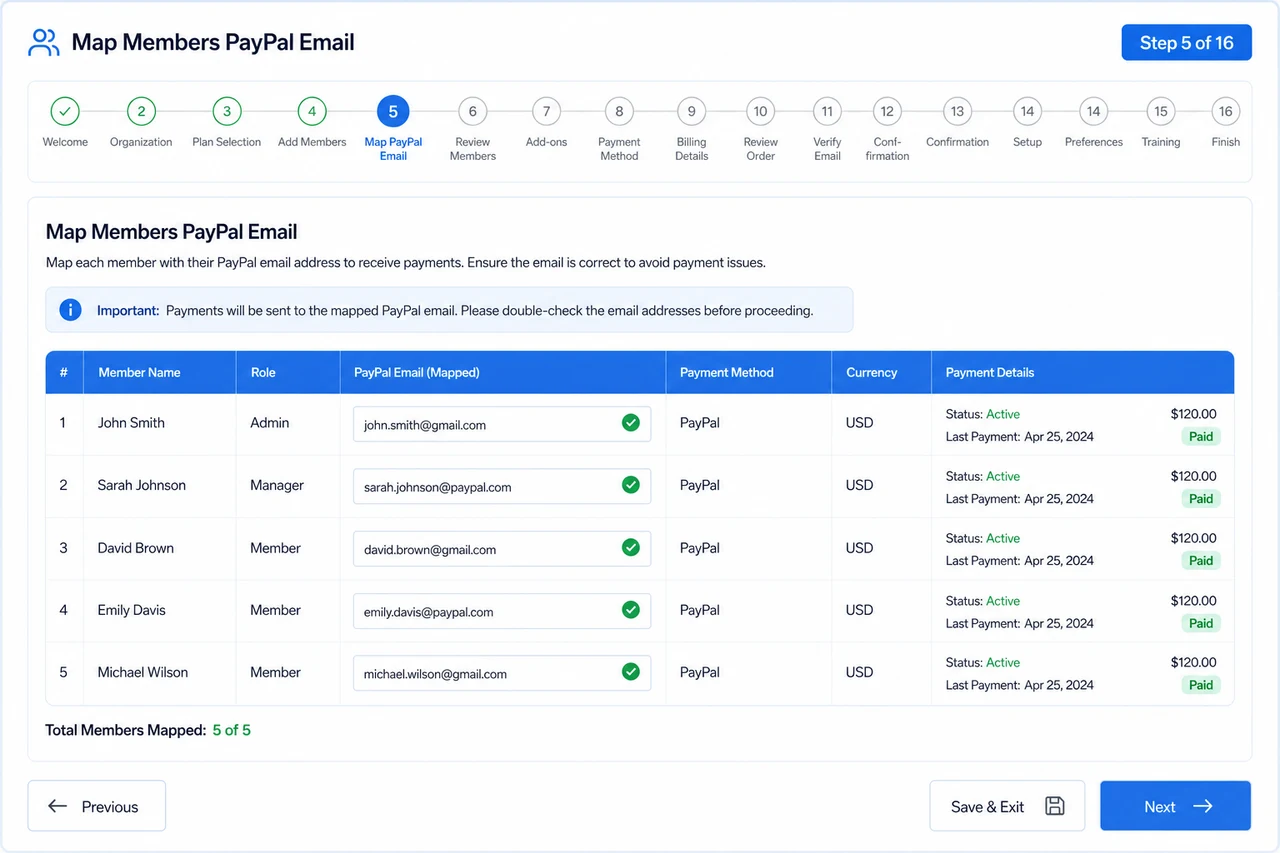
- 5
Map members to PayPal email addresses
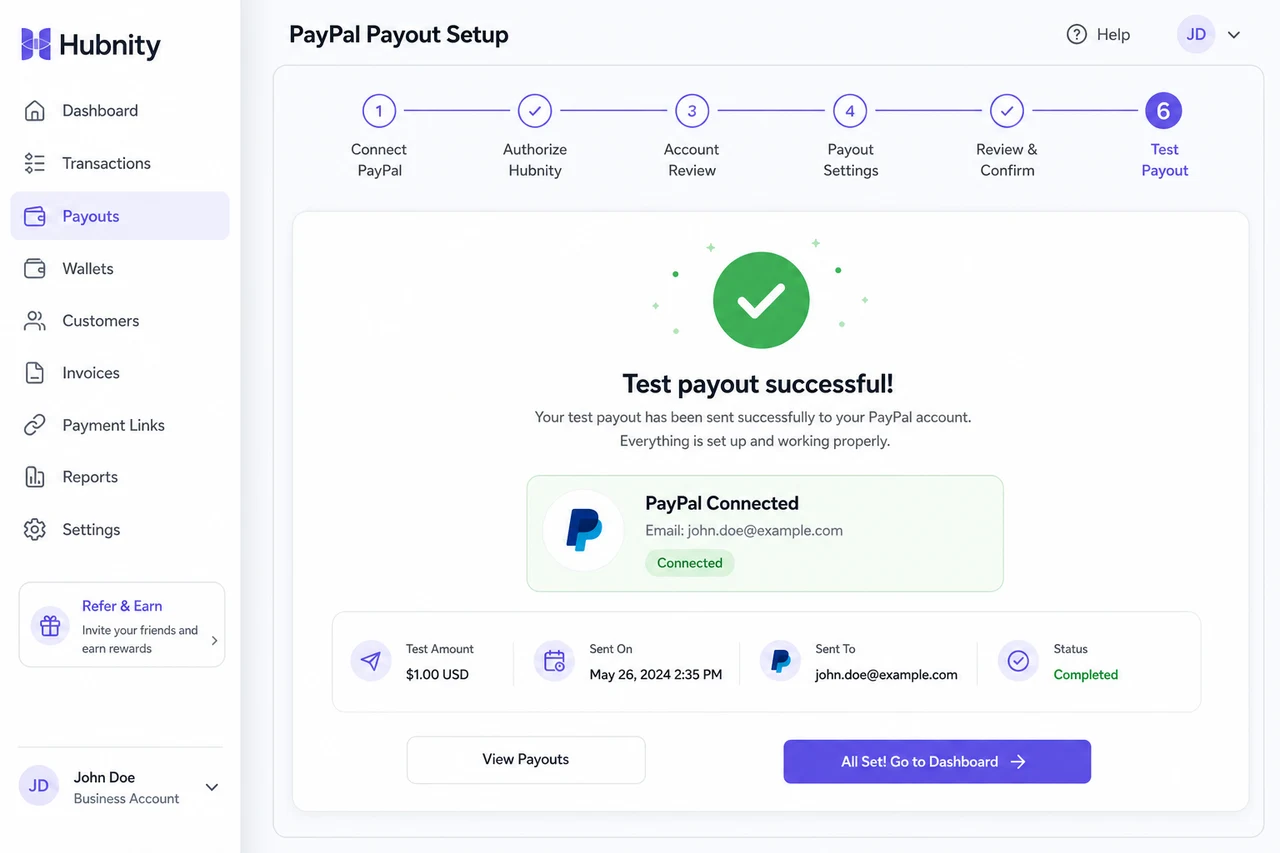
- 6
Run a test payout
Payment flow
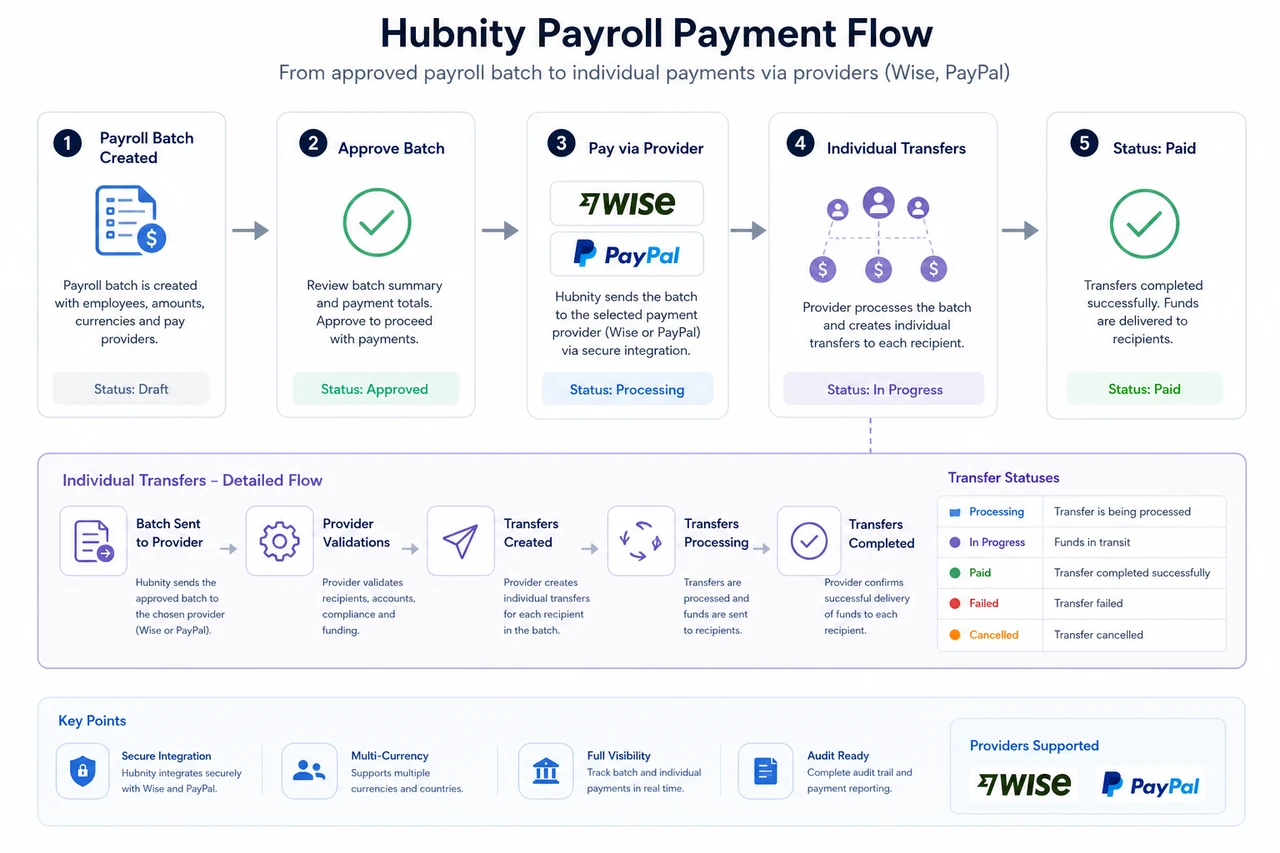
Approve a payroll batch → Click Pay via [Provider] → Hubnity sends individual transfers → Status updates to Paid on confirmation.
Failed transfers are flagged in the batch with the provider error message. Retry individually or fix recipient details.
Fees and limits
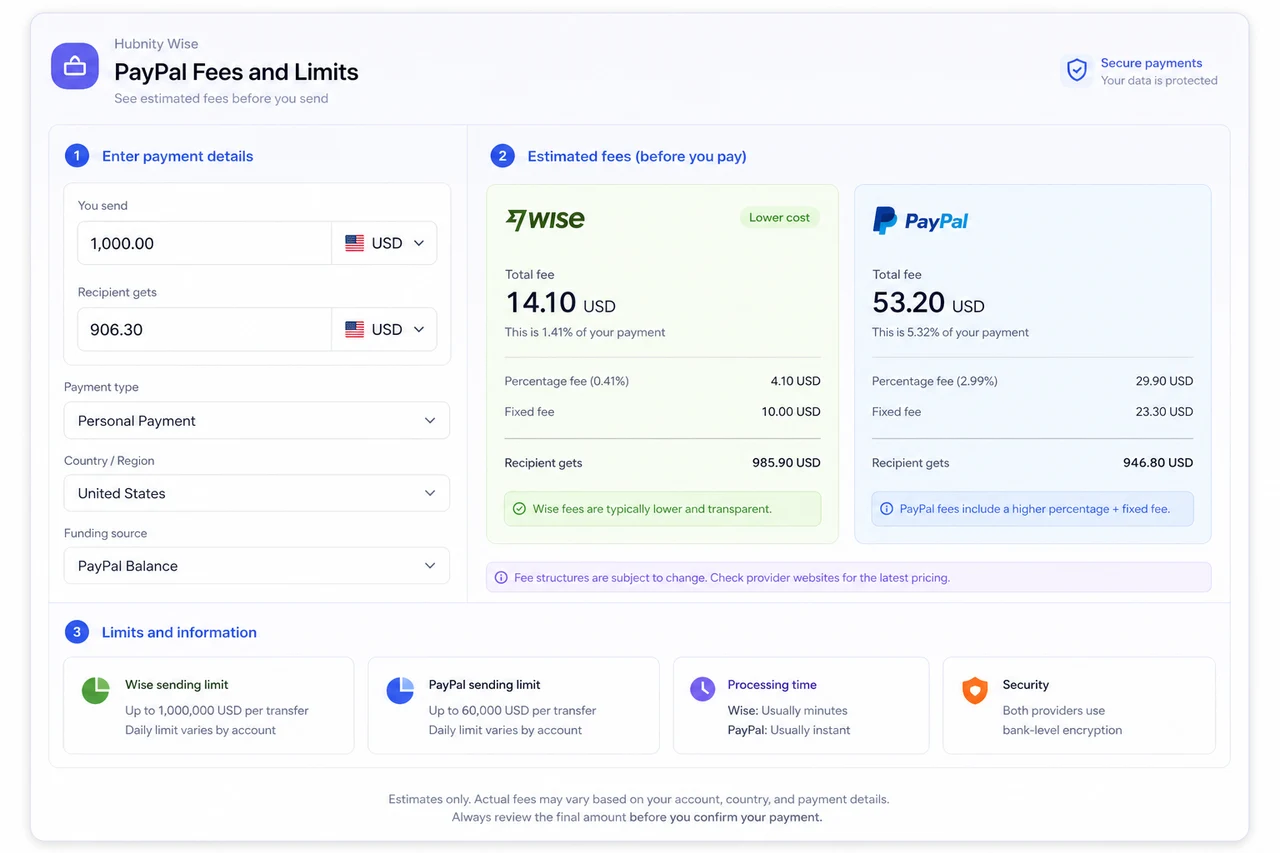
Provider fees are charged by Wise/PayPal, not Hubnity. Displayed as estimates before confirming payment.
Wise: per-transfer fee varies by corridor. PayPal: percentage + fixed fee per recipient.
Common errors
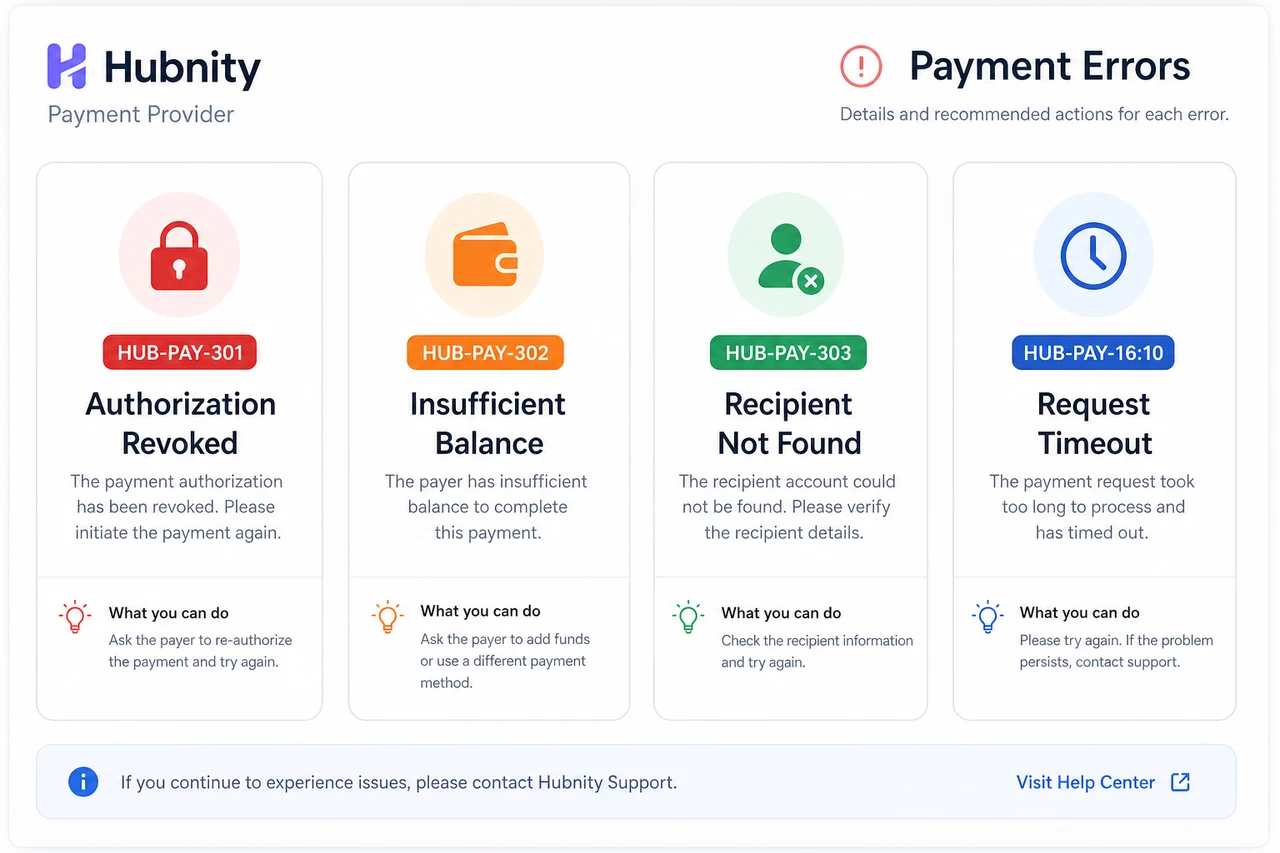
HUB-PAY-301: Provider authorization revoked. Reconnect from Payroll → Payment providers.
HUB-PAY-302: Insufficient balance in funding account.
HUB-PAY-303: Recipient not found. Verify email or Wise recipient ID on member profile → Payment details.