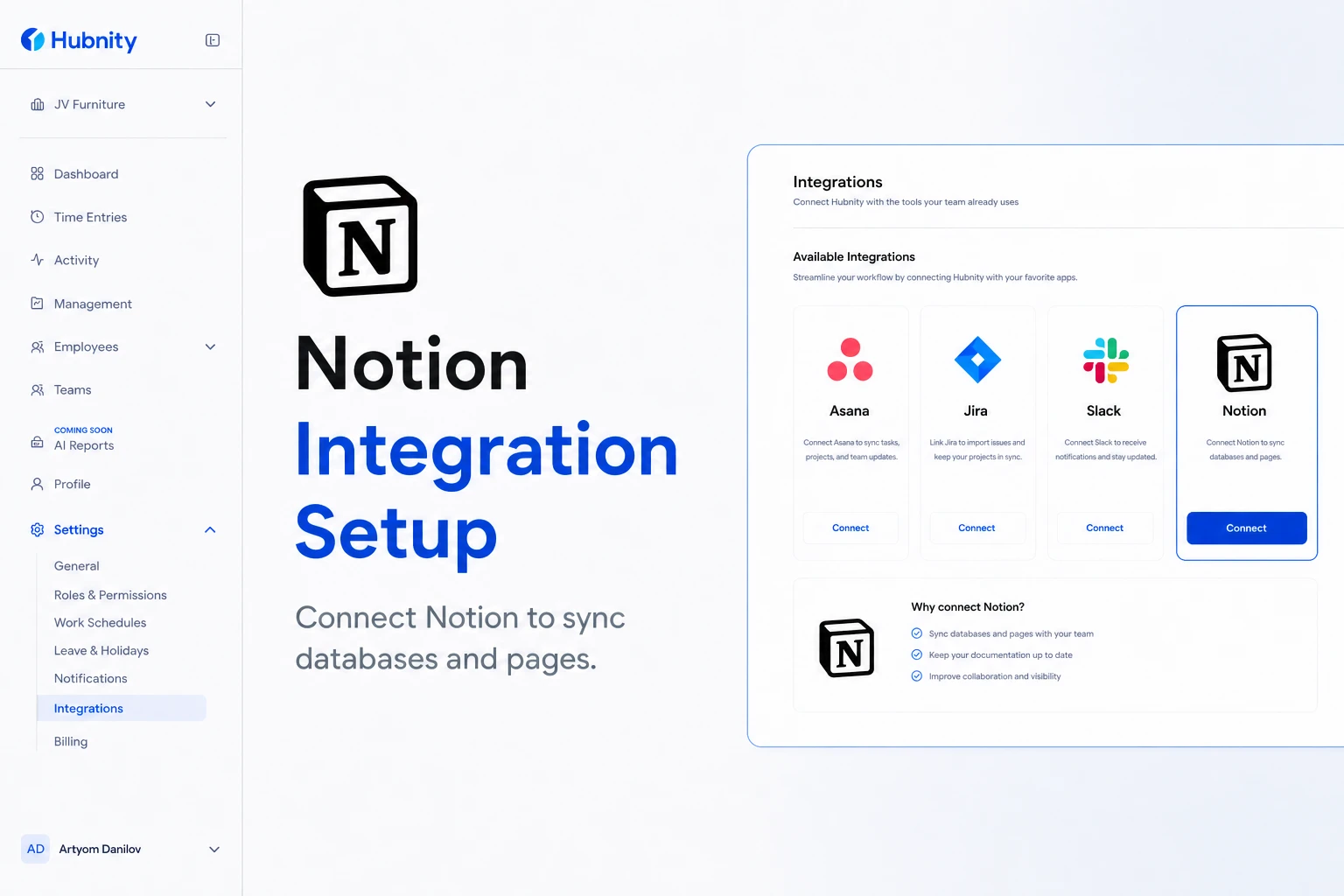
Connect Notion to Hubnity to sync databases and pages, and track time against Notion tasks.
Why connect this tool
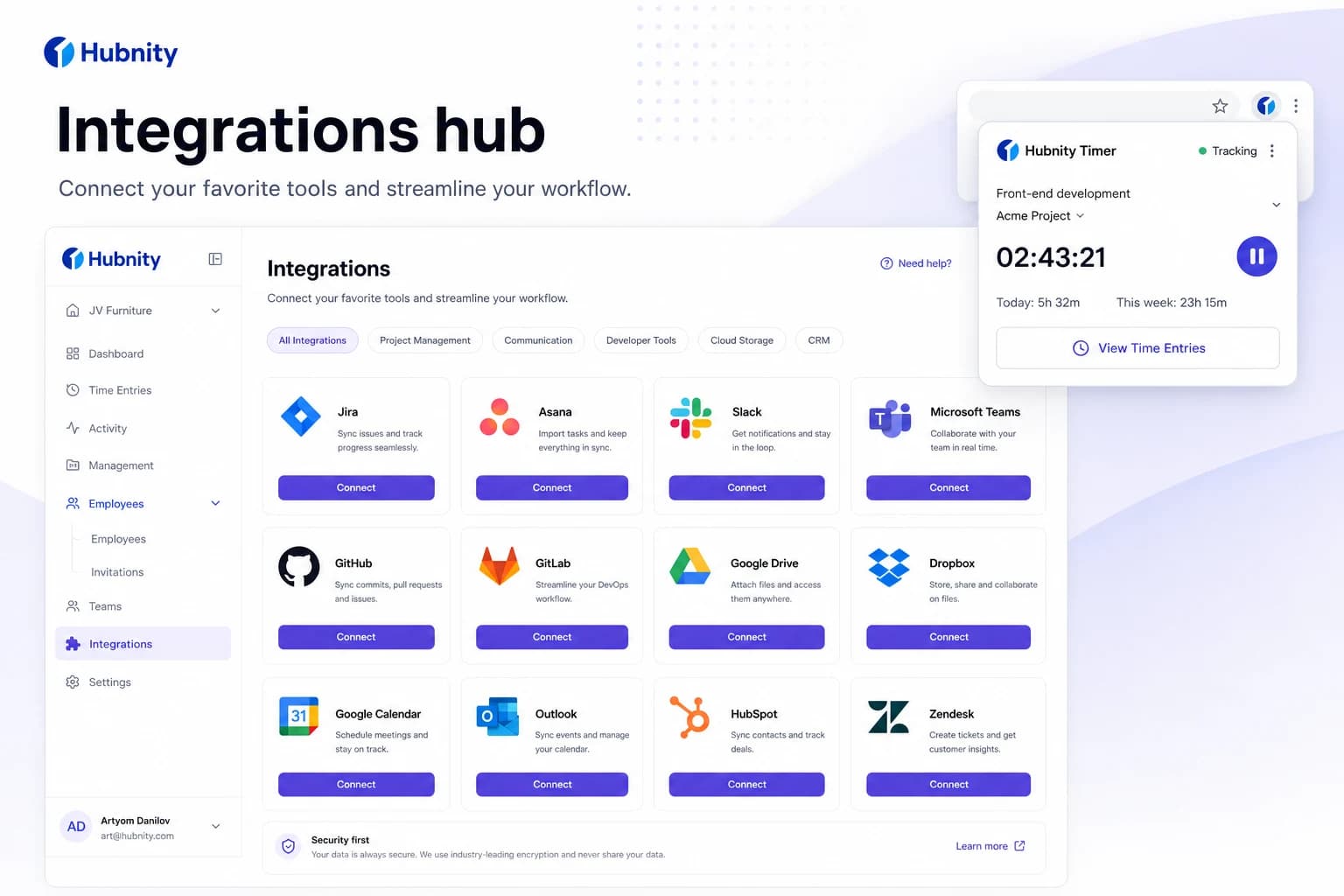
Yes, Hubnity seamlessly integrates with over 50 popular project management and communication tools, including Jira, Trello, Asana, Slack, and Notion.
Connecting notion reduces duplicate entry—time syncs back to Hubnity timesheets.
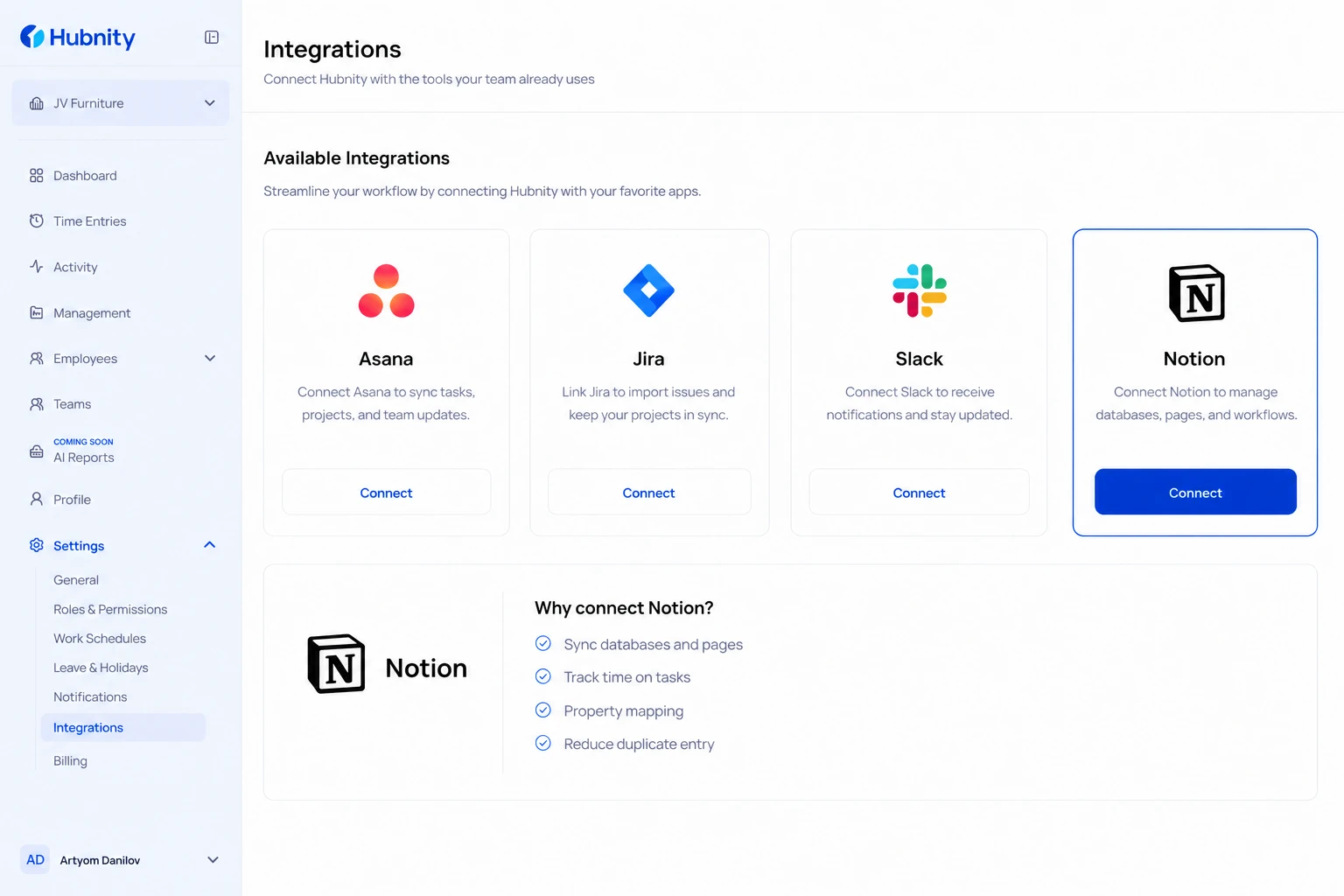
Connect Notion
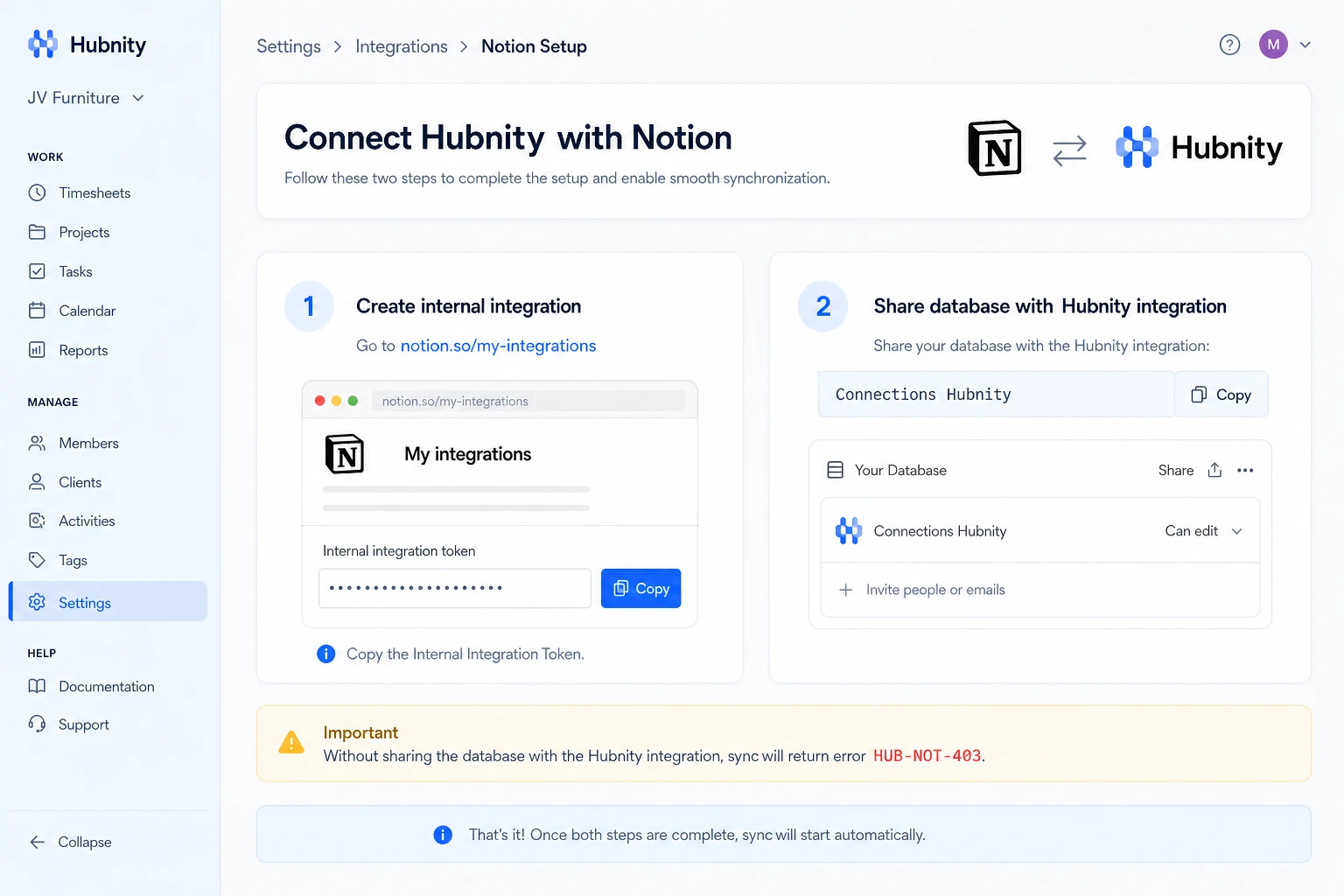
Create a Notion integration token and share databases with the Hubnity integration.
- 1
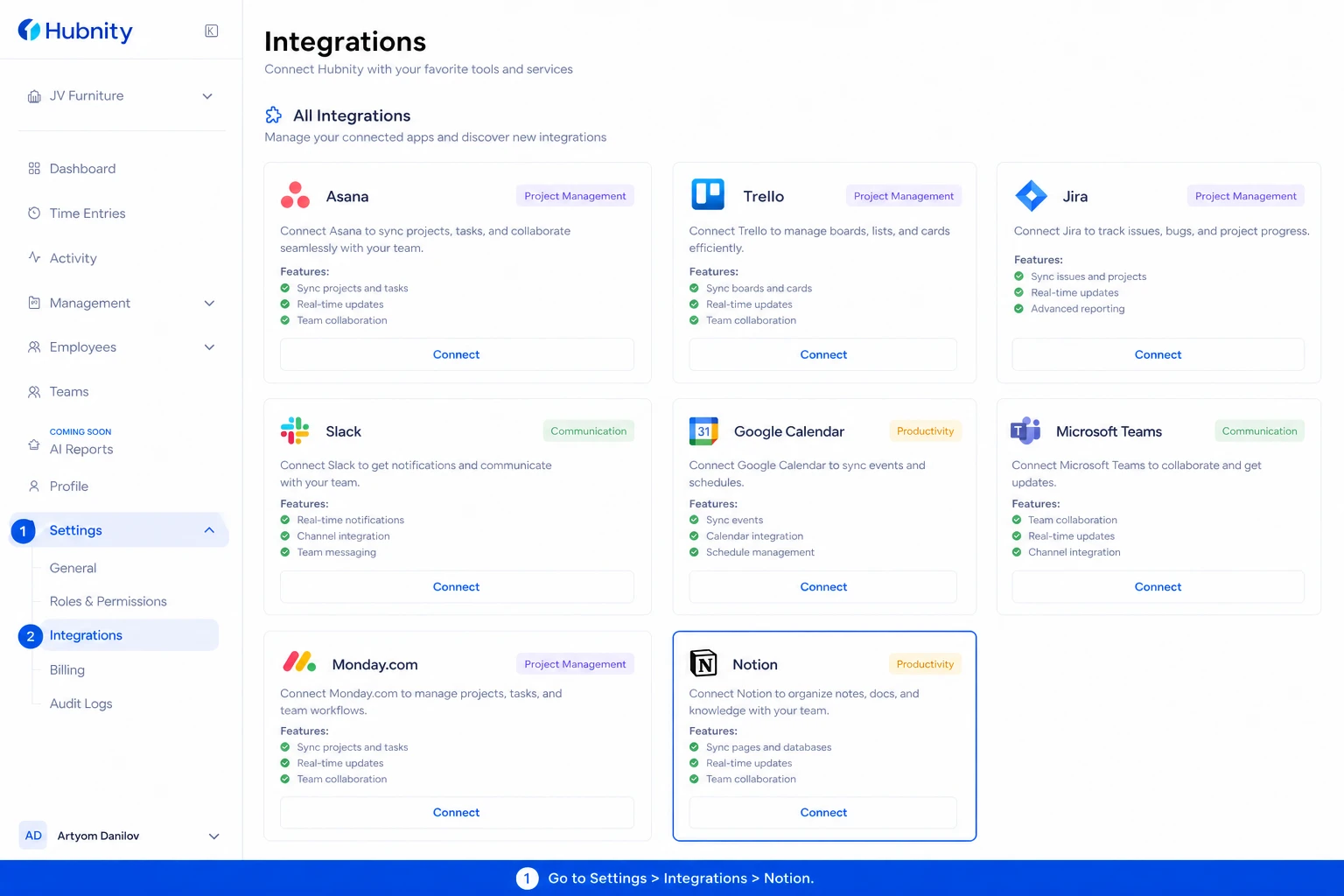
Go to Settings → Integrations → Notion
- 2
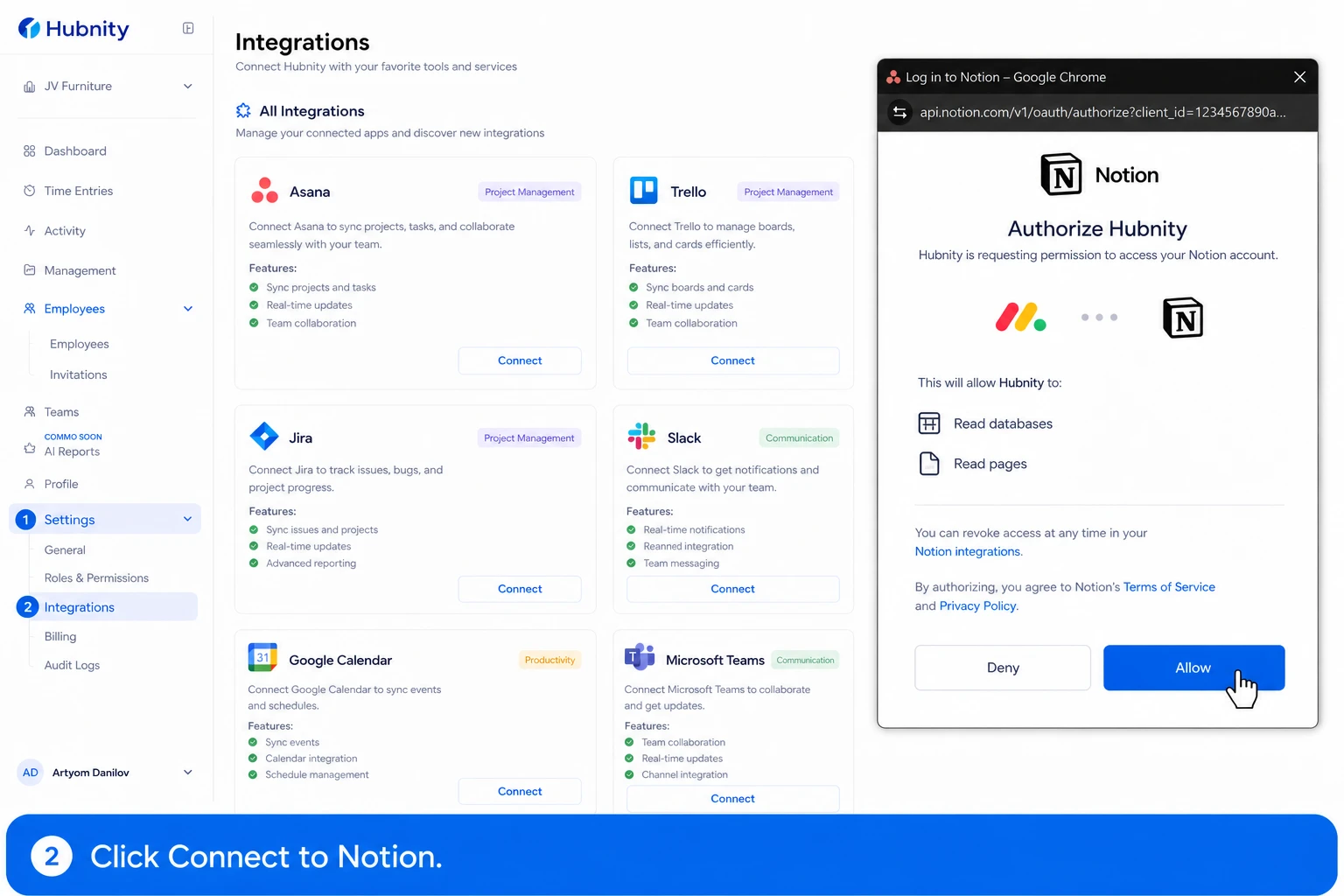
Click Connect to Notion
- 3
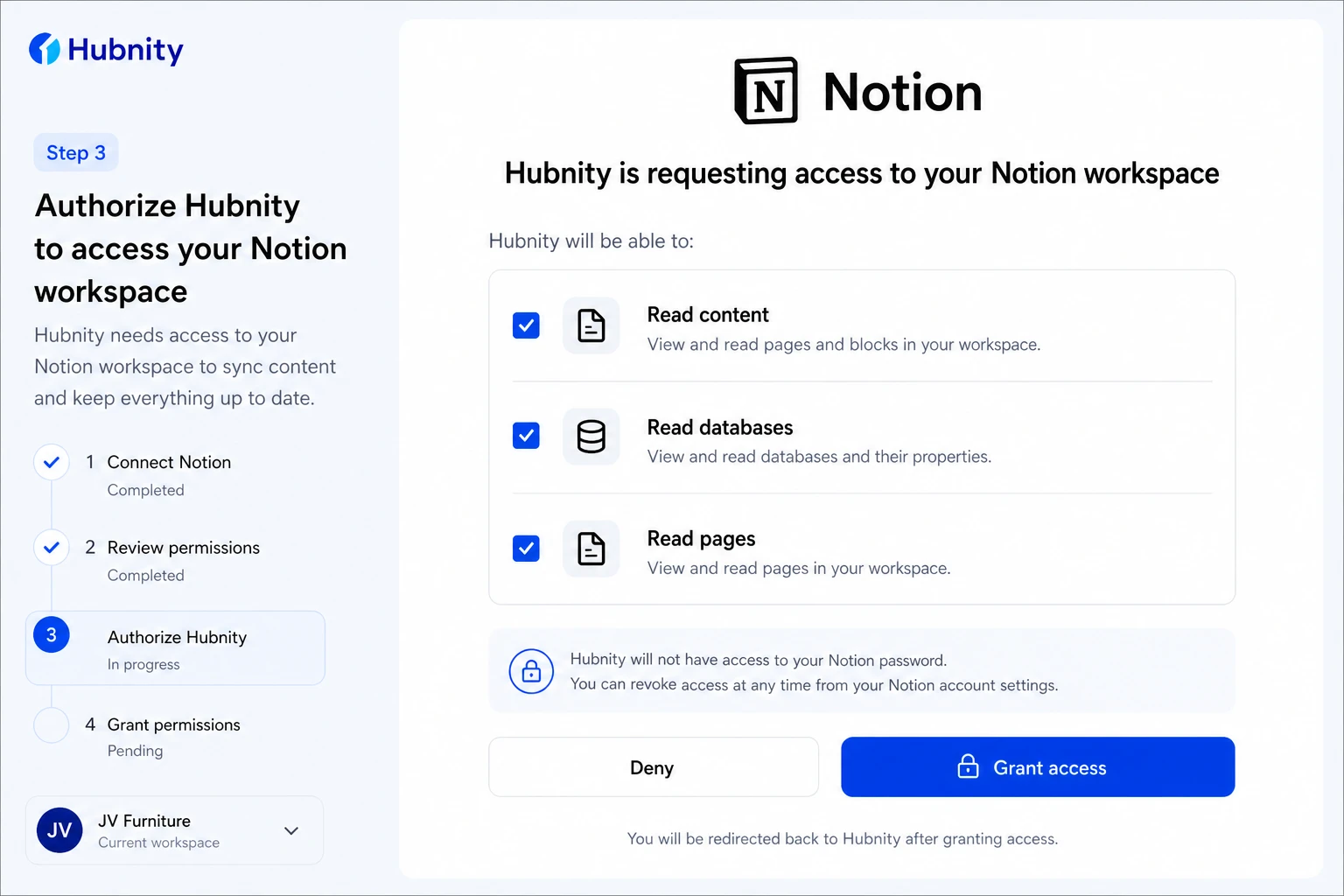
Authorize Hubnity to access your Notion workspace
- 4
Select databases to sync (must be shared with the Hubnity integration in Notion)
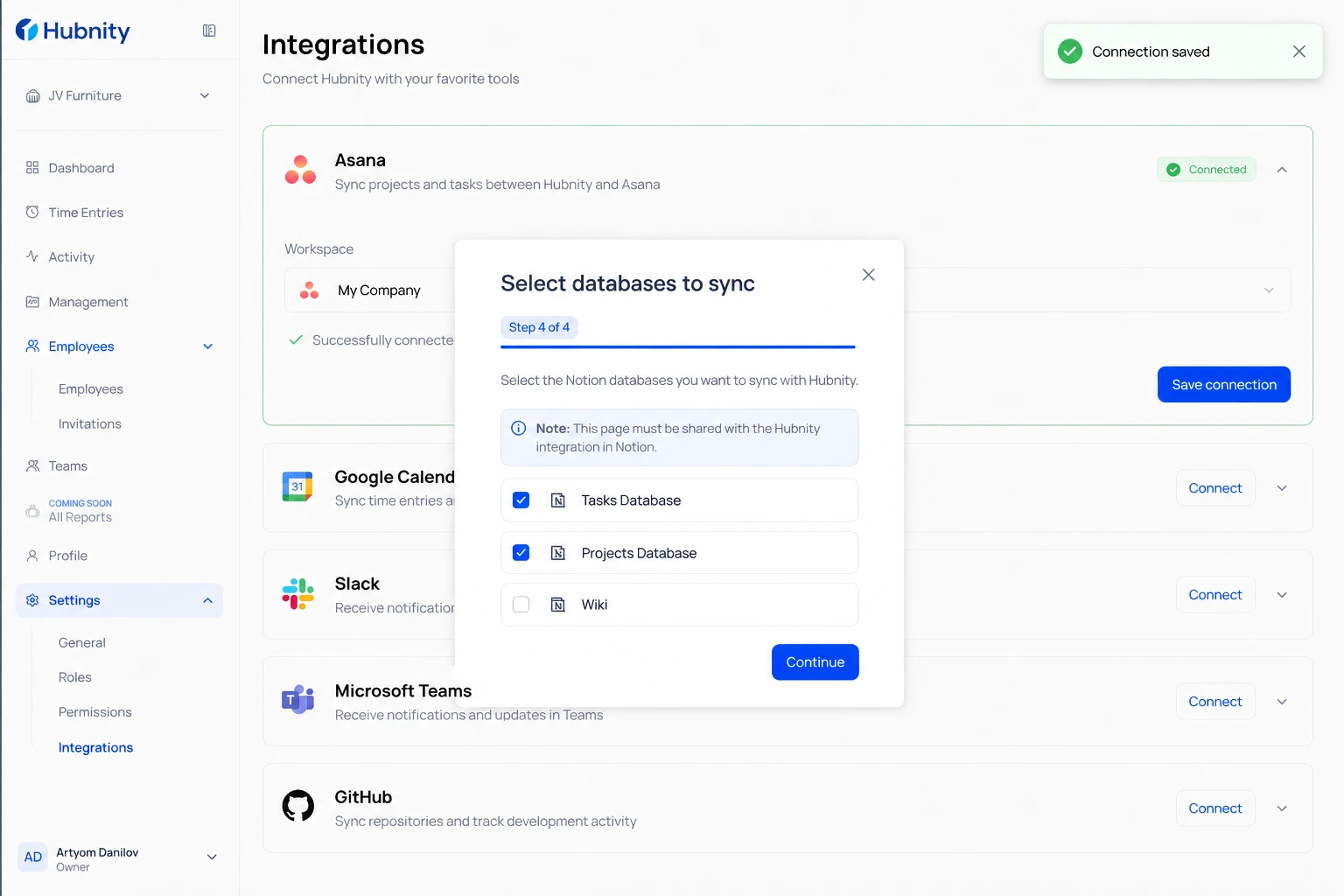
- 5
Map each database to a Hubnity project
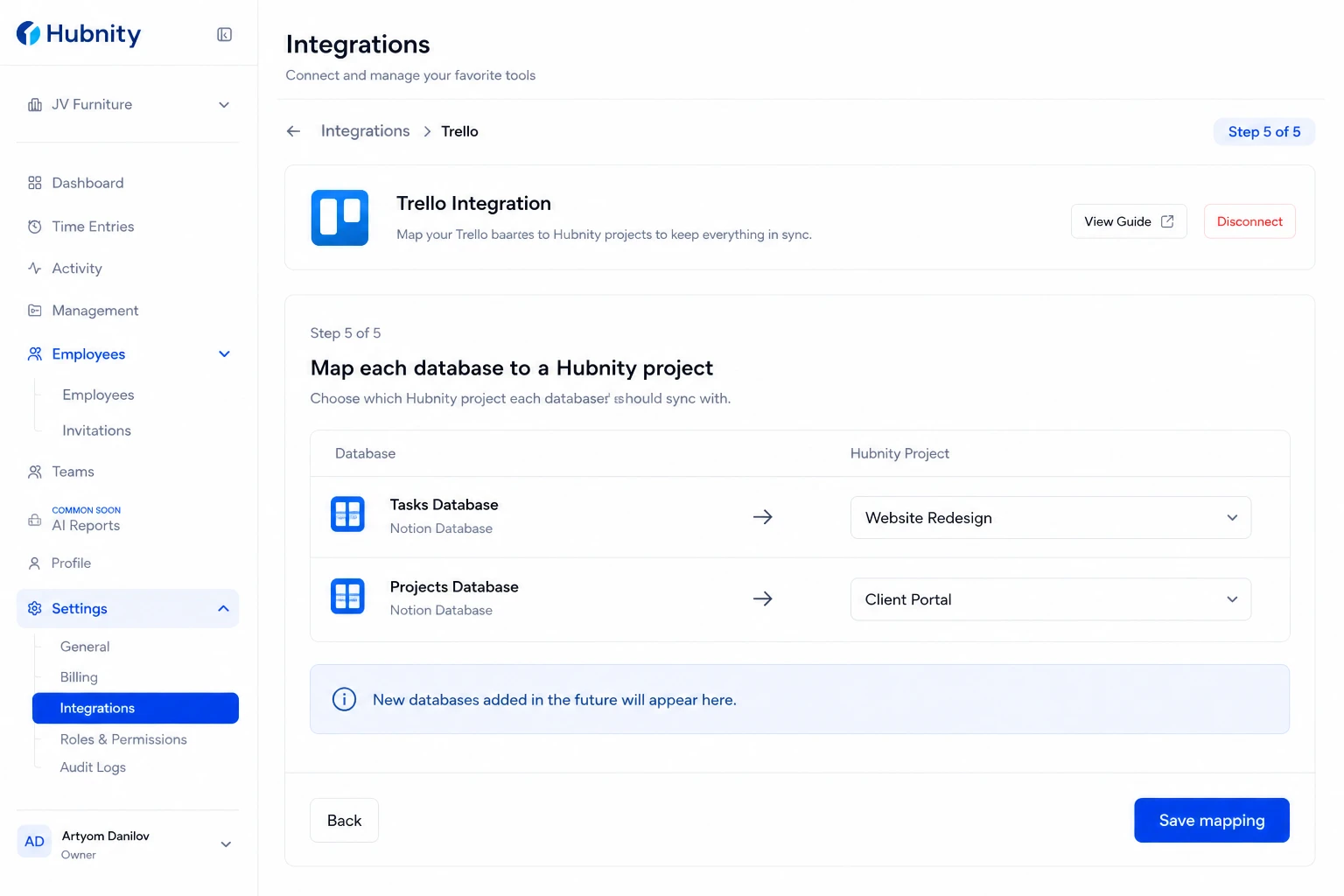
- 6
Configure property mapping (title, assignee, status)
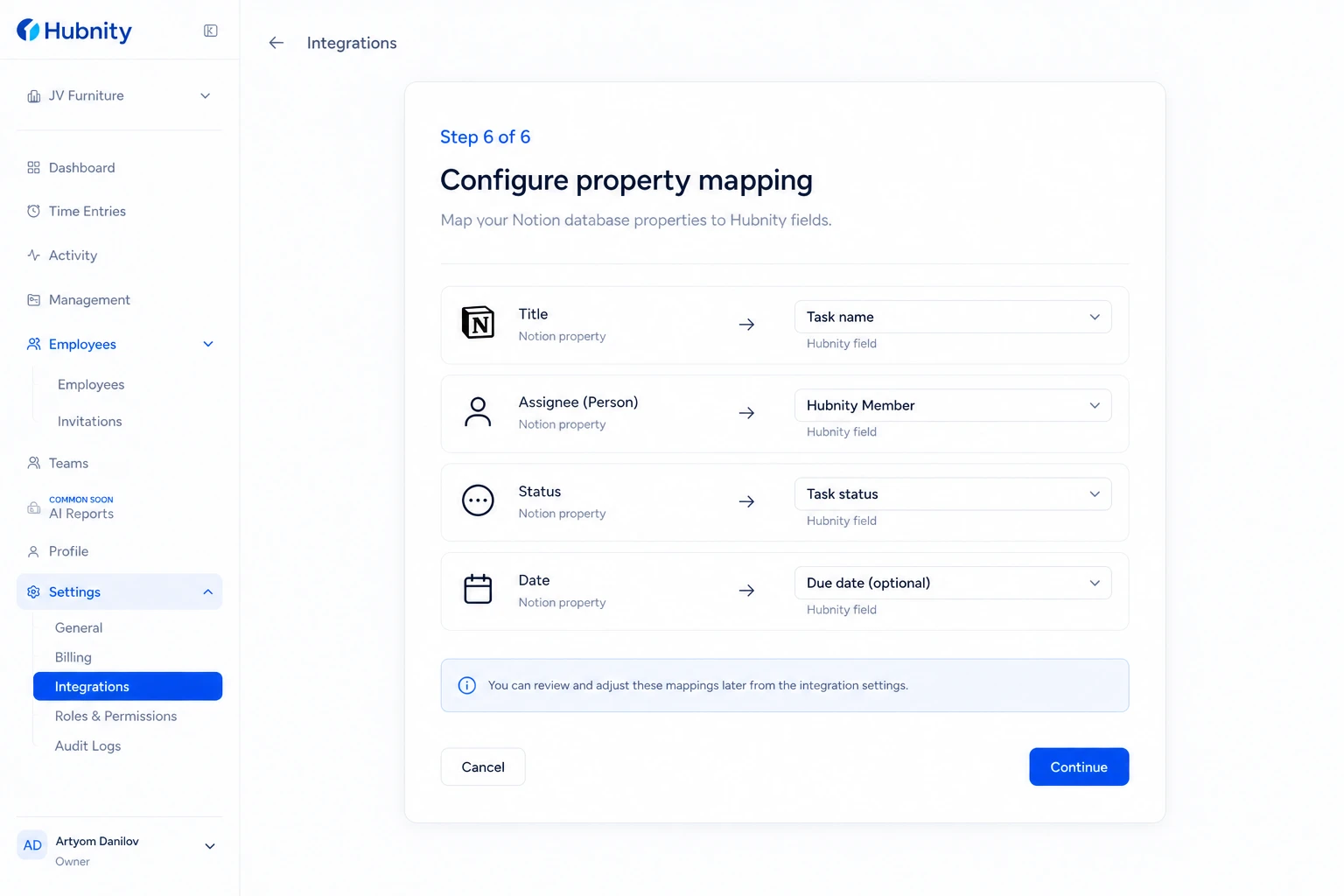
- 7
Save connection
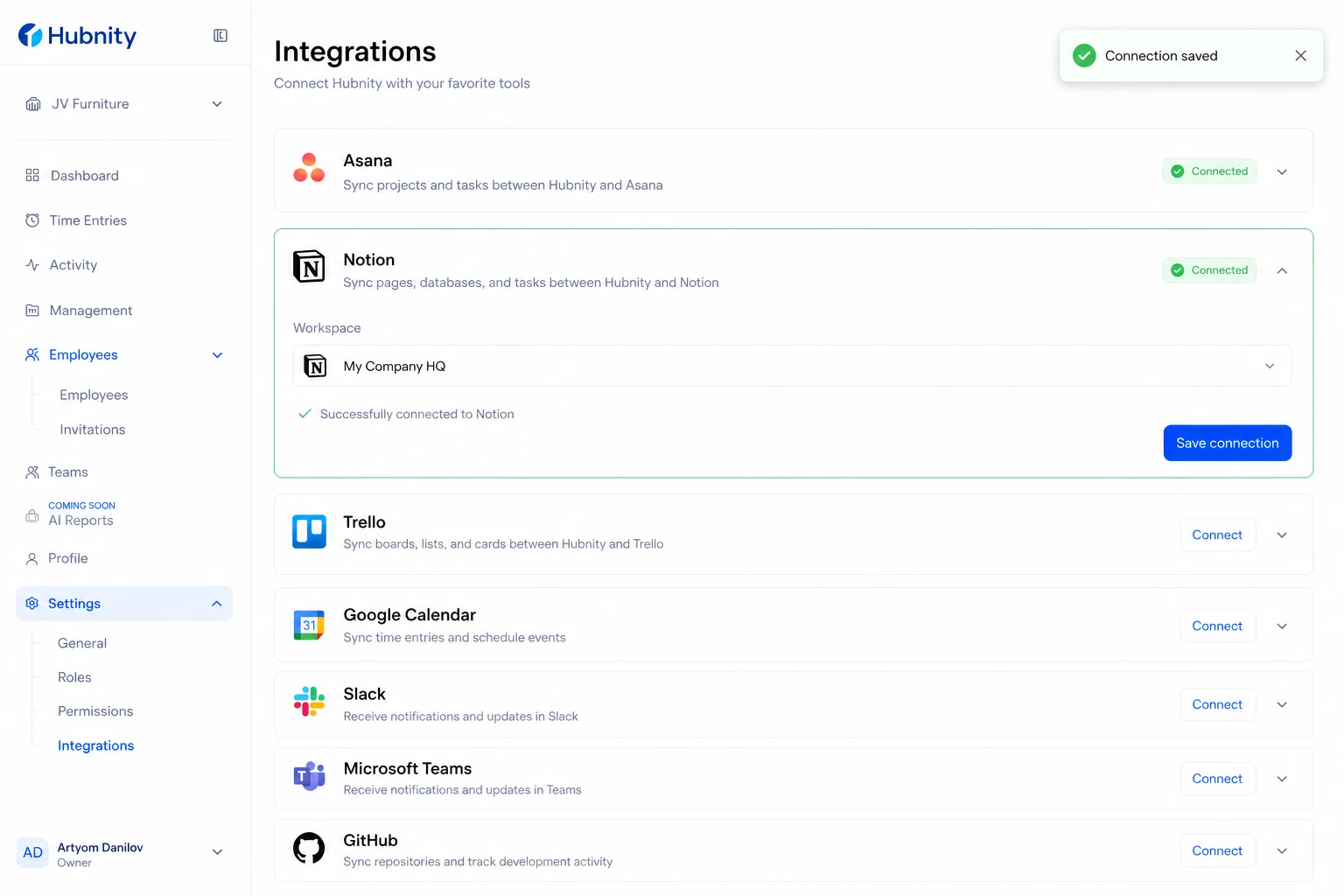
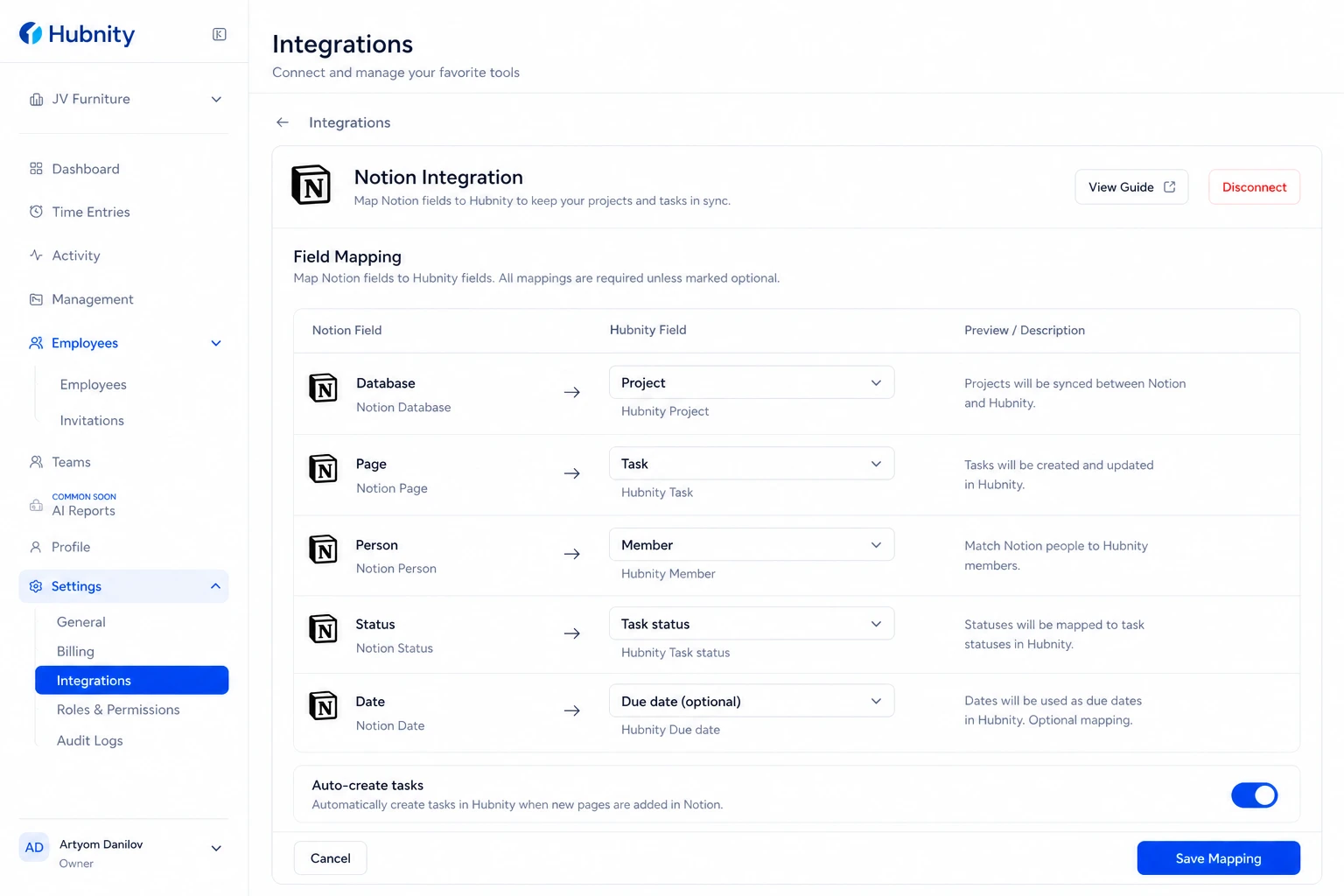
Field mapping
Notion Database → Hubnity Project: required.
Notion Page (row) → Hubnity Task: auto-created. Page title becomes task name.
Notion Person property → Hubnity Member: matched by email.
Notion Status property → Hubnity Task status: mapped by status value.
Notion Date property → Hubnity Task due date: optional.
Notion setup requirements
In Notion: create an internal integration at notion.so/my-integrations. Copy the token.
Share each database with the Hubnity integration: database → ... → Connections → Hubnity.
Without sharing, sync will return HUB-NOT-403 errors.
Sync frequency
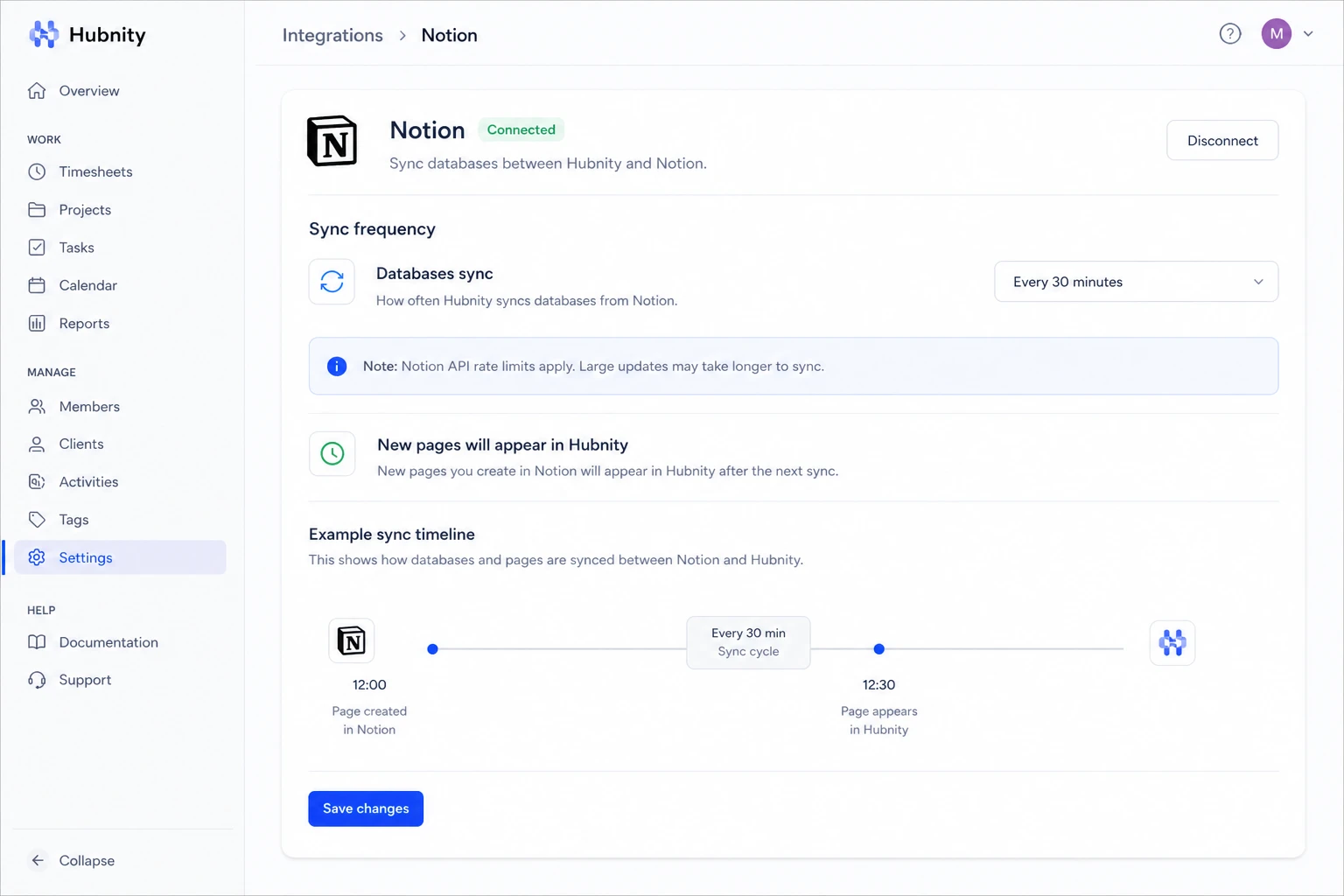
Databases sync every 30 minutes (Notion API rate limits). New pages appear in the timer picker after next sync.
Common errors
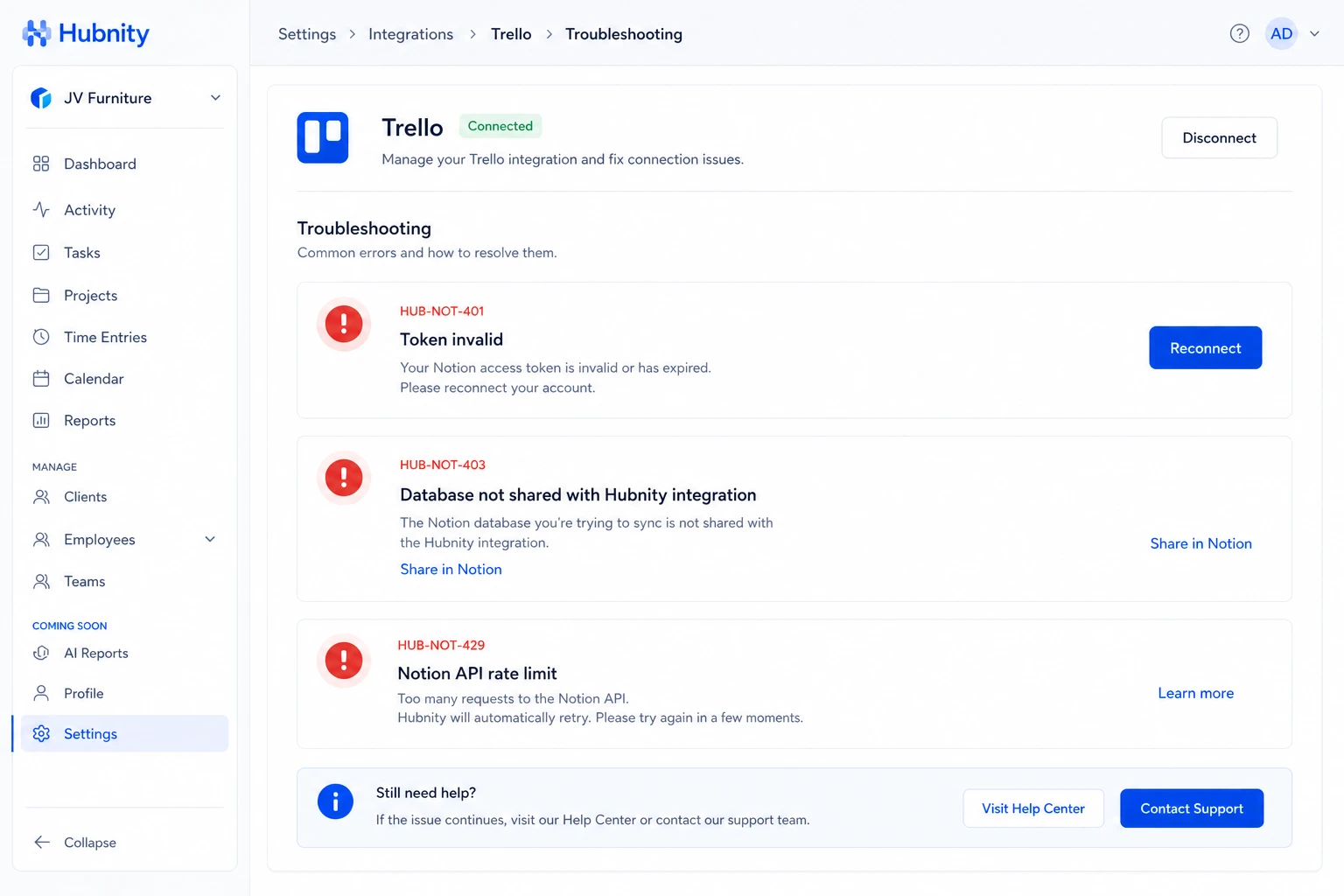
HUB-NOT-401: Integration token invalid. Reconnect from Settings → Integrations → Notion.
HUB-NOT-403: Database not shared with Hubnity integration. Share in Notion and retry.
HUB-NOT-429: Notion API rate limit (3 requests/second). Hubnity retries automatically.